

PDraw
What is it about?
This page documents the PDraw node of Thinking Particles in Cinema 4D. It lets you paint particles freehand into 3D space and stores them as a container — direct manual placement instead of emitter-based creation.
 This node allows you to draw particles using a virtual brush.
The PDraw node enables you to freely draw particles in 3D space. Once you have drawn the particles, the node will act as a container for them.
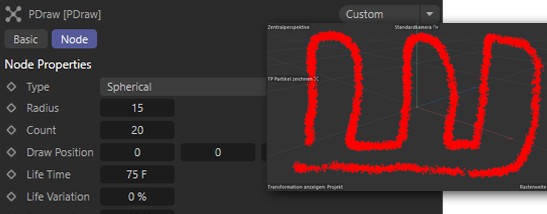 Drawing particles in the 3D view using the PDraw node.

To draw particles in a view:
- Select the PDraw node.
- Choose .
- Move the time slider to the frame at which the particles should be born.
- Ctrl-drag to draw the particles.
- If Type is set to Spherical, you can Shift-drag to change the size of the virtual sphere inside which the particles are drawn.
- Once you have drawn the particles for this frame, move to the next frame at which you want particles to be born. Draw the particles for the new frame.