
Optimize UV
This page describes the Optimize UV function in Cinema 4D. It merges neighboring UV points within a tolerance — the UV counterpart to the mesh Optimize command — removing accidental micro-splits in the unwrap.
This feature works similarly to the Optimize command for automatically merging points that lie within a specified maximum distance of each other, except that here only the UV coordinates of adjacent UV points are merged. The maximum distance between UV points can be specified in a separate dialog box that opens when you click the gear icon for this feature.
There you will find a Tolerance value that allows you to specify the search radius for merging UV positions. This function can be limited to selected points, edges, or polygons. If you want to check and optimize the entire UV unwrap, simply leave all elements in the current component mode deselected.
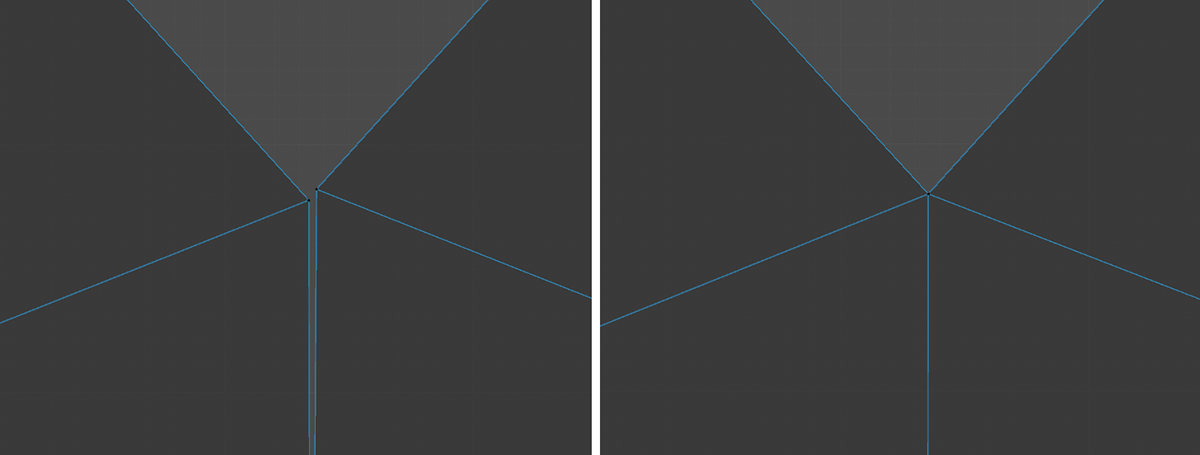 On the left, you can see a pair of UV Points close to each other. The right side shows the result after executing Optimize UVs.