
Tonemap Pattern
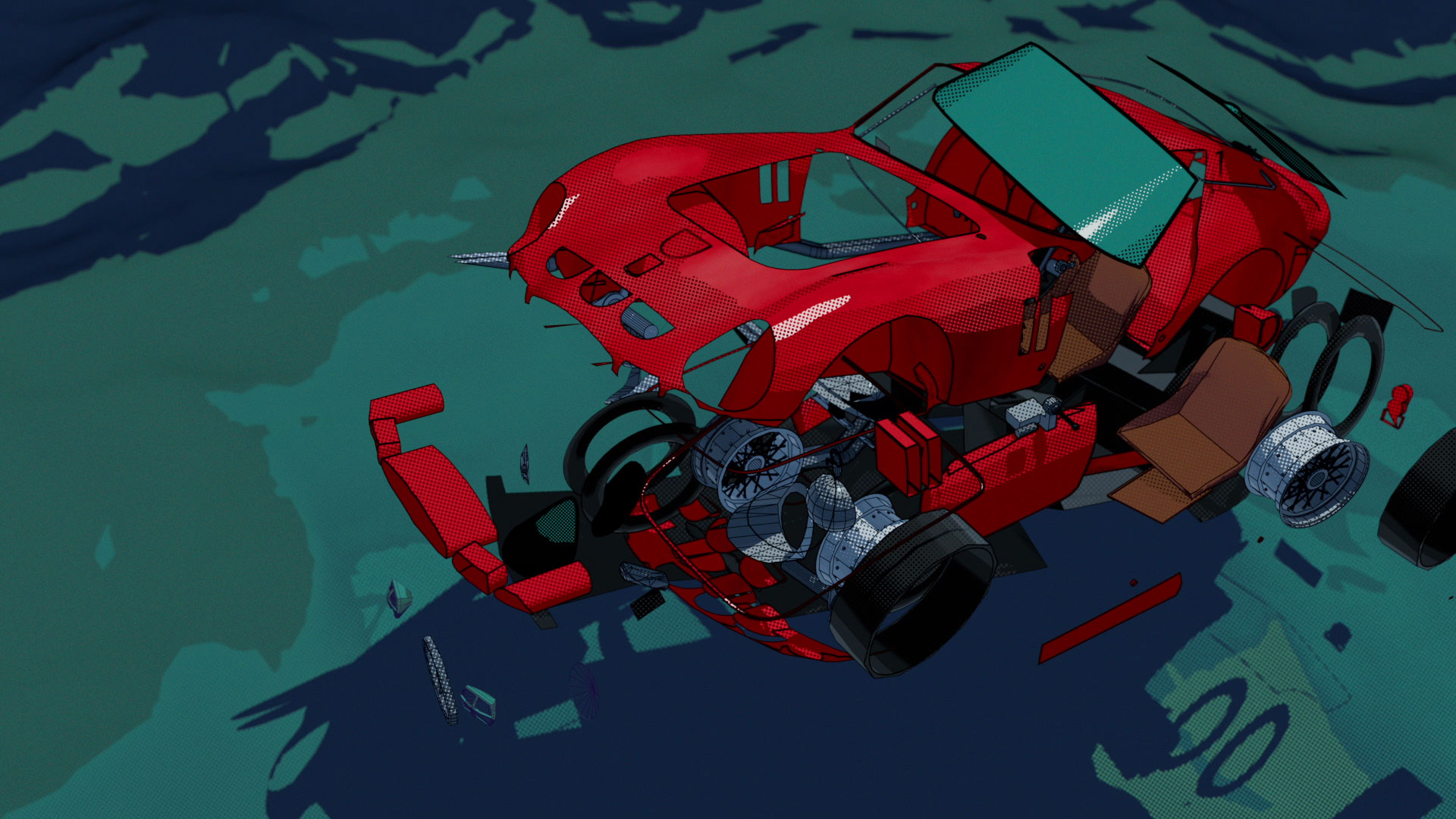
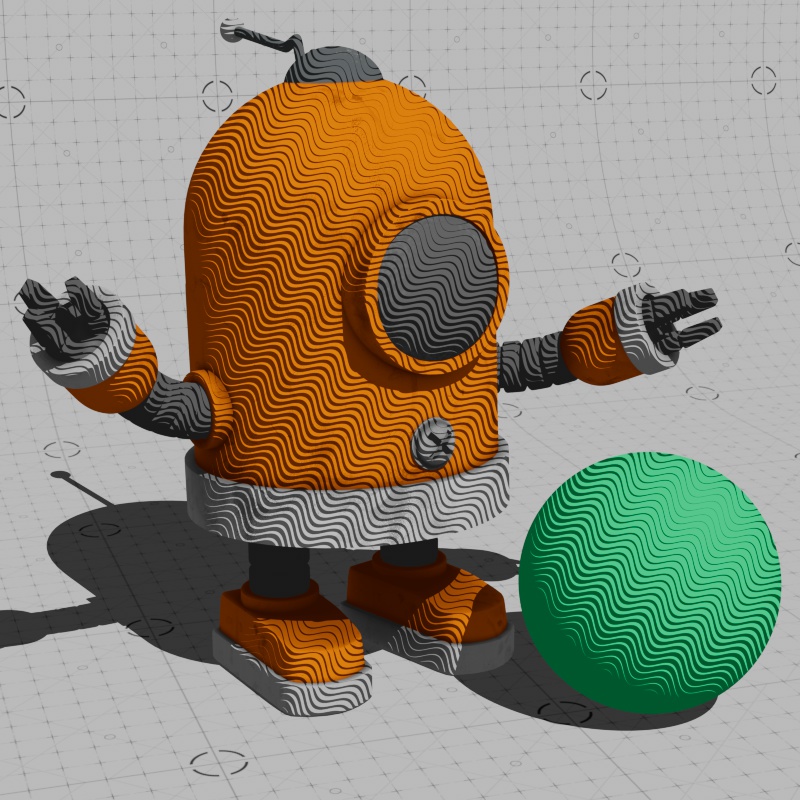
This page covers the Tonemap Pattern node of the Redshift renderer in Cinema 4D. It adds screen-space patterns like halftone dots or hatching to Toon shading — one of the three core tools of Redshift's non-photorealistic rendering.
|
|
| Credit: HelloLuxx.com | Robot Model by Ian Robinson |
The Tonemap Pattern texture node can be used to add stylized screen space effects to Toon shaders. It is one of three shaders that make up Redshift's core offering of non-photorealistic tools. The Toon Material is used as the primary shading element to create stylized cel shaded looks, the Contour shader is used to create outlines around your objects, and the Tonemap Pattern is used in combination with the Toon Material for more stylization.
Example Graph
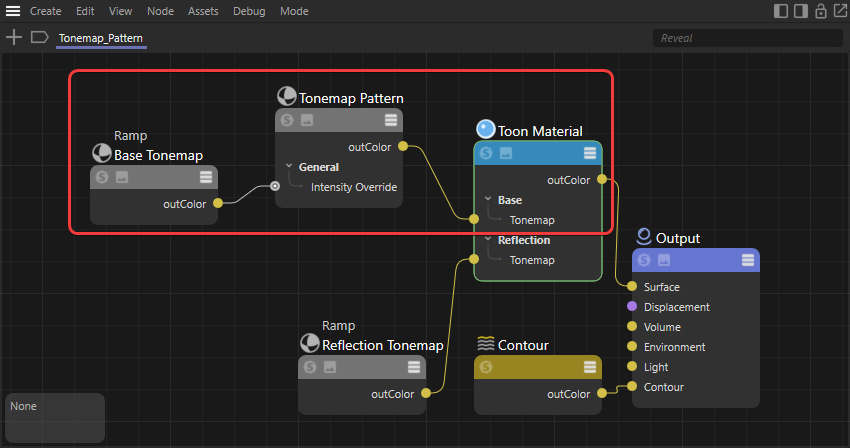
To use a Tonemap Pattern node, simply plug it into a Tonemap input on the Toon Material and the pattern scale will automatically be driven by the scene lighting. For added control, create a custom ramp to and drive the Intensity Override of the Tonemap Pattern, this allows you to control exactly how the pattern scales.
|
Animated Cross Hatching
The cross hatch pattern is great for hand drawn styles but the thing about hand drawn art is each frame of animation is unique. Fortunately we can easily make our cross hatch pattern unique with a little bit of randomization and Redshift has just the tool for you, the Jitter node!
You can apply randomization to many different areas of your tonemap pattern for interesting effects but in this example we're going to focus on offset and rotation. Offset moves the pattern around the screen and rotation changes the orientation, we'll randomize these values to make sure the pattern doesn't line up in the same location on each frame.
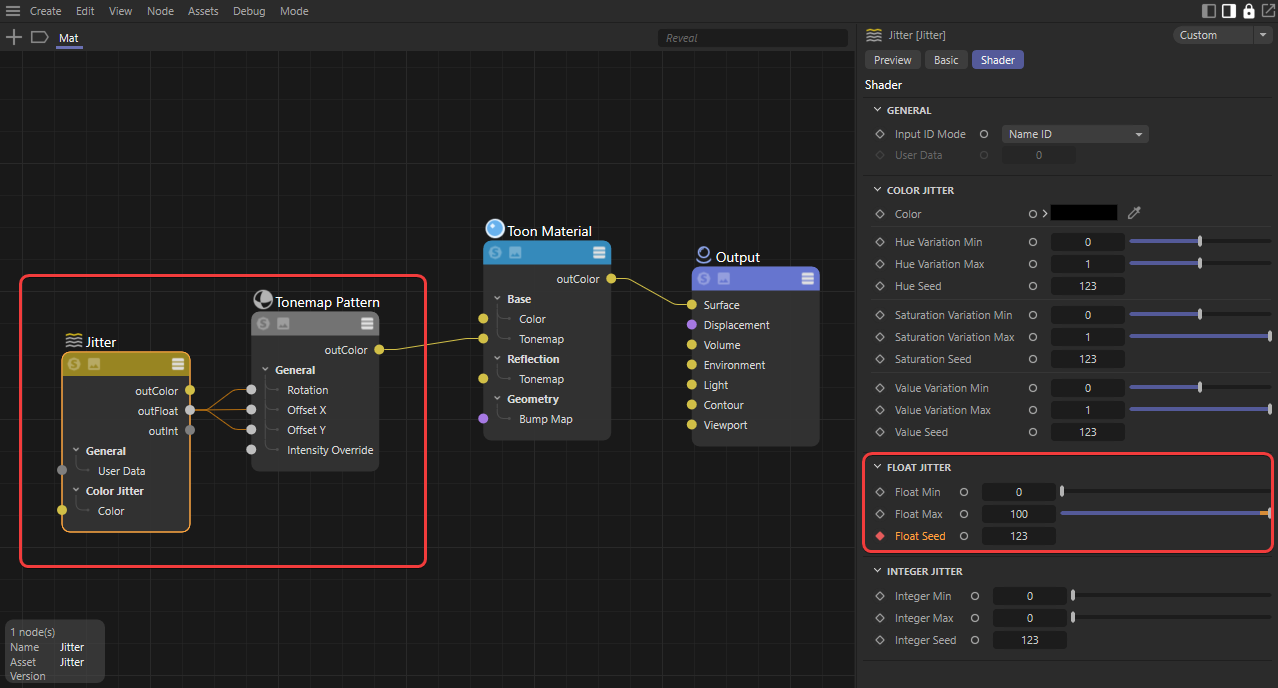
To set this up all you need to do is connect a jitter node's Out Float to the Offset X, Offset Y, and Rotation of a Tonemap Pattern.
|
The jitter node outputs random values within a minimum and maximum range, try something like 0 to 100. It's important to use a min and max range that is high enough for the pattern to move on each frame, if the range is too low, it might look like your pattern is vibrating in place instead of appearing unique on each frame. The only thing left to do is change the float seed value so the jitter output is different on each frame. You can keyframe the seed change over a series of frames or in regular intervals for different effects — in the example below the seed changes every 10 frames. In the videos below, note how the example with a range of 100 looks more unique.
| Jitter Float Range: 100 | 1 |
Custom Pattern
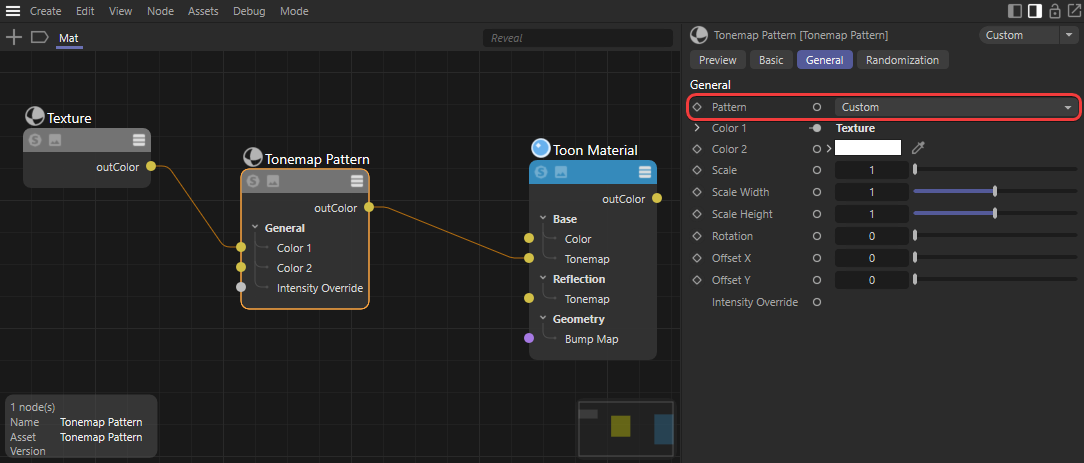
Creating a custom tonemap pattern is as simple as connecting a texture with an alpha channel to the Color 1 slot of the Tonemap Pattern node and setting the Pattern to Custom. The alpha channel is used to layer the pattern on top of itself.
|