Spline Rail Object
This page describes the Spline Rail deformer in Cinema 4D. Up to four splines form a boundary into which geometry is fitted — squeezing, guiding and reshaping objects along rail curves, like a cube flowing through a funnel.

The Spline Rail object deforms polygon objects using up to 4 splines. These splines form a boundary into which the polygon object is fitted.
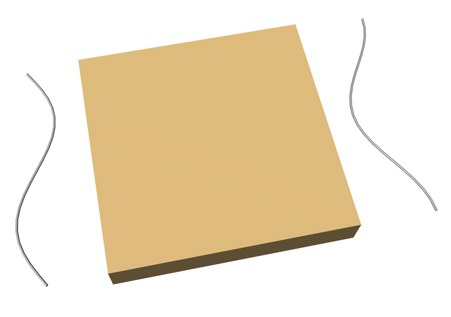 Cube before Spline Rail deformation
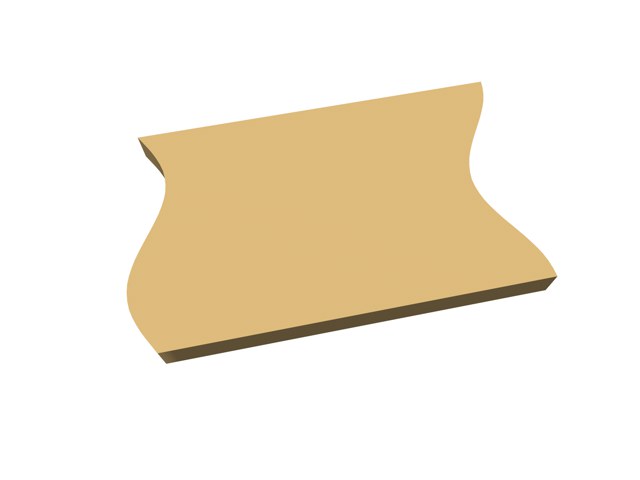 Cube after Spline Rail deformation
Example 1
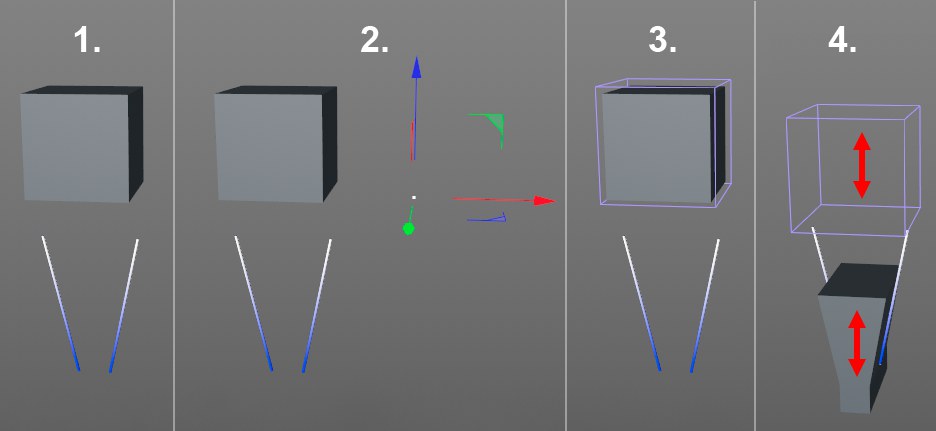
Suppose you want to squeeze a cube (which must of course be sufficiently subdivided) through a funnel formed by 2 splines. Proceed as follows:
- First make sure that the funnel opening is roughly the same size as the cube. The splines must not be closed (Close Spline option deactivated in the Attribute Manager).
- Now create a Null object that serves as a Reference object. Rotate it so that its red (X) and blue (Z) axes are in the same plane as the splines. The blue (Z) axis should be approximately parallel to the splines.
- Create a spline rail object and adjust its position and size approximately to the cube. In the Attribute Manager, drag the splines and the reference object into the corresponding fields(Z Spline Left/Right and Reference). Figure 3 shows this state.
Finally, place the deformer under the cube. - If you now animate the Spline Rail object, the cube is squeezed to fit inside the funnel.
If it does not work straight away, swap the splines under Z Spline Left / Right. It may also be necessary to assign negative values to Scale Before Start and Scale After End.
Example 2