

Group
Here you will find options to restrict the creation of geometry.
(missing or bad snippet)If there are areas in the assigned geometry of the position source that should not be provided with connections, you can save the corresponding points as a selection and then assign the Point Selection Tag here. Please note that the name of this point selection must be written in quotation marks so that the selection is recognized.
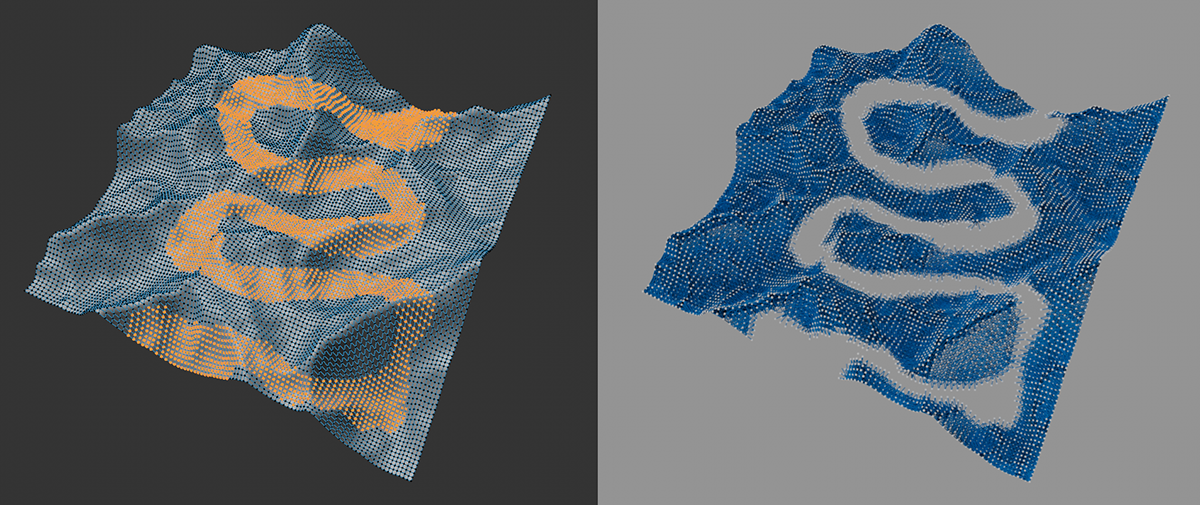 On the left is an example of the point selection of a landscape model, which was assigned on the right for the Constellation capsule in Don't interconnect. The selected areas are omitted.
Only Connect A to B
Two point selections can be assigned to the position source here, which are then to be specifically connected to each other. The Restrict option must be activated for these to be used. In addition, it is not possible to use two point selections of the same object. These must be selections that were saved on two separate objects, which were then combined using a Connect object, for example. The following illustration gives an example of this. Two spheres were connected there. The Point Selection Tags on the Connect object are each defined using fields that are formed by the geometries of the two spheres. In this way, the distances between the objects can be used to create point selections.
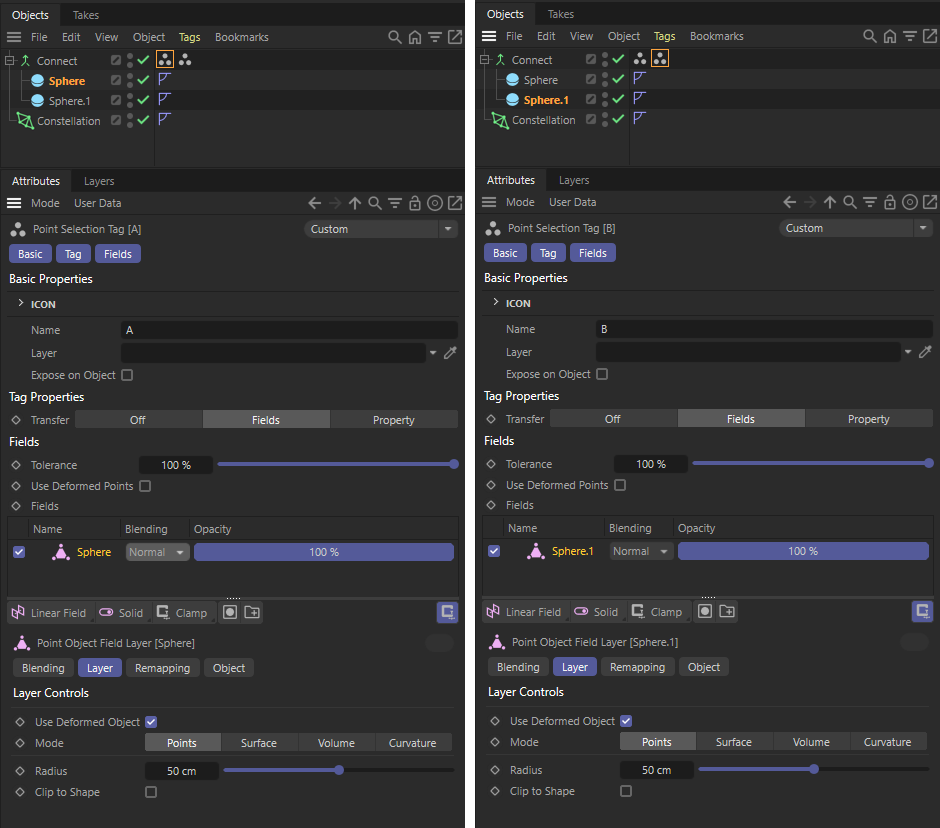 A Connect object, which is specified as the position source in the Constellation asset, combines two spheres here. Two point selection tags have been added to the asset, in each of which one of the spheres is used as a field.
Activate this option to have the point selections assigned to A [Point Selection] and B [Point Selection] read out.
(missing or bad snippet)(missing or bad snippet)Here you can enter the names of two point selections in quotation marks that are to be exclusively connected to each other. The option for Restrict must be activated for this. Please note that these selections must not exist on the same geometry, but on separate geometries that were then combined with a Connect object, for example. You can find an example of this in the image and video above.
This value specifies the maximum permitted number of connections per point source position. This can be used to reduce the number of connections without having to reduce the Search Distance of the asset.
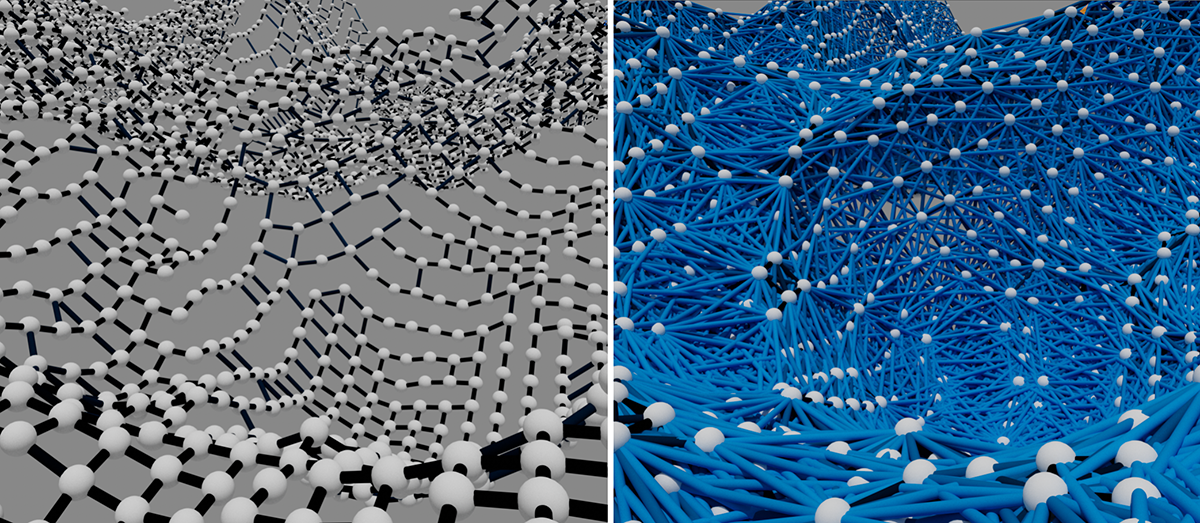 A small value on the left and a large value on the right for the maximum number of connections. All other asset settings remain unchanged here.