

Object Properties
Affects how many particles will survive.
A value of 0% will destroy all particles; at a value of 100%, all particles will survive. For all values in-between: The number of particles that is destroyed is also dependent on the distance they travel through the destructor, i.e., all particles can be destroyed even if Randomness is set to 90% if the destructor is large enough.
The size of the Destructor modifier in the X, Y and Z directions.
The Destructor can also be combined with a Pyro simulation. By default, all Pyro particles that lie within the Destructor Volume will be permanently removed (see left half of the image below). If this option is enabled, the Destructor will affect all Pyro components that lie outside of the Destructor bounding box. In this case, the Pyro Emitter object should therefore lie withing the Destructor wo the Pyro particles can even be generated. This i shown on the right half of the image below. The effect then reflects that of a typical simulation bounding box and can then also be used to reduce the memory required for the effect and increase the simulation speed.
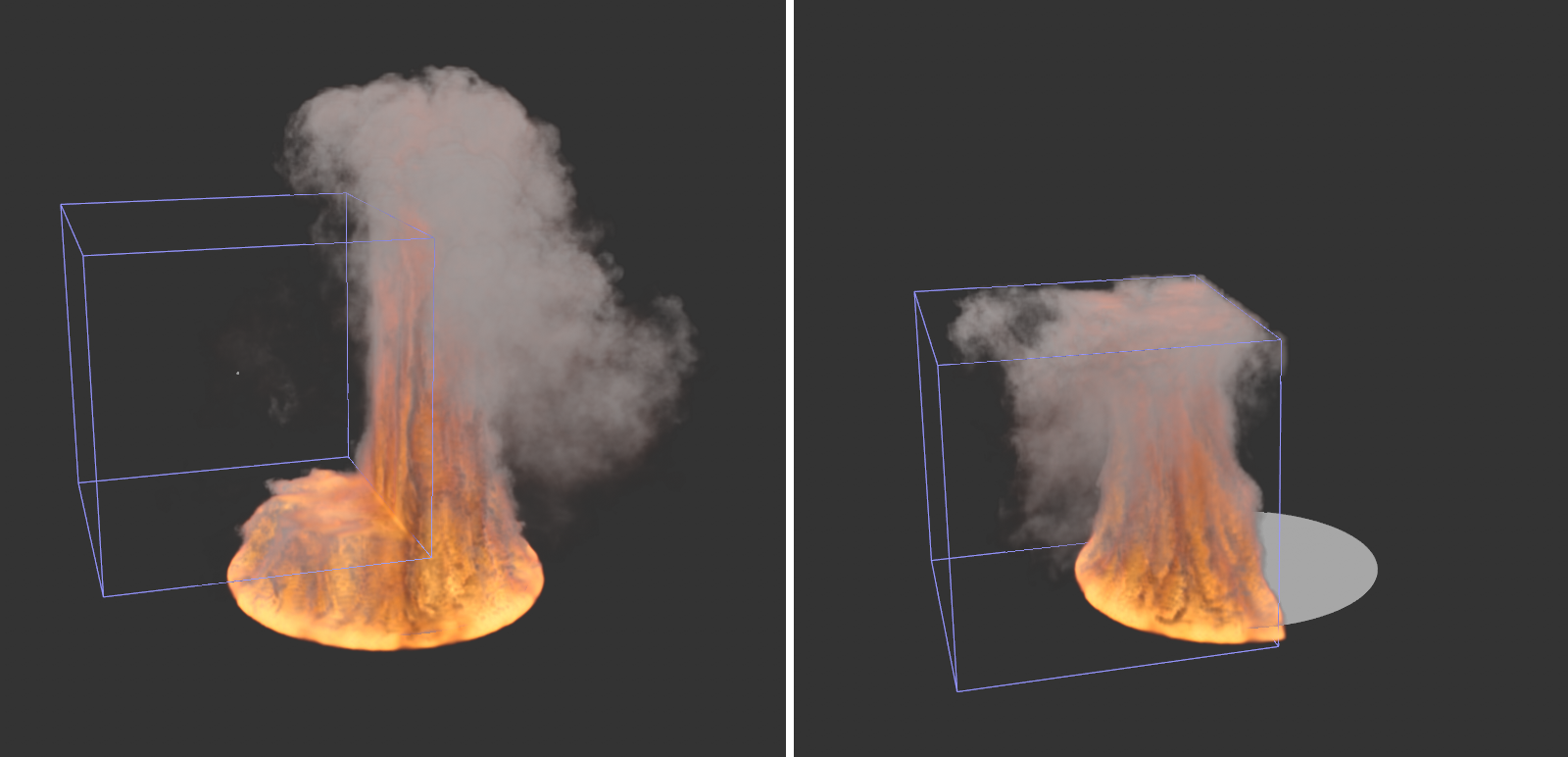
If you want to use the Destructor to reduce the memory required and the number of Voxels in a simulation, consider also that the Voxels added via the Fill setting will not be affected by this solution in the simulation tree. The visible flames and smoke may be restricted to the Destructor bounding box but a high number of Voxels can still exist outside of the Destructor. You should therefore also reduce the number of Voxels via the Fill setting accordingly.