
Group
By default, square polygons are created along the tendrils, which can then be used to display ivy leaves, for example, by assigning a suitable material. However, you can also group any other objects directly under the Ivy Generator in the Object Manager that you would like to use as sheets instead. The principle corresponds to the use of a Cloner object, for example. Several objects can therefore also be subordinated in order to achieve a random variation in the use of leaf geometry.
This also works when used as a Node in the Node Editor. You will find the corresponding buttons for adding or reducing Child object inputs in the Basic settings of the Node.
The Instance mode options define how the sheet areas or sheet objects are managed internally. In addition, after converting the Ivy Generators (e.g., using the shortcut C or calling Tools/Convert/Convert Basic Object), you also have access to each section of the tendrils and each individual leaf polygon. The object type used for the sheets differs according to this setting:
- Instance: The leaves are created as individual polygon objects. This mode requires the most memory, but also offers great flexibility in post-processing, e.g., by deforming or individually modeling individual sheets after converting the Ivy Generator.
- Render Instance: The geometries for the sheets are created as render instances and therefore consume less memory compared to using independent polygon objects (see Instance mode). This also allows you to easily replace the sheet geometry, either selectively or as a whole, even after converting the Ivy Generator, for example. You can find a comprehensive explanation of how render instances work here.
- Multi-Instance: This type of processing is even more memory-efficient than the render instance (see above) and is therefore particularly suitable for generating very extensive ivy structures with a large number of leaves. However, all individual sheet objects are internally combined into a single object, which makes it impossible to quickly exchange individual sheet geometries after converting the Ivy Generator, for example.
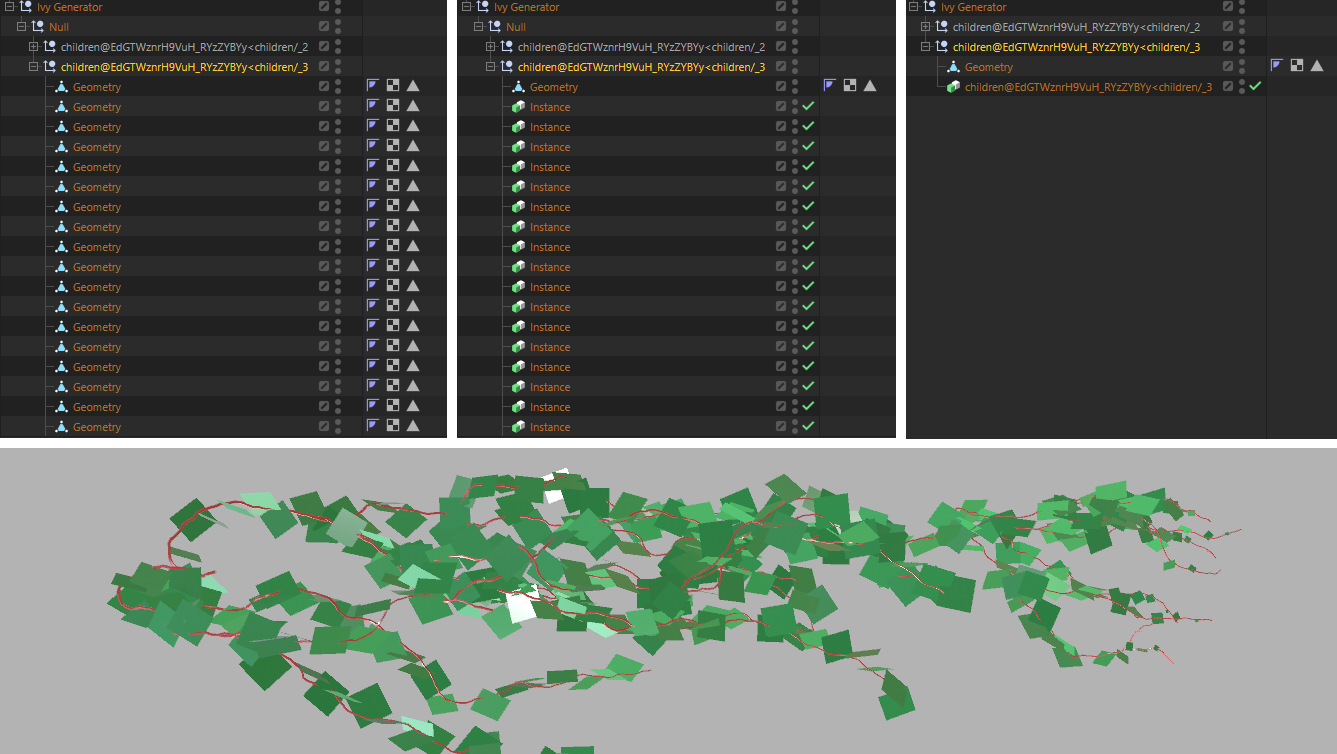 Here, an Ivy Generator was converted with different generator settings in each case. The lowest group of the hierarchy in the Object Manager contains the generated leaves of the vine. Instance was used on the left, Render Instance in the middle and Multi-Instance on the right.
As can also be seen in the figure above, when using Generator Render Instance, individual instance objects are created whose reference object links can be exchanged as required. The originally generated sheet geometry can therefore also be removed and replaced by any other object or even an object group. In the following example, for example, various spheres were linked in the instances instead of the leaf polygon.
Further information on the instance objects can also be found here.
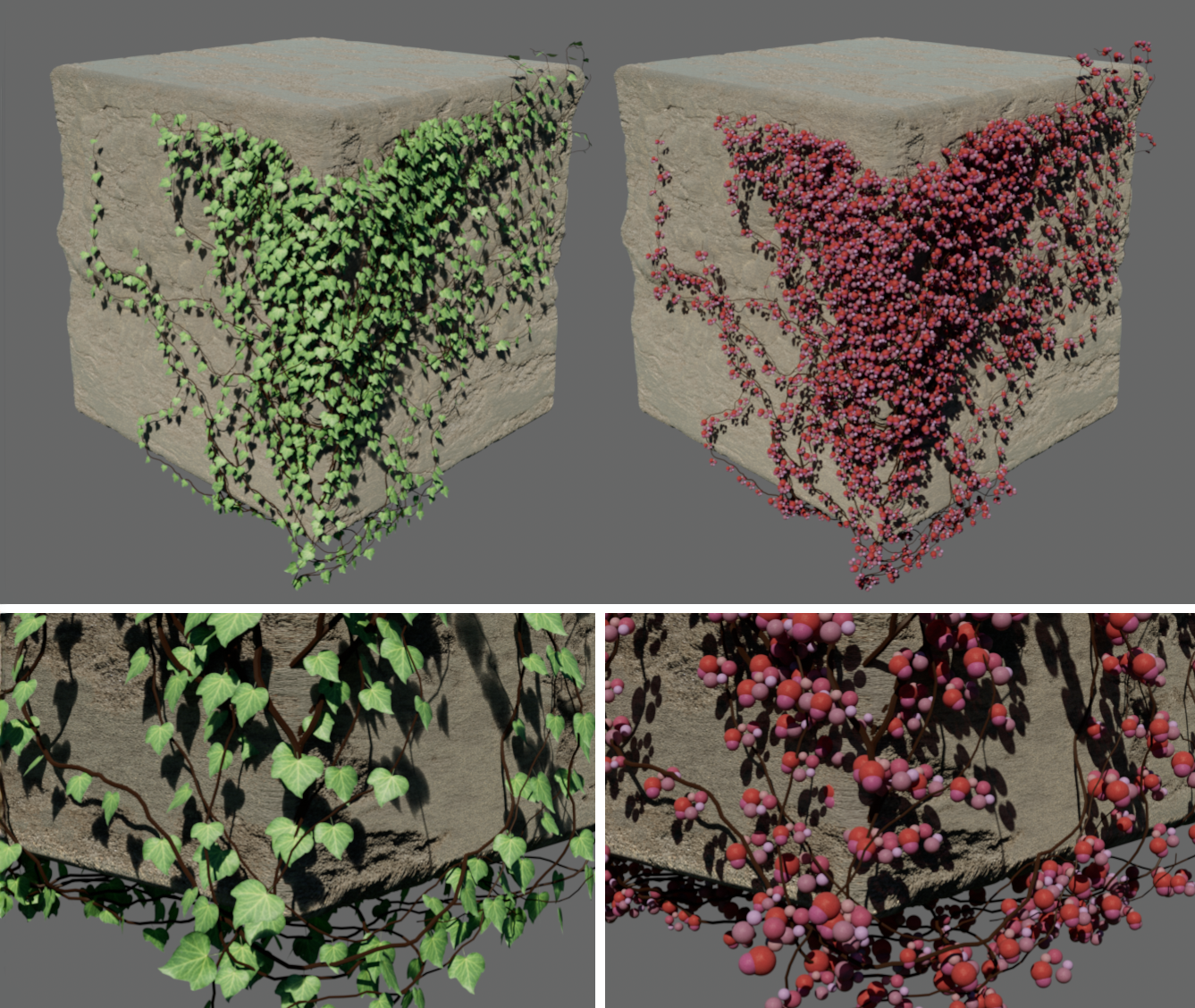 On the left, an unmodified ivy vine with an ivy texture assigned; on the right, the leaf object was removed after converting the Ivy Generator and the linking in the render instances was changed to display a group of spheres instead of leaves. You can achieve the same effect by subordinating objects under the Ivy Generator in the Object Manager, for example. In this case, the conversion can be omitted, but all leaves of the vine are then always replaced by the subordinate geometry.