

Inputs
Here you can link the Array whose values should be used as a basis. This means that these values will be output unchanged if Factor is set to 0%.
Here you can link the Array whose value you want to output if Factor is set to 100%. For lesser Factor values, the output will consist of blended values that lie between the Array In and Target Array values.
In this menu you can define how the blending of both Array values should be calculated. The following modes are available:
In these modes, the value transition will be done via an oscillation with a constantly increasing amplitude. Within the amplitude phase, results can also be achieved that lie outside of the value range of the blended Arrays.
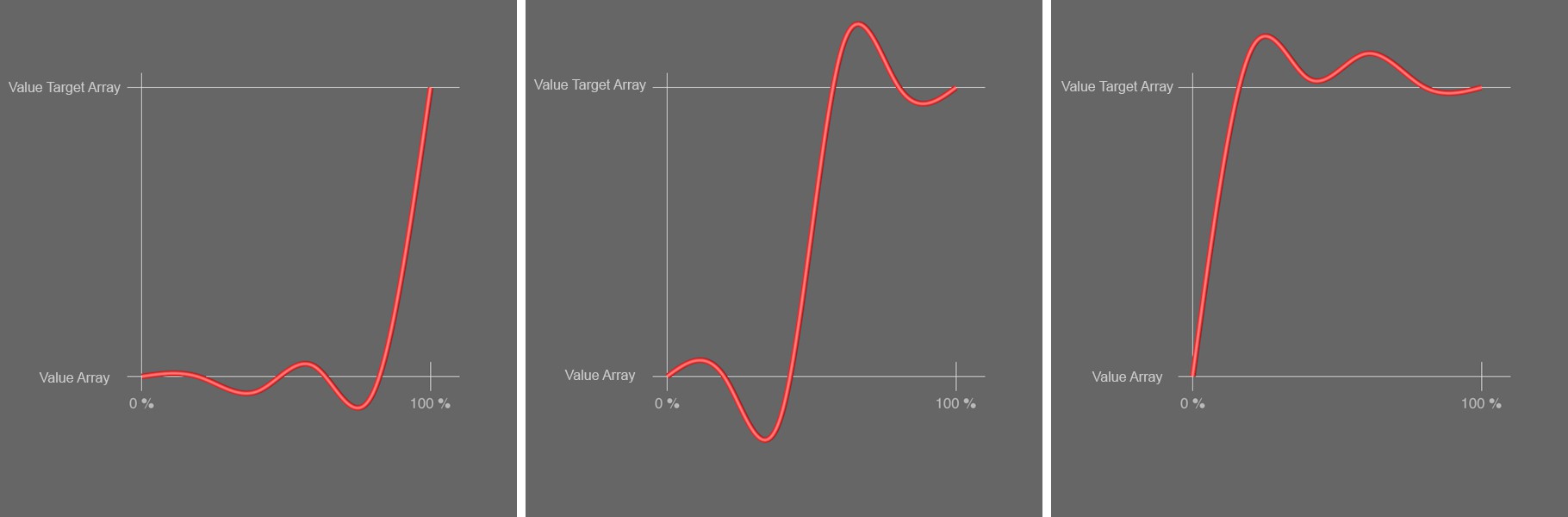 Here, the Elastic Ease curves are shown - viewed from left to right - with increasing Factor value. The modes from left to right: Elastic Ease In; Elastic Eas In Out; Elastic Ease Out. For a concrete Factor, the height of the curve will show the defined value between the external Array In (bottom horizontal line) and Target Array (upper horizontal line).
The progression of this conversion curve reflects that of a soft spline interpolation and creates a harmonious value transition.
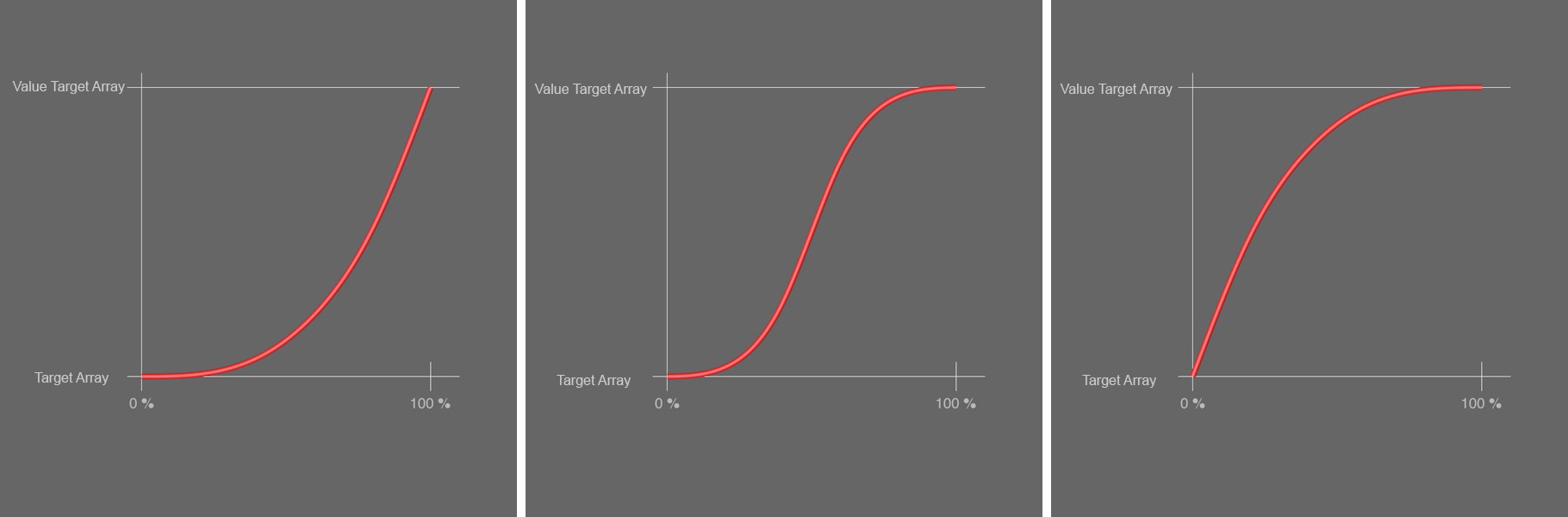 In the image above, the three Cubic Ease modes are shown. From left to right: Cubic Ease In; Cubic Ease In Out]; Cubic Ease Out.
In this mode, a simple linear calculation will take place. With a Factor of 50%, for example, the result will be the exact value between the Array In and Target Array values.
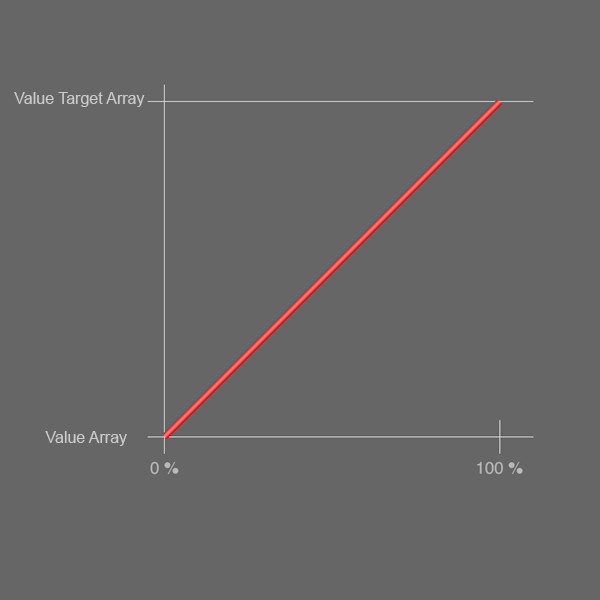 Here, the value transition in Linear mode is shown.
1.5 Scale to % - 2024-01-22 16
The calculations in these modes are similar to the Cubic modes but they shorten the values’ holding phase. With Square Ease In, the calculated values will change in the direction of the Target Array even with lesser Factor values than would be the case with Cubic Ease In.
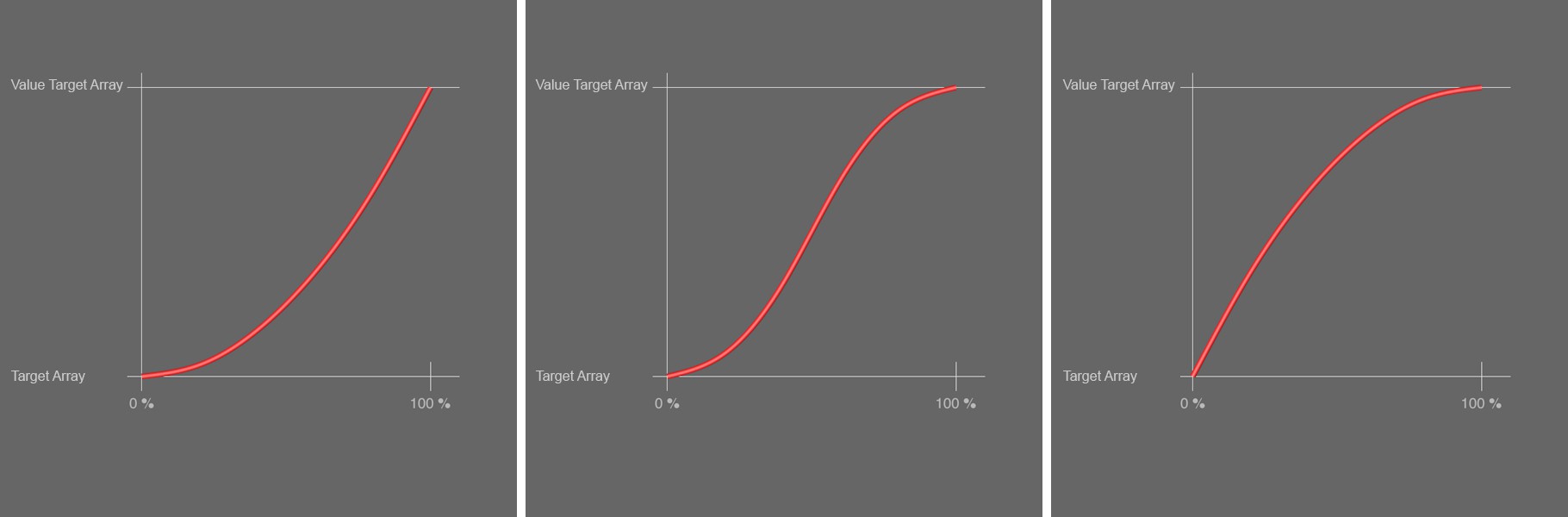 In the image above, the evolution of values for increasing Factor values is shown for the modes Square Ease In, Square Ease In Out and Square Ease Out, respectively. The curves are similar to the Cubic modes but the value change at the start and end, however, is faster.
The calculation in these modes is very similar to those of the Square modes but the value transfer is somewhat faster.
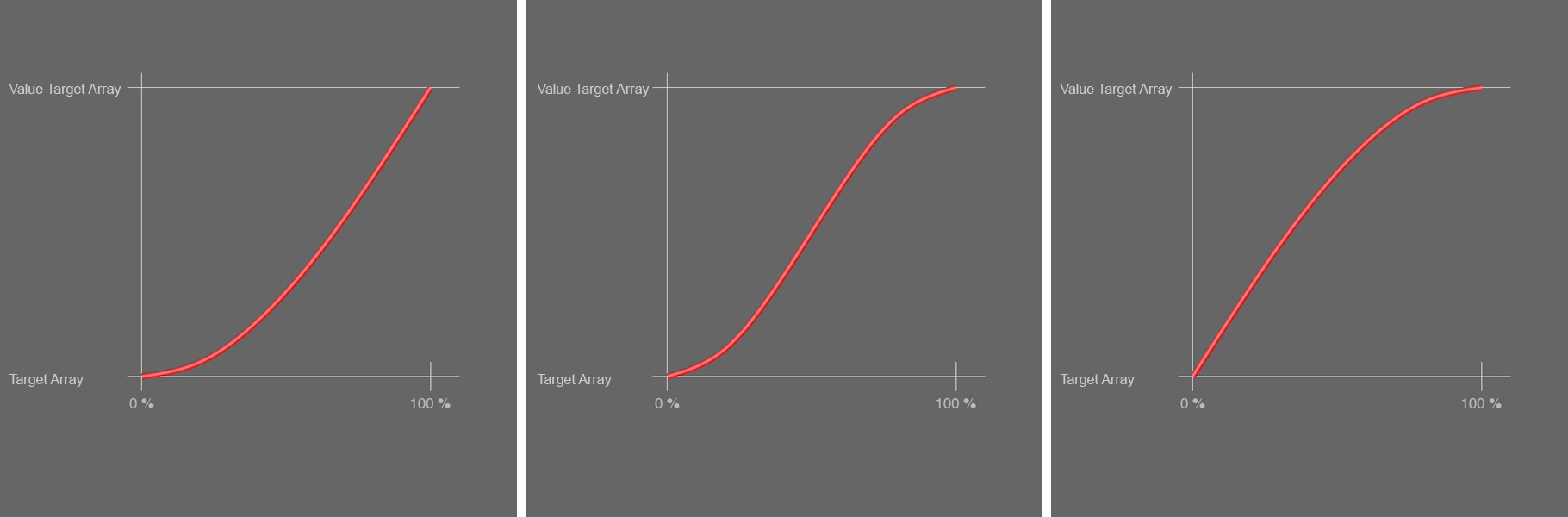 From left to right: Sinus Ease in; Sinus Ease In Out; Sinus Ease Out. These are very similar to the results of the Square mode curves. The value transition, however, starts somewhat earlier and the holding phase at the start and end is shorter still.
This percent value is used to define the calculation of the mixing of the values between both Arrays. If set to 0%, the Array In values will generally remain unchanged. If set to 100%, you will always receive the Target Array values at the Node's output. What the results look like for other Factor values depends strongly on the mode used.