

Fit Circle
This page documents the Fit Circle command in Cinema 4D. It reshapes selected points, edges or polygons into a circular arrangement — convenient for creating round openings for pipes, portholes or bolt holes in quad-based meshes.
This command works in all 3 component modes - Point, Edge, Polygon - and transforms selected elements into an (approximate) circular shape.
This can look like this, for example:
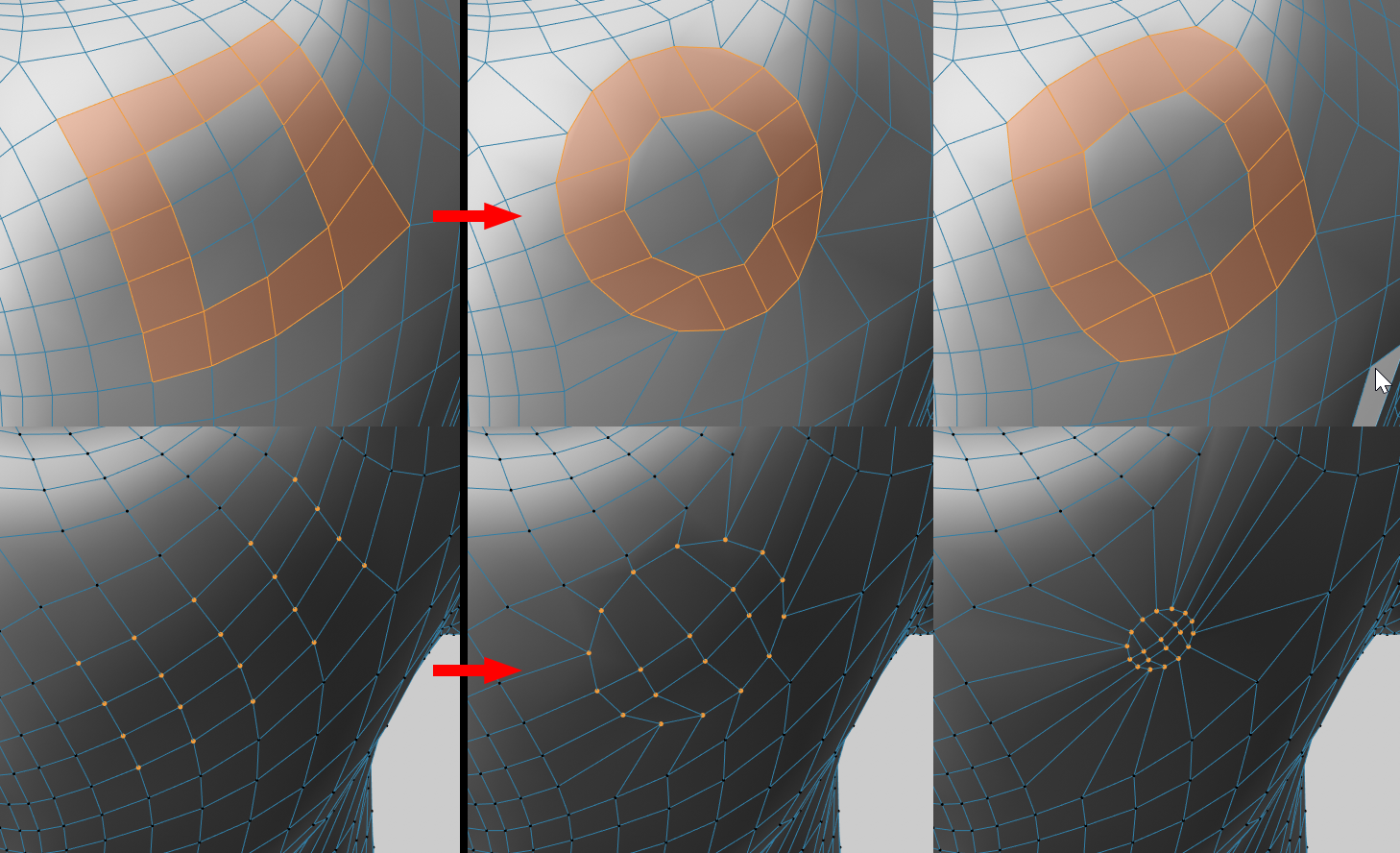 On the left the selected starting position, above different rounding, below different size resp. different radius.
The tool can only work if selected points and edges form at least a closed line segment - which is always the case with polygons. This tool delivers the best results if the selections are approximately square - bordering polygons will then have to be distorted less.
The Smooth Edges tool can be used to create rounded, loop-shaped gradients from unclosed line segments.
The interactive tool changes the Size or Radius of the circular selection depending on the activated Absolute Radius option when dragging with the mouse button pressed.
If you also press the "Shift" key while working in the view, the Angle can be changed.