

Object
This Node supports two modes for the calculation:
- Length: All position specifications and also the specifications for animating the opening position on the spline are made in real dimension values. In this mode, therefore, all functions depend on the length and size of the spline.
- Percentage: All position and animation information is expressed as a percentage of the length of the Spline and its segments. In this mode you are, therefore, independent of subsequent changes in the size of the spline, for example.
These settings define the part of the spline that should remain visible. Start 0% and End 50%, for example, leaves out the back half of the spline in Percentage mode. The Per Segment option defines if this reduction should be applied to the entire spline or to each existing spline segment individually. By default, the starting positions for Start and End are determined by the first and last spline point, respectively, or by the starting point only for closed splines.
These settings define the area of the spline that should remain visible. Start and End can be used in Length mode with real distances or Length values to measure the corresponding distances on the spline to define the start and end points. The Per Segment option defines whether this reduction is to be applied to the entire spline or to each existing spline segment individually. By default, the starting position for Start and End is defined by the first and last spline point, respectively, or by the starting point only for closed splines.
Here you can select whether all calculations of the Node are based only on the overall spline or whether each spline segment is processed individually (e.g., shortened).
Herewith the result of the calculation can be inverted.
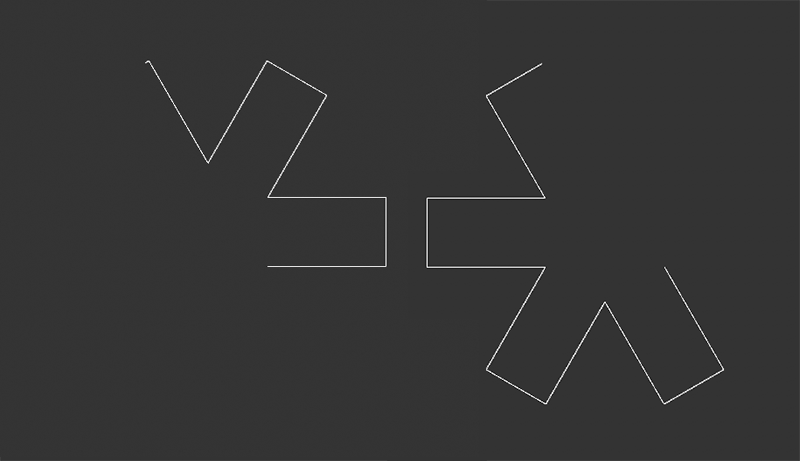 On the left is an angular Star spline cut in over the start and end. To the right, the Invert option has been activated. The previously cut part of the spline becomes visible.
This moves the position along the spline to which Start and End refer. Depending on the mode, you can use percentage values or normal distance values here. How this affects the result is also determined by the following Mode setting, which is only available in Percentage mode.
With Mode Loop, a gap in the spline defined via Start and End can be moved freely with the Offset. In the Custom Mode, additional Start and End positions can be defined along the spline, beyond which no Offset Shift is possible. If 0% or 100% are used for Start and End in the Custom settings, an increase of the Offset value will not only lead to a shift of the gap in the spline course, but it will also result in a shortening of the spline at its end if values arise(End+Offset) that are above 100%. Since in this mode, for example, end values far over 100% can also be used, the Custom mode can also act at first like the Loop mode until the spline shifted via Offset has been shifted accordingly far over the end of the spline.
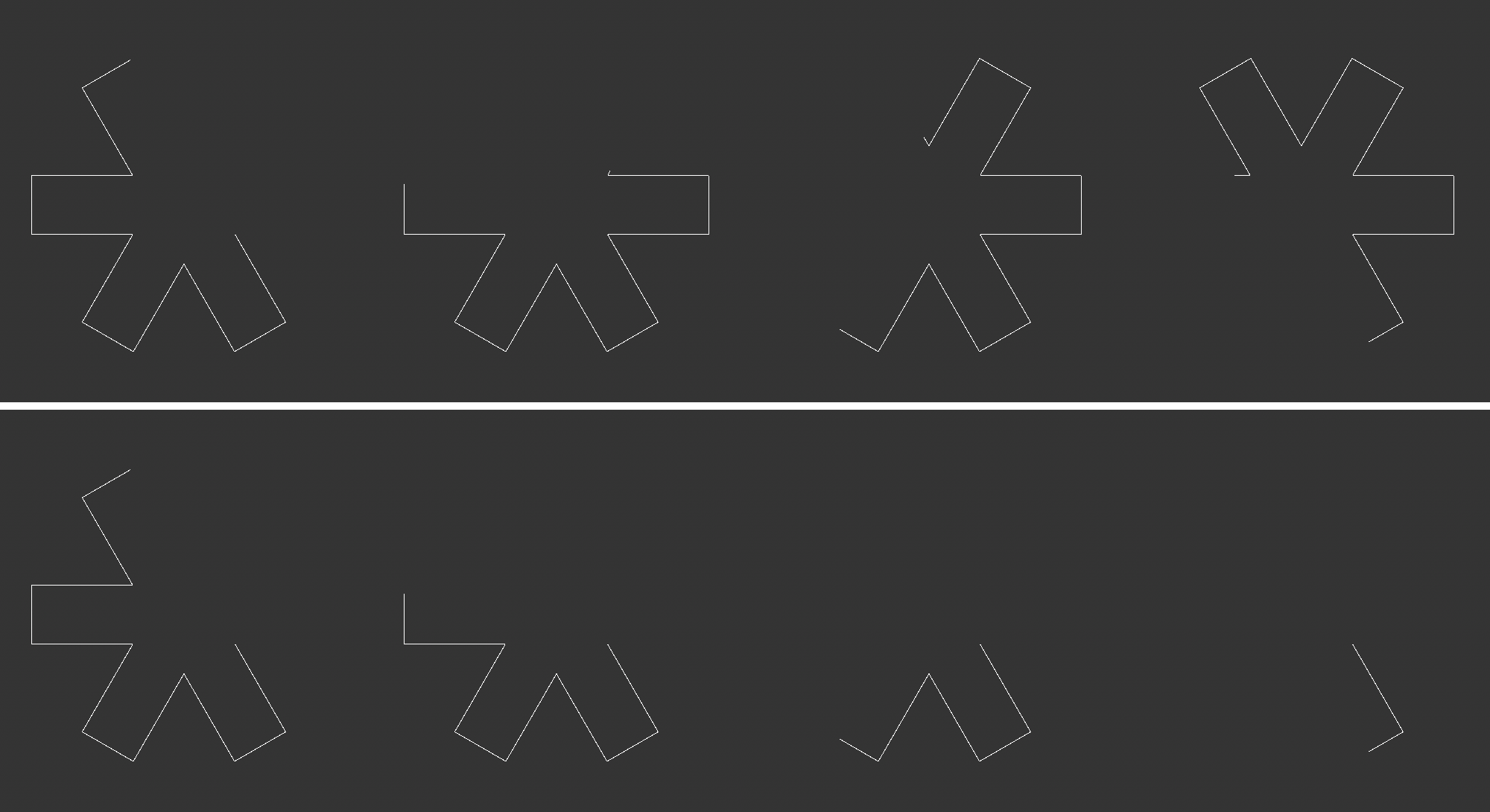 These image sequences clearly show the difference between the Loop and Custom modes. The upper half shows a spline segment shifted using the Offset value. It is not shortened even when moved beyond the original end of the spline. The lower half of the image shows the same offset shift, this time in Custom mode. By defineing 100% for the end point of the spline, the parts shifted beyond the spline end disappear.
This value leads to an automatic increase of the Offset value over time. The setting refers to a time span of one second. This means that, for example, a Rate of 100% increases the Offset by 100% within one second. In Length mode, corresponding distance values apply here.
This can be used to define which results are produced when the Offset Function is used. Note that this setting is only available when using Percentage mode:
- Loop: Sections shifted beyond the boundaries of the spline by Offset or Rate are retained and reappear accordingly at the other end of the spline. When using closed splines, for example, openings created in the spline can be moved organically over the entire course of the spline.
- Custom: Using custom Start and End values, a spline range can be defined in which the selected section can be moved freely with Offset and Rate. Spline ranges that go beyond these limits are deleted.
These settings are only available in Custom mode. These values can be used to define a spline range in which the selected section can be moved freely via Offset and Rate. Spline ranges that exceed these limits are deleted.