

Distance
This page describes the Distance node of the Redshift renderer in Cinema 4D. It measures the distance to nearby objects and outputs it as a shading value — enabling contact-based effects like wet edges, proximity glow or blend masks, filterable via trace sets.
Overview
| Paper textures from ambientcg.com |
The Distance shader measures the distance to the nearest object and that measurement can be used to drive creative shader effects in the scene. The Distance shader can be textured and Trace Sets even let you specify which objects are included in the distance calculation and which are not, providing a high level of control.
The Distance shader is currently not compatible with bump mapping.
Distance Catchers and Distance Targets
On this page an object with a distance shader applied to it is called a "distance catcher," you can think of this like a shadow catcher, it is an object that the distance effect is recorded onto. On the other hand, the objects that have their distance measured are called "distance targets" — like an object included in the trace set.
How it works
The Distance shader uses Redshift's ambient occlusion (AO) kernel to shoot probe rays from all across the surface of a distance catching object out into the scene. When a probe ray intersects with a valid distance target the distance to that object is stored in the location from where the probe ray originated. After enough rays are shot a general estimate of the distance to the nearest distance target is gathered for the entire distance catching surface, resulting in a black and white map that visualizes this information.
When Interior Controls are enabled, the direction of a distance target's surface normals are used to differentiate between the interior and exterior of an object — backfaces are considered the inside of a mesh.
Geometry matters
The Distance shaders can measure most visible geometry in a scene but it cannot detect volumes, splines, particles, or null objects. Of course, you can always create proxy geometry for volumes, extrude geometry along a spline, generate objects for each particle, or parent geometry to a null object — all of these are sufficient workarounds for the Distance shader. The Distance shader can measure distance to objects that are not visible as long as they continue to be visible to AO rays, for more information, see the "Invisible Objects" section in the Examples area on this page.
Since the distance effect is based on the shape of the geometry make sure your objects have enough subdivisions to support the look you want to achieve.
| Subdivided sphere |
Examples
Colorization and textured distance
The most common output for the distance effect is its OutColor, using the default settings produces a simple black to white color gradient that is perfect for masks and driving other effects with a ramp. To colorize the distance effect all you need to understand is how a black and white gradient maps to a custom ramp.
Think of the black and white distance output like a black and white horizontal ramp, the darkest parts map to the left side of the ramp, the midtones map to the middle area, and the brightest parts map to the right side. In the example below, note how the black and white ramp at the bottom matches up directly to the colorized ramps and the subsequent colorization of the distance effect.
| Distance colorization |
It's also easy to vary the distance effect by driving the near or far distance input with a texture, in the example below an animated Maxon noise is used.
| Textured distance |
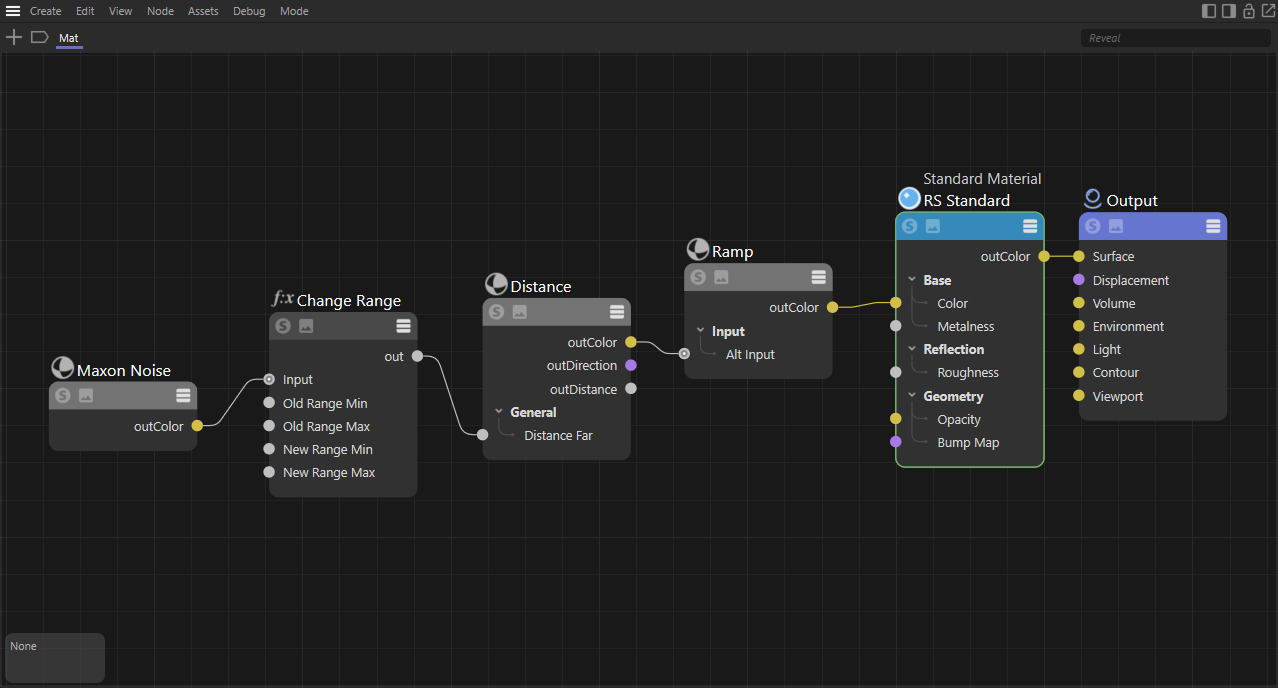
Colorization is accomplished simply by driving a ramp with the distance shader's OutColor, while textured distance effects are most easily handled by taking a texture (in this example a Maxon noise) and using something like a change range to control the minimum and maximum distance values. Both of these setups are demonstrated in the image below.
|
Invisible Objects
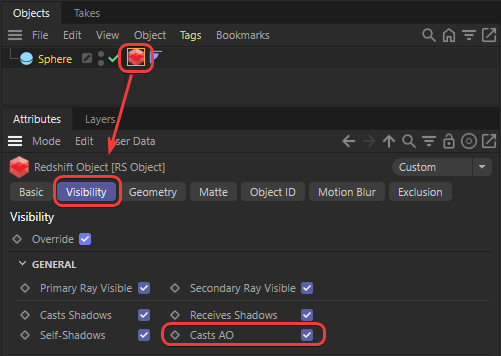
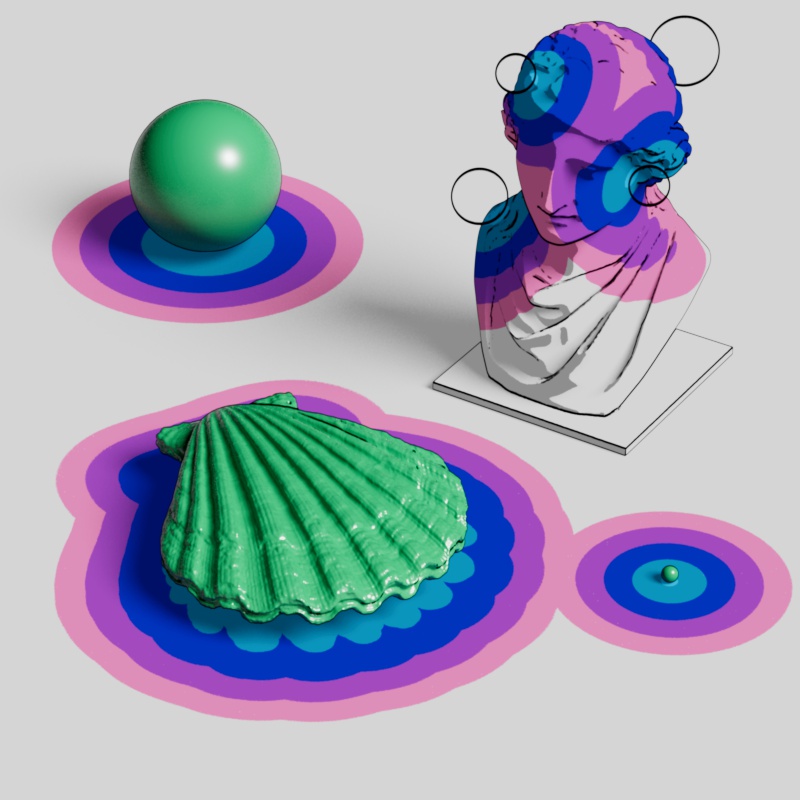
Because the Distance shader uses the AO kernel to measure distance it can detect objects even if they are invisible. As long as an object has "Casts AO" enabled in its Visibility settings then it can be included in the distance measurement even if "Primary Visibility" and all other visibility options are disabled. On the other hand, disabling "Casts AO" is a nice way to ensure that an object is never included in the distance process.
|
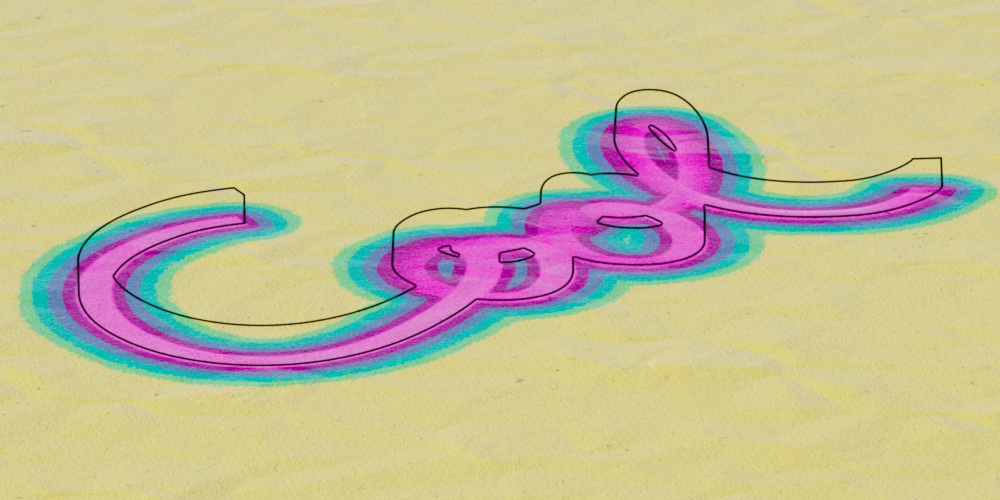
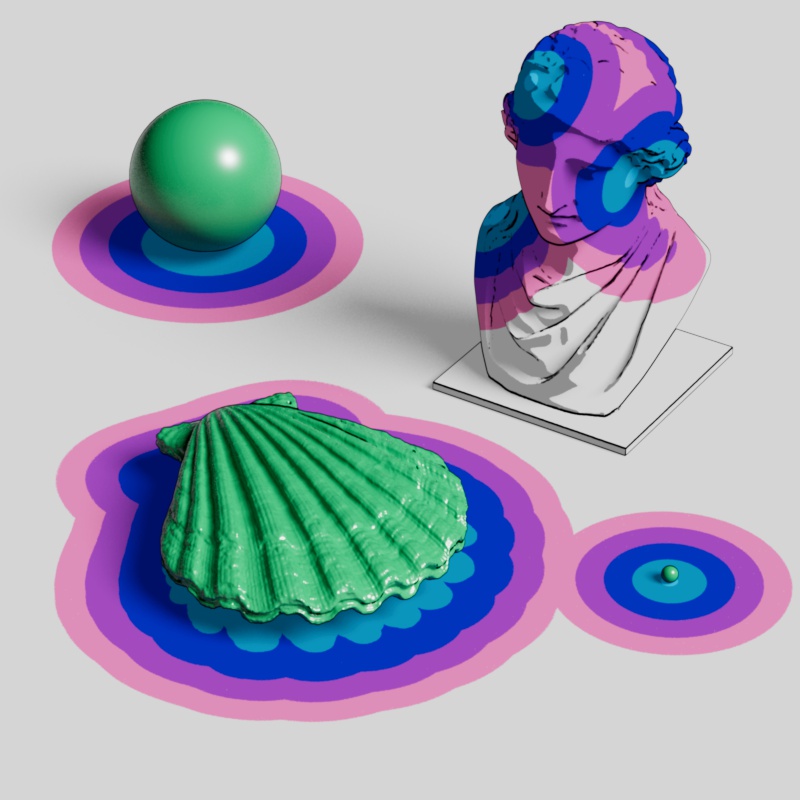
With this in mind, you can create cool effects and essentially paint on distance catchers with invisible objects. In many of the example images on this page, a statue is painted by 4 invisible spheres as revealed below.
|
|
|
|
| Write-On effect | Write-On hidden geo | Painting a statue | Statue spheres |
Height
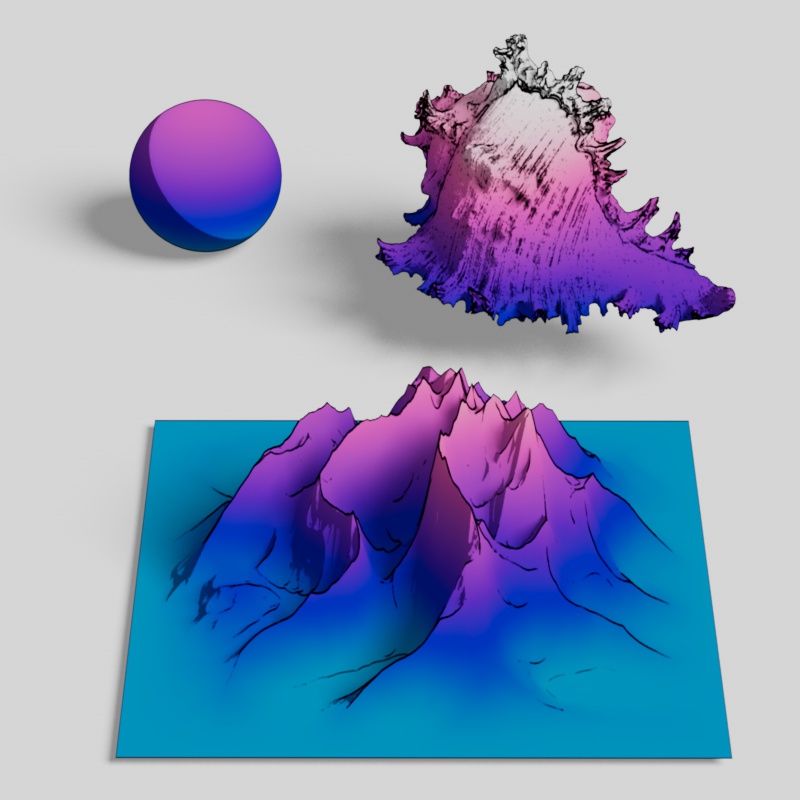
The distance shader can capture a height map style effect on objects with deep peaks and valleys. This can be accomplished by enabling the Include Backside option, having the distance catcher exclude itself, and using a distance target with a very consistent surface location — like the ground plane in the example below.
|
| Height from the ground plane |
Wireframe
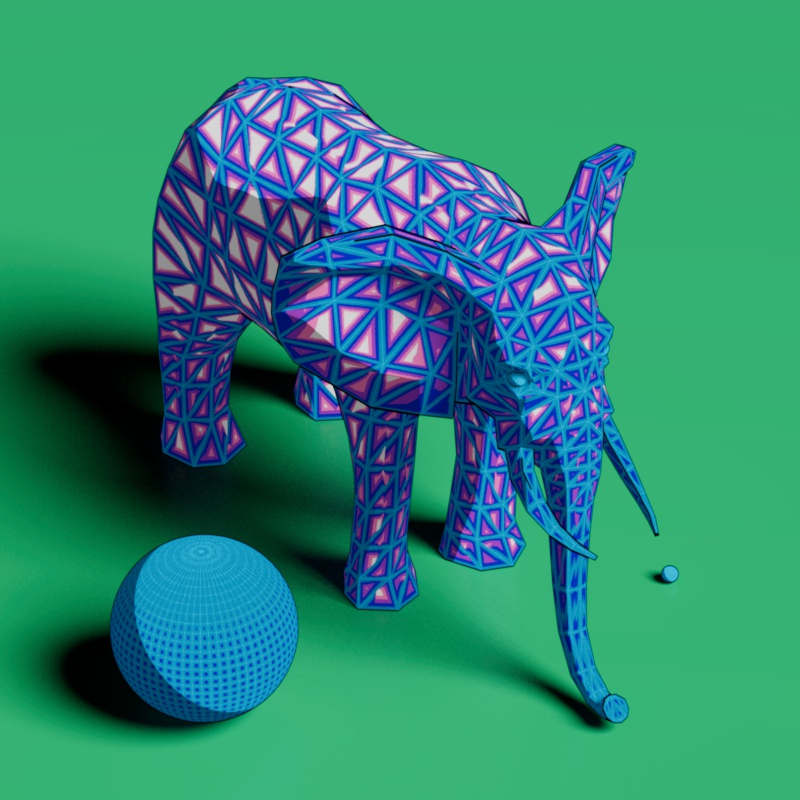
A wireframe style effect can be created when using a very short far distance while a distance catcher is set to a mode that allows it to detect itself. Include Backside should also be enabled, in most situations, for best results.
|
| Short maximum distance |