

Options
Here you can define a stepless transition of the original selection (0%) to - most often - a circular result (100%).
Here you can define a stepless adaption of the selected elements to a circular shape.
The circular shape to be approximated has a Radius at Strength = 100%, which either has an absolute value (option enabled) or a percentage value Size, which is initially assumed to be 100% but can then be set as desired.
The circle shape can be rotated interactively at any time either here or with Shift to optimize the alignment.
If you encounter cases where points within the circular shape extend beyond it (left), activate this option (right):
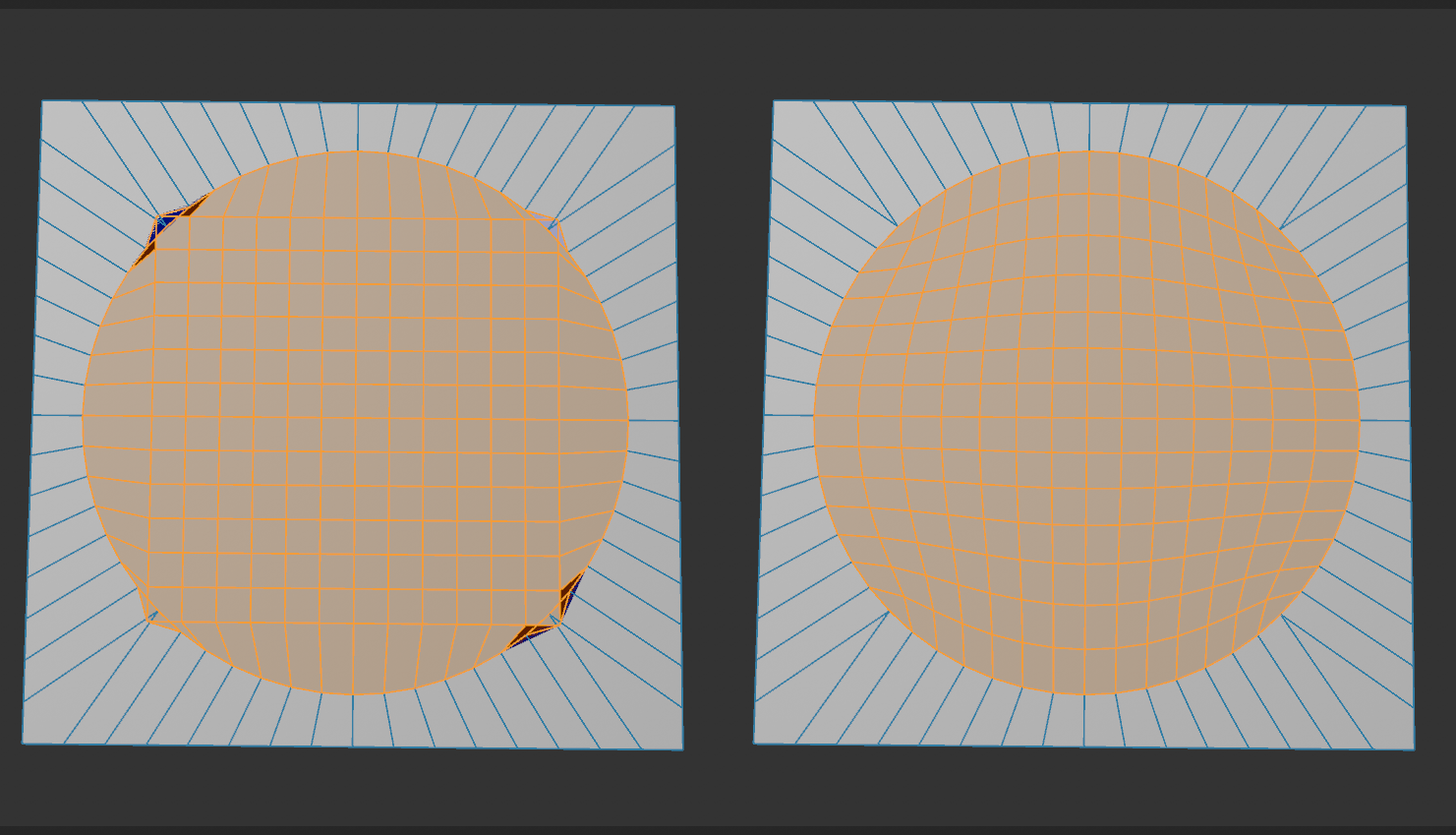
The inner points will then be evenly adjusted.
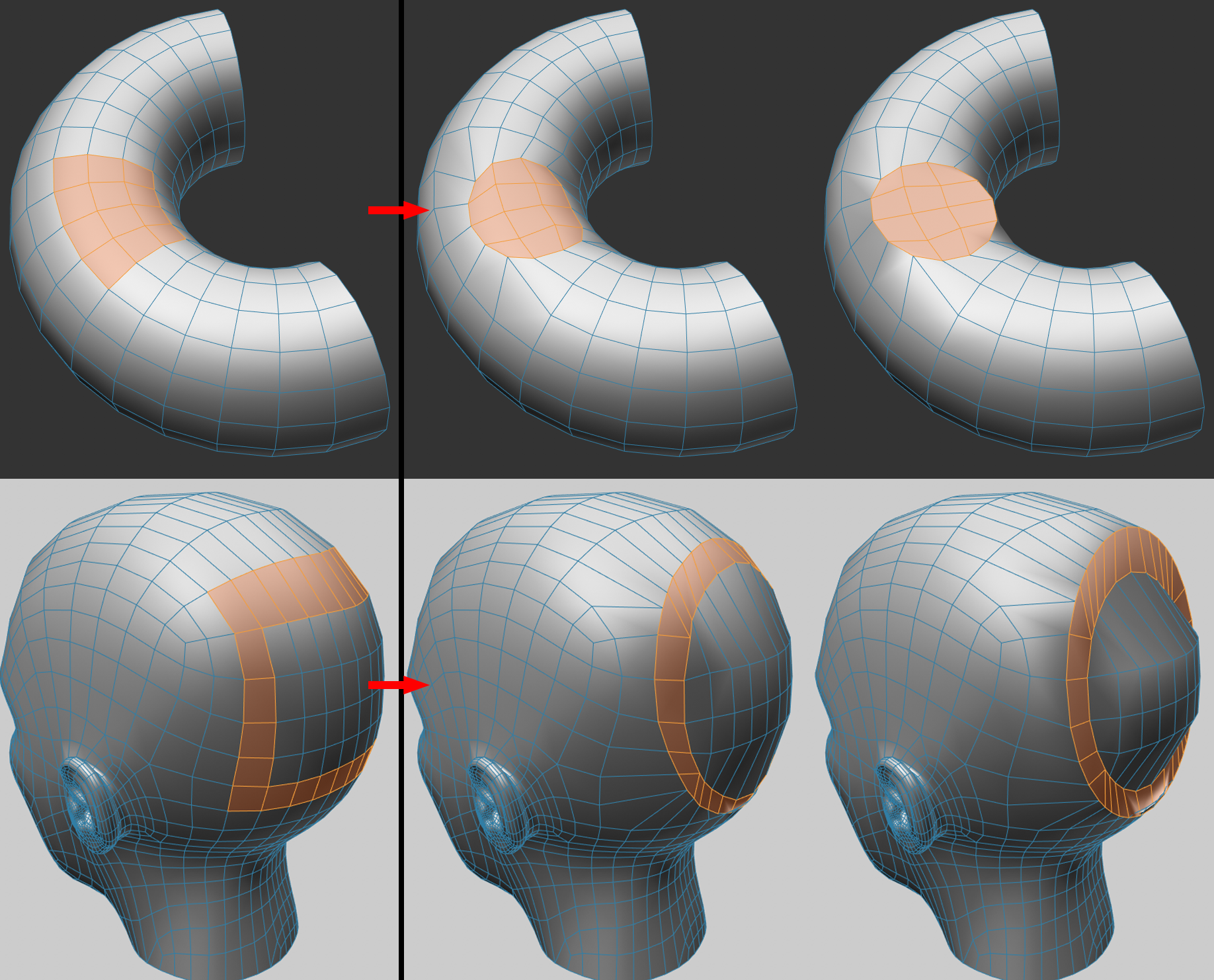 On the left the selected initial position, at the center Project Onto Surface activated, on the right deactivated.
If Project Onto Surface is enabled, the points will be projected to the closest point of the original mesh, keeping the original shape as closely as possible.
Quite different if the option is disabled: here the selection is placed on a layer defined by itself. The result is a level or flat selection.
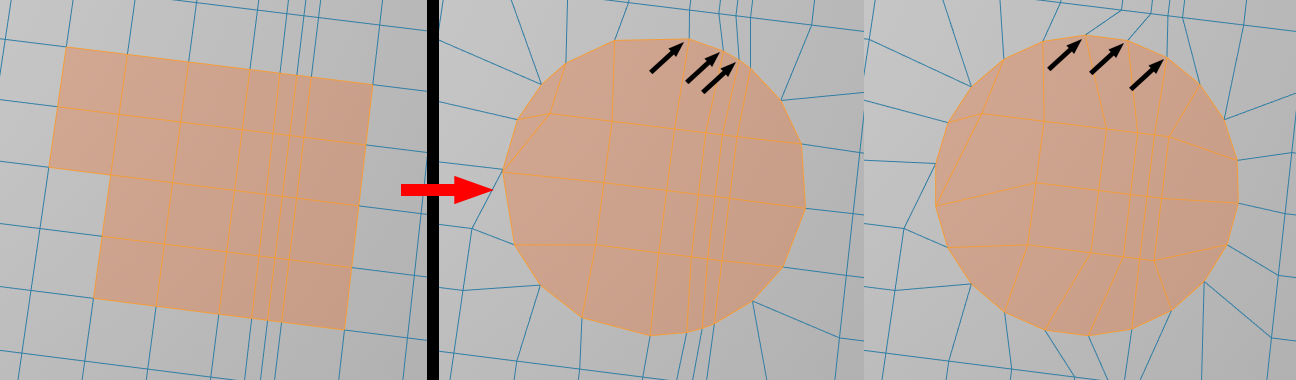 On the left the selected initial position, in the middle Equal Spacing disabled, on the right enabled.
If you work in polygon mode and then switch to edge mode, this option decides whether the selection outline should be selected in edge mode.