
Tween Tool
This page describes the Tween tool in Cinema 4D, an animation refinement aid. It creates breakdown keys or shifts existing keys' timing relative to the current frame — particularly valuable in character animation for adjusting poses without opening the Timeline.

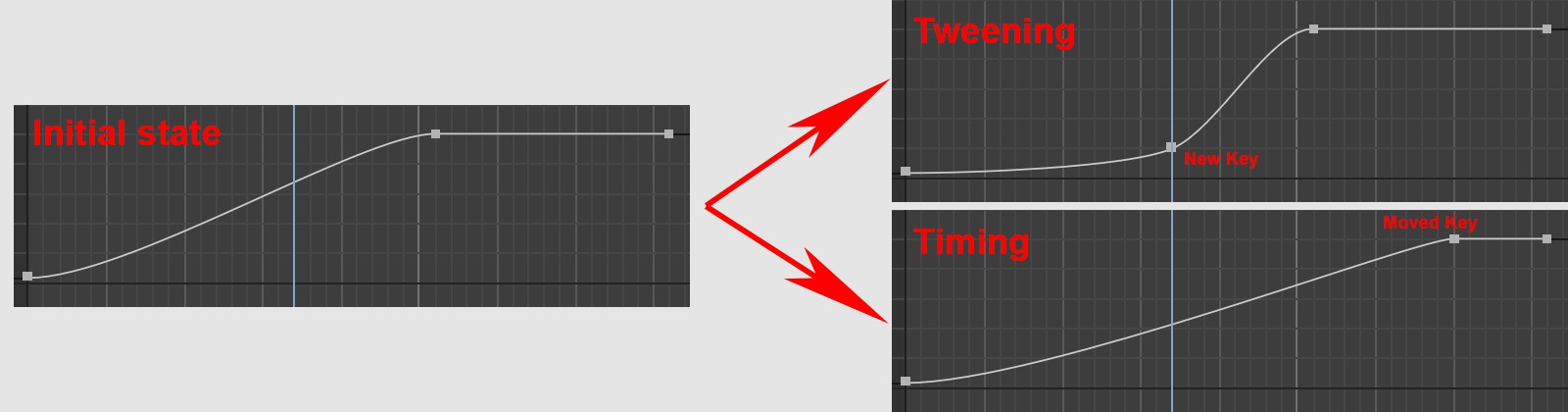
You can use the tween tool to fine-tune the animation of a selected object starting from the current point in time by creating new keys (Breakdown tab) or moving keys arranged on the right (Timing tab).
The tool works best in the area of character animation. For example, it is very practical to be able to work exclusively in the Animation palette; just make sure that all corresponding (control) objects are selected in the Object Manager so that their keys can be displayed and edited in the Animation palette. When changing the timing, the Shift key can be pressed to move all subsequent keys - not just the first one.
If you want to edit complete hierarchies in this way, you should make sure that the animation extreme states (solid poses) between which interpolation takes place are all created at the same time, i.e., that all keys are arranged on top of each other at the same time. In this way, entire skeletal hierarchy animations can be edited for character animations, for example.