

Object Properties
You can use the input box(es) to change the Deformer’s dimension(s).
The Alignment setting defines the axis with which the Deformer will rotate on the Child object’s axis:
+X, -X, +Y, -Y, +Z, -Z
As soon as you click on the Fit to Parent object, the Deformer will:
- set its origin to the center of the object
- rotate along its Y axis in the direction of the axis defined here (for the Child object). Exception: Auto has been selected.
Auto
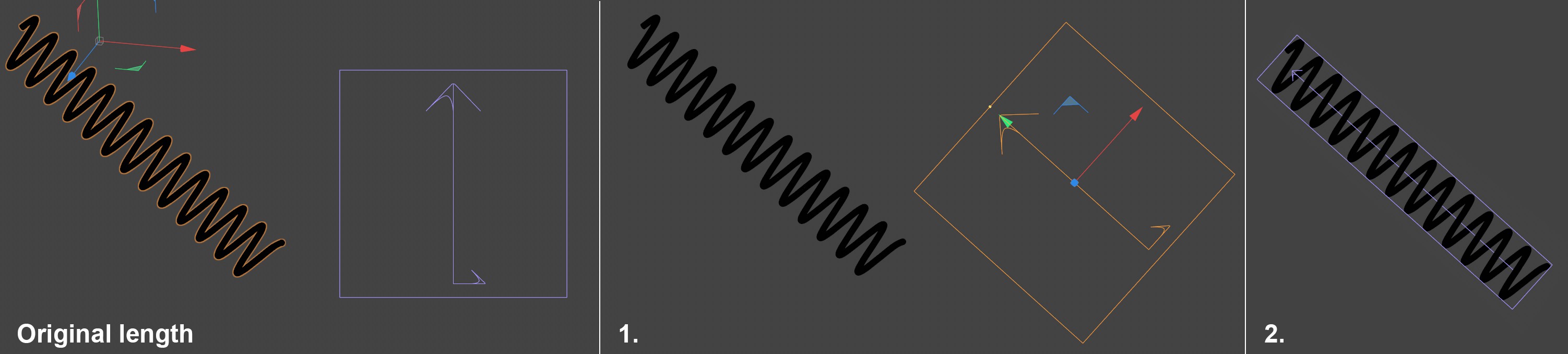
If Alignment is set to Auto, a semi-automatic mode will be defined that requires your interaction. So what do you need to do?
Assuming you have the spring as pictured above that is aligned freely in space. The object axis is also aligned freely. Now you want the Bend object Deformer, for example, to bend the spring along its length. Proceed as follows after you have made the Bend object a Child object of the spring:
-
Rotate the Bend object with its Y axis in approximately the direction in which it should bend
- Click on Fit to Parent. Done
This option is completely independent of the Parent object axis and uses the alignment you define manually. As soon as you click on Fit to Parent, the Deformer’s position and scale will be adapted as closely as possible to the Parent object to ensure a good deformation.
Different modes for deformation.
There are three modes for bulge deformation: Limited, Within Box and Unlimited.
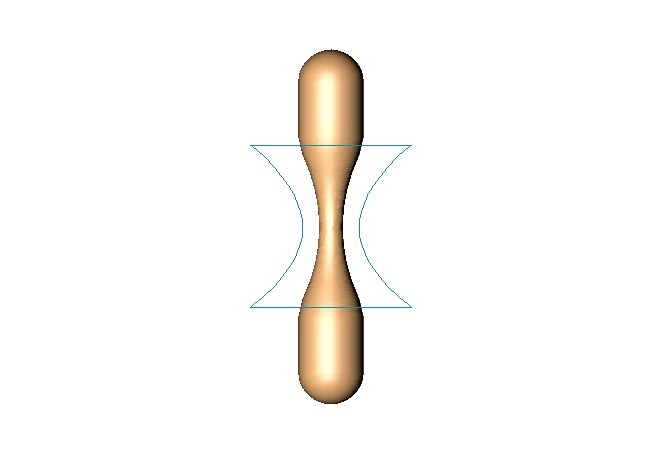
The entire object is affected. Surfaces at a height between the top and bottom of the (non-deformed) cyan box are bulged and the other surfaces are translated if necessary to accommodate the bulge. In the example, the result is the same as Within Box. However, the effect differs when the bulge deformer is moved or rotated.
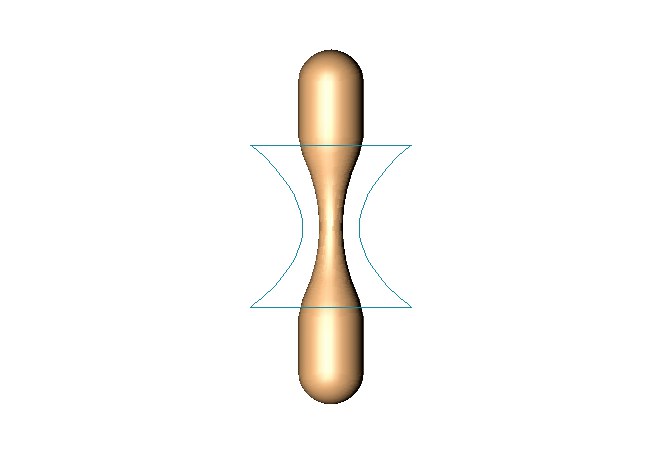
Surfaces within the (non-deformed) cyan box bulge. Surfaces outside the box remain exactly where they are (they are unaffected).
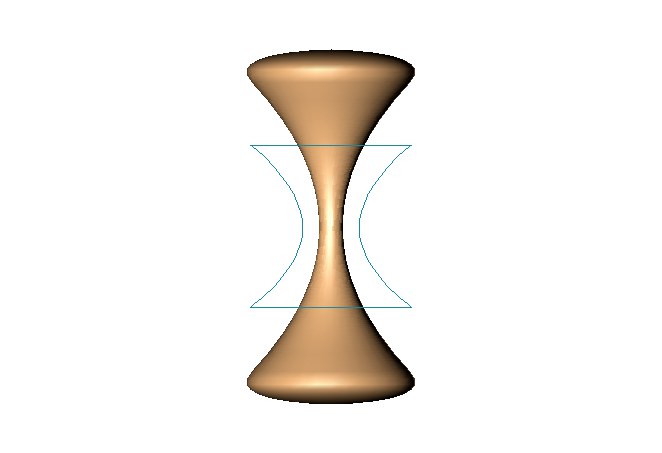
The entire object bulges.
Defines the strength of deformation. To change this value interactively, drag the orange handle in the Viewport.
This value affects the curvature of the Deformer.
If this option is enabled, the deformation is softened near the top and bottom.