Spline Deformer
This page describes the Spline deformer in Cinema 4D. It deforms geometry by the difference between an original and a target spline — intuitive curve-based shaping used for smiles, terrain edits and flowing shape adjustments.

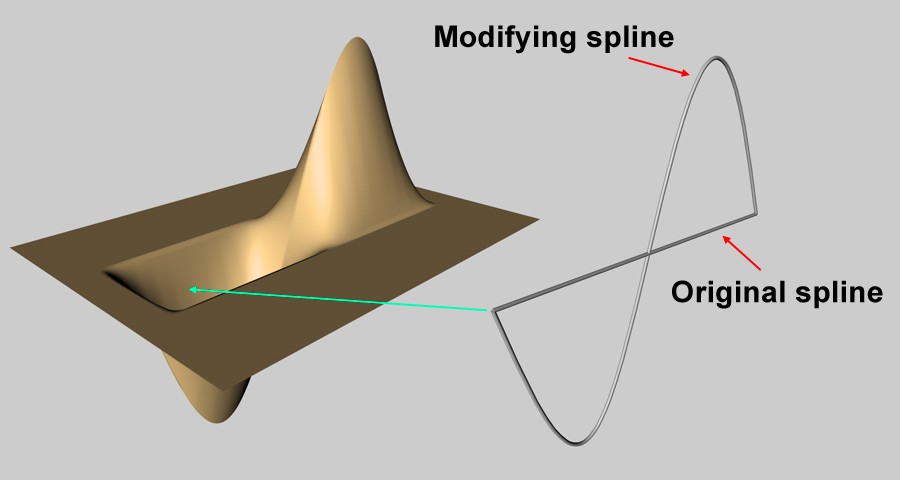
The Spline Deformer deforms objects using two splines: an original spline and a target spline. The Spline Deformer takes into account the differences in shape and position between these two splines and deforms the object accordingly.
In addition to regularl deformations, this deformer is also particularly suitable for character modeling and animations. For example, it is possible to create different facial expressions with different target splines. Even if the aim is to make muscle strands flexing under the skin, this can easily be achieved by animating the target spline.
Proceed as follows to use the deformer:
Draw the first spline(Original Spline) on the object to be deformed. Copy this spline, modify it according to your requirements, e.g. by moving the points in point mode (this spline is then the Modifying Spline) and drag these two splines to the corresponding fields of the Attribute Manager.
In this context, please also note the functions Project and Edge to Spline.
Example
Here you can see the animated Target Spline and how it is deformed accordingly with the help of the Spline Deformer.