

Object
The desired number of steps.
The width of the generated staircase.
Use these settings to adjust the vertical and horizontal distance between the steps.
This is the thickness of each step.
The vertical gap between the steps can be closed by a cube. This value specifies the thickness of this element. If set to 0, this element is no longer generated and an open gap remains between the steps.
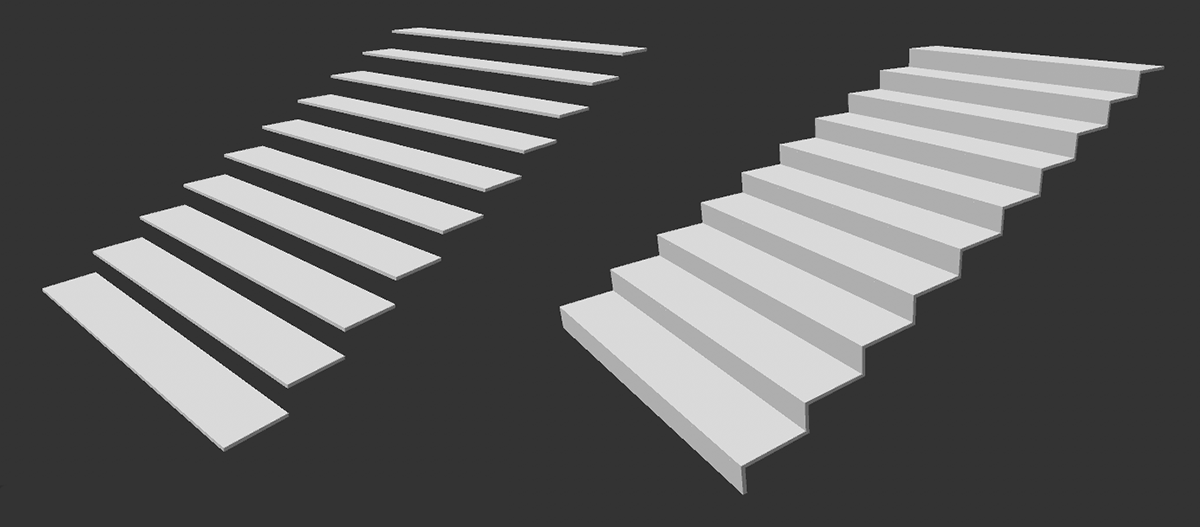 A staircase without and with closed gaps between the steps.
With these values, the tread area of each step can be expanded. Step Nose extends each step to the front, Step Extend extends each step to the back. Step Widen leads to a widening of the tread surface.
These options control the generation of geometry under the steps:
- Solid: The area below the steps will be completely closed, similar to a staircase cast in concrete.
- Stringer: The stair steps are supported by beams and connected to each other.
- None: The area under the steps remains open.
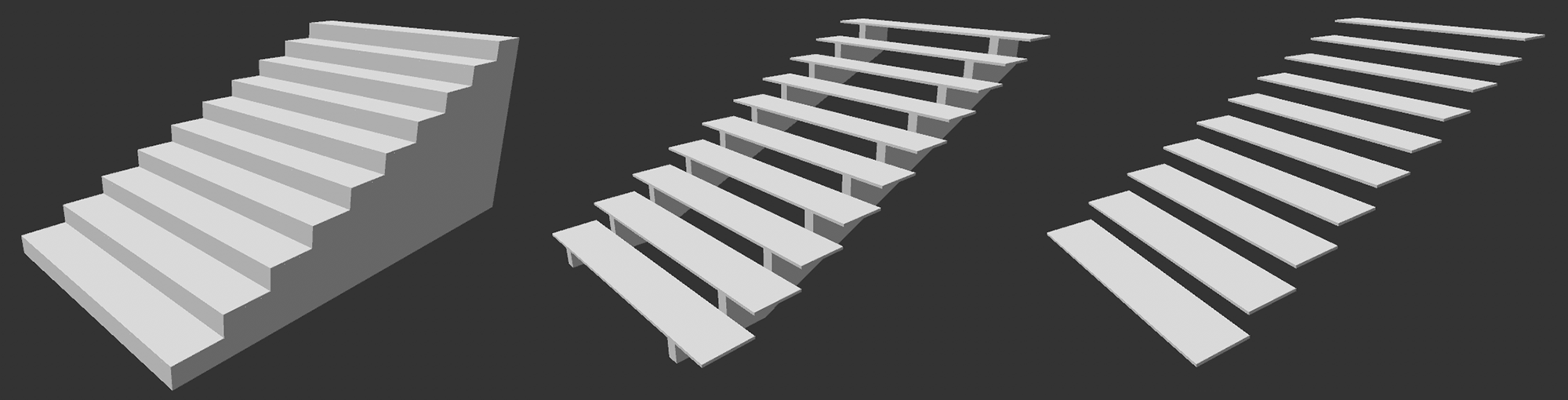 From left to right: Solid, Stringer and None.
After selecting Stringer as the support structure for the steps, the desired number of these bars can be selected here.
This value controls the distance between struts below the stair steps. At 100%, all struts will be distributed so that the left and right edges of each step are supported by one strut and the remaining struts are evenly distributed between them. For smaller values, the struts move correspondingly further into the center of the steps.
This describes the maximum height of the struts beneath the steps.
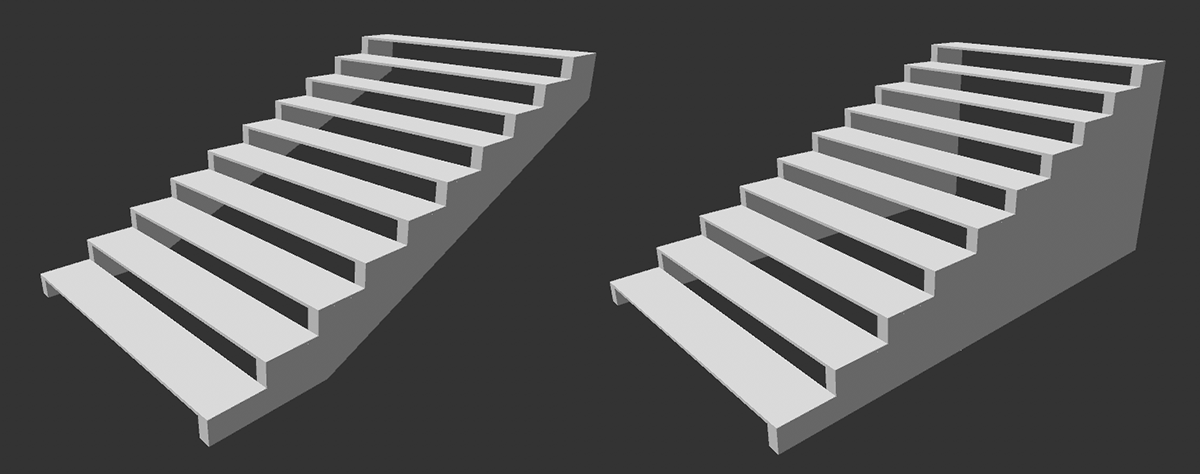 A normal depth was used for the struts on the left, and a maximum depth on the right.
This is the width of the struts under the steps.
Here you select whether and where to place side borders along the stairs. The following options are available:
- None: No side boundaries will be created.
- Both: Creates boundaries on both sides of the stairs.
- Left: A boundary will only be created on the left side of the stairs.
- Right: A boundary will only be created on the right side of the stairs.
This percentage value defines the distance between the sides of the stairs and the partitions. At 100%, the selected partitions appear at the outer edge of the steps. For smaller values, the partitions will be moved towards the center of the stairs.
These values define how far the lateral boundaries should be extended upwards (Height) and downwards(Depth).
This is the thickness of the side boundaries on the stairs. These elements always increase in size towards the outside, thus leading to a widening of the entire staircase when placed as the outer finish of the steps.
This can be used to round off the front, upper edge of each step.
This can be used to round off all the edges of the steps at the same time. If you use a Bevel 1 value greater than 0 the rounding of the front, top edge of each step will be rounded individually.
All N-gons are converted to triangles and quads. This affects only the struts beneath the steps and the lateral boundaries of the stairs.
Here you define the position and direction of the stairs in the room.