
Object Properties
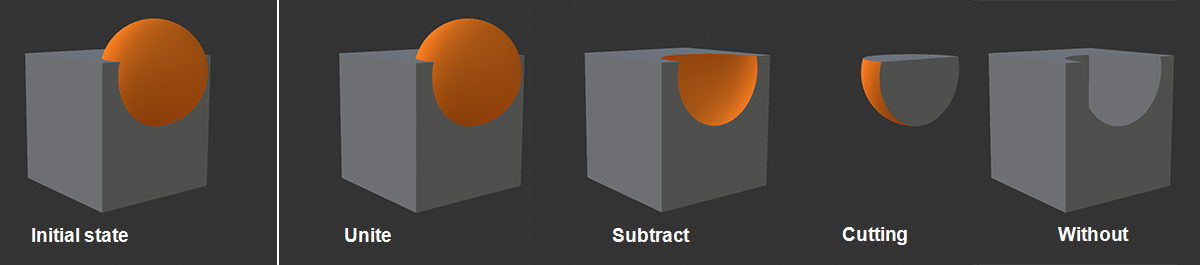
There are the following Boolean functions, which are explained using the figure above:
- Union: Both objects are combined, the inner part of the sphere in the cube is cut off.
- Subtract: the object first subordinate to the Boolean generator (here cube) is the base from which the following object (here sphere) is cut out. The order is important and leads to different results!
- Intersect: The intersection (= the common, overlapping volume) of the two objects is formed. External parts are cut away.
- Without: Similar to Subtract, except that the surface of the intersecting sphere is deleted, leaving a hole in the mesh of the first object. The order is important and leads to different results!
The following applies to all operators: a single new object is always created from the two objects of a Boolean operation.
This option should always be activated if problems occur with overlapping objects that are to perform a Boolean operation as a whole. Note the following example:
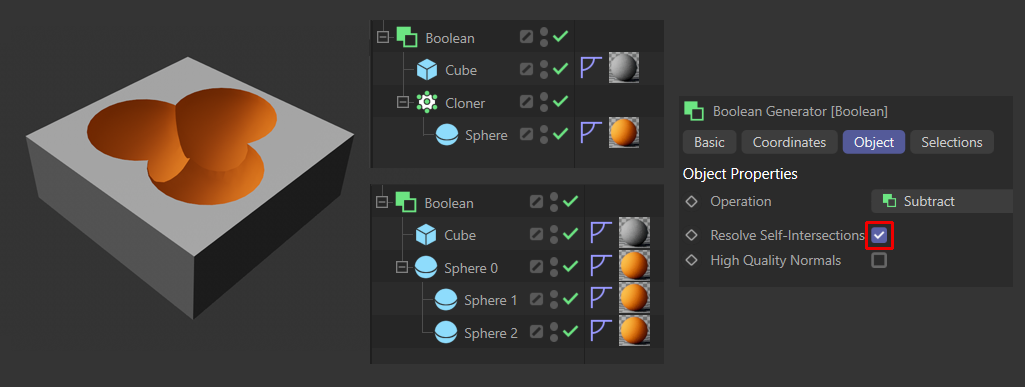
Here you can see 2 different setups in the middle that lead to the same result - shown on the left. Resolve Self-Intersections must be activated for both setups.
If hierarchies with overlapping objects are used, the overlapping objects are merged into a single object in a preparatory, internal step. This merged object is then used in the Boolean process.
As this functionality costs a lot of computing time, it can be deactivated - but can then lead to problems with overlapping objects, as described above.
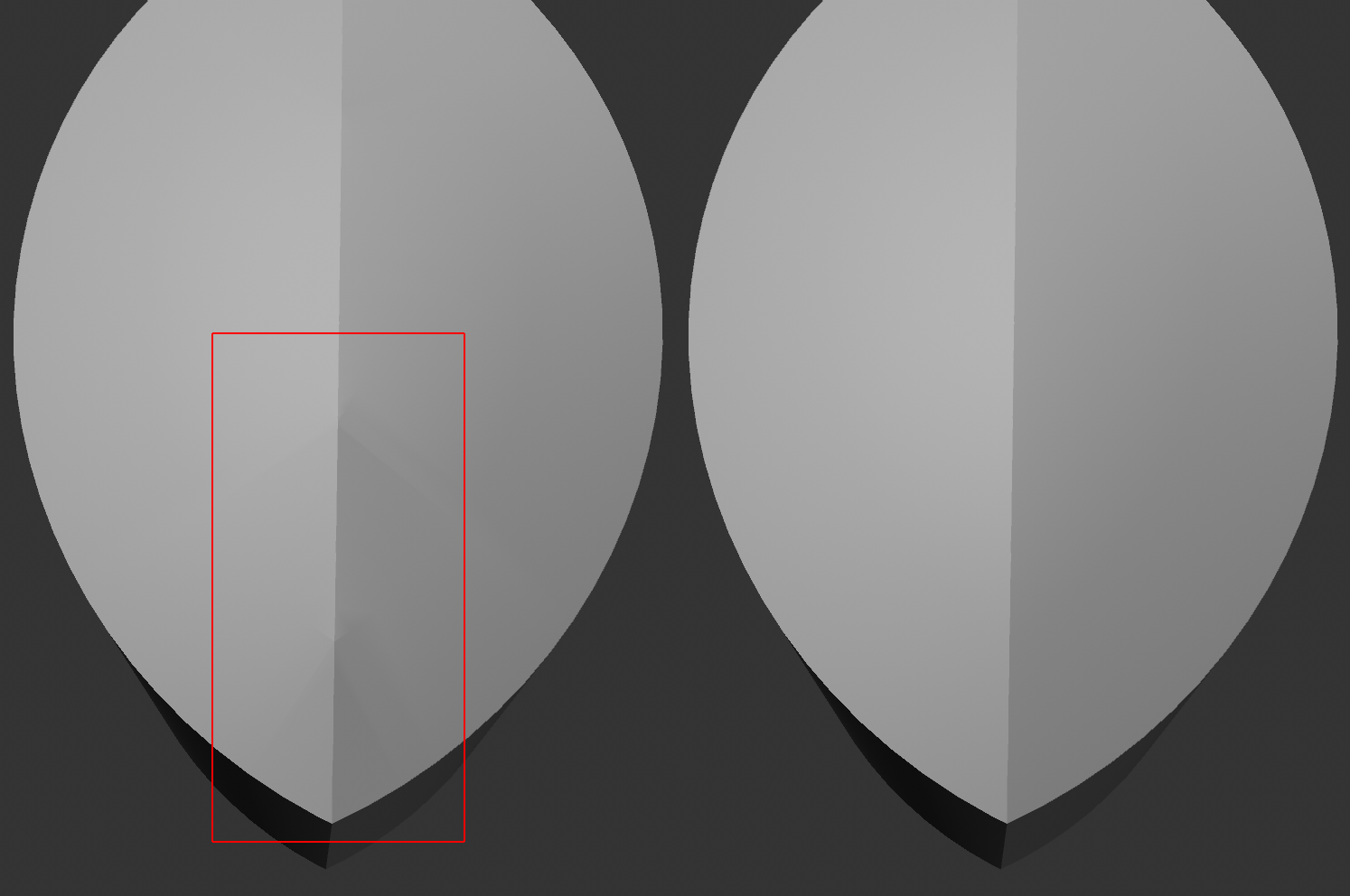
Unsightly shading problems can occur at the Boolean cut edges, as can be seen in the illustration above. In these cases, activate the High Quality Normals option.
What happens during activation? Basically, the cut edges are equipped with an interrupted phong shading, as you can also do with the command  Break Phong Shading. This can then lead to shading artifacts in the result, as the adjacent polygons change - e.g., are cut off. If you now activate the option, all objects involved are internally equipped with normal tags and a Normal tag is also generated for the resulting Boolean object; this becomes visible when you convert the generator into a polygon object with
  Current State to Object, which in most cases ensures clean shading in the area of the cut edges.
This functionality is also useful if you want to bool 2 objects with different phong settings, as the respective smoothing is retained in the result. If this option is deactivated, the Phong settings of the first sub-object are used.
Also deactivate this option if you want to give the Boolean generator itself a Phong tag and let its settings affect the result.