

Loop Carried Value
This page documents the Loop Carried Value node of the Scene Nodes system in Cinema 4D. It carries variables of any type across loop iterations — enabling accumulators and complex loop constructions beyond a simple Range.
This Node allows us to use complex loop constructions in which different variables and data types can also be used. This is also the main difference to the Range Node, which simply outputs a continuous series of integer values. When transferring loops, you can insert several Nodes directly into a group and thus perform calculations within the loop and also output them as intermediate steps. To do this, open the Node by clicking on the folder icon in its header.
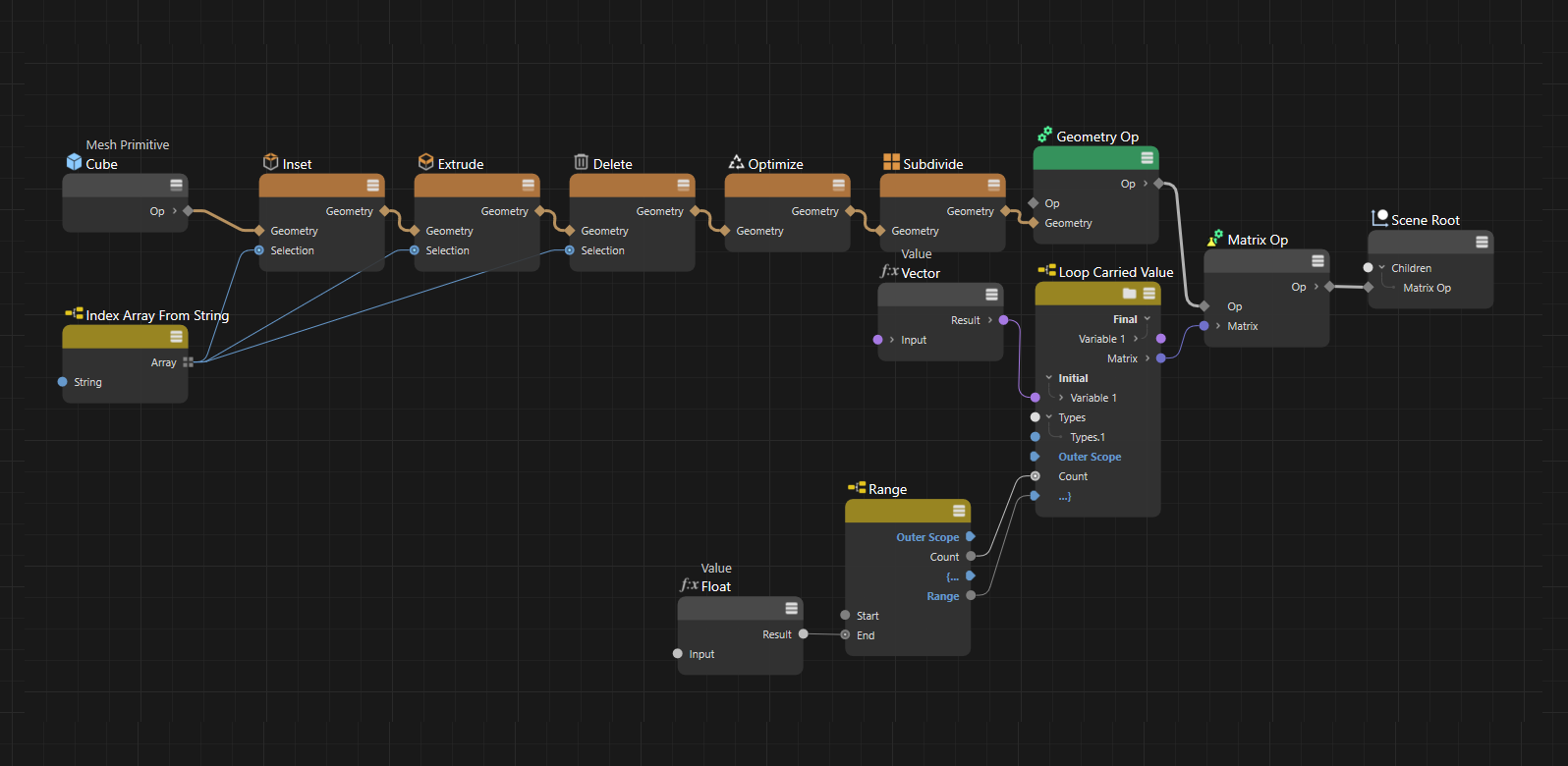 Here we will try a slightly more complex example. In the upper half of the image you can see how a cube becomes a simple chain link by extruding it internally, extruding, deleting faces, optimizing and finally subdividing and smoothing it. The lower half of the setup runs through a Range Loop to generate the number of desired chain link copies. A Loop Carried Value Node is used to make the position of the chain links dependent on the previous chain link. You can see the content of this Node in the following image.

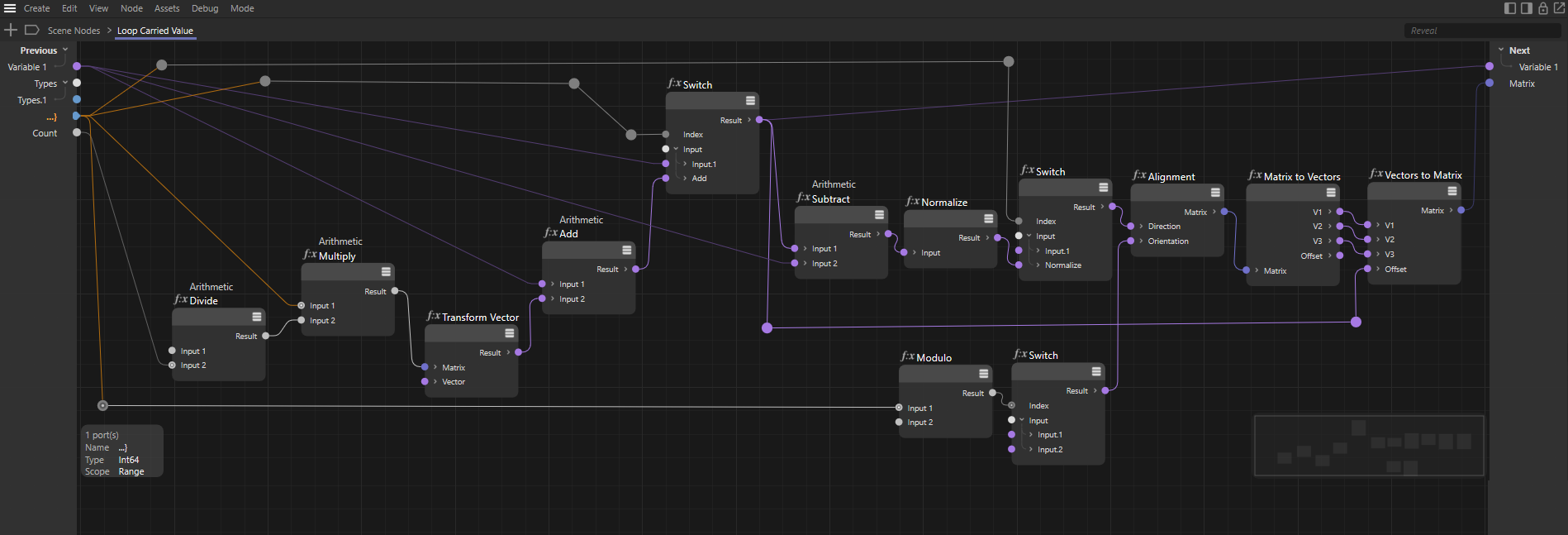 The main structure consists of connecting the previous variable with the outputs of the next variable. These values can then be changed as required in the setup in-between. In this setup, for example, a complete circular rotation is divided by the number of desired chain links to determine a rotation angle. The X-axis of each chain link points to the position of the previous chain link. In addition, every second chain link is tilted by 90° to create a typical chain, which can be seen in the following picture.
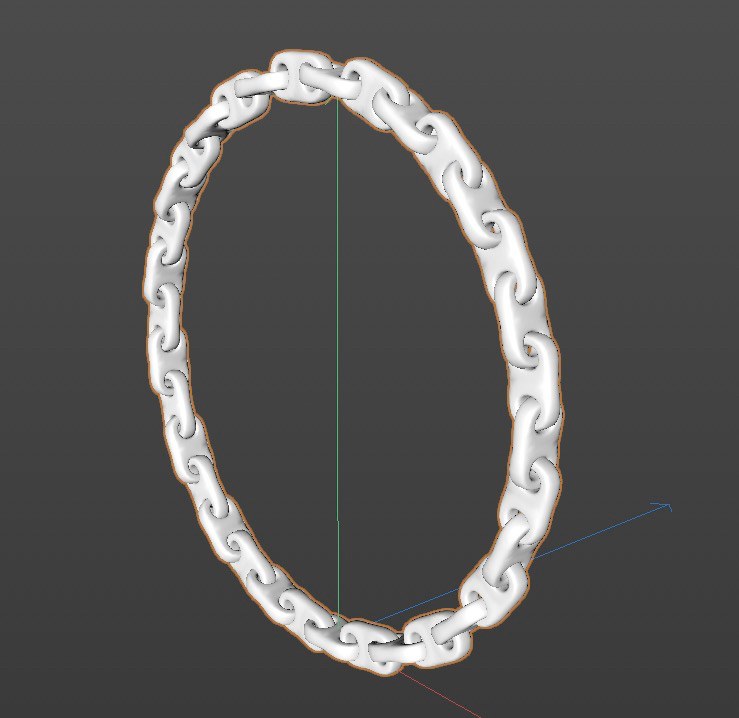 Here you can see the result of the setup. The result is a simple, circular chain of parametric chain links.