

Color Key
What is it about?
This page documents the Color Key node of the classic node materials in Cinema 4D. It masks image regions by color similarity like a green-screen keyer — extracting alpha from uniformly colored backgrounds.
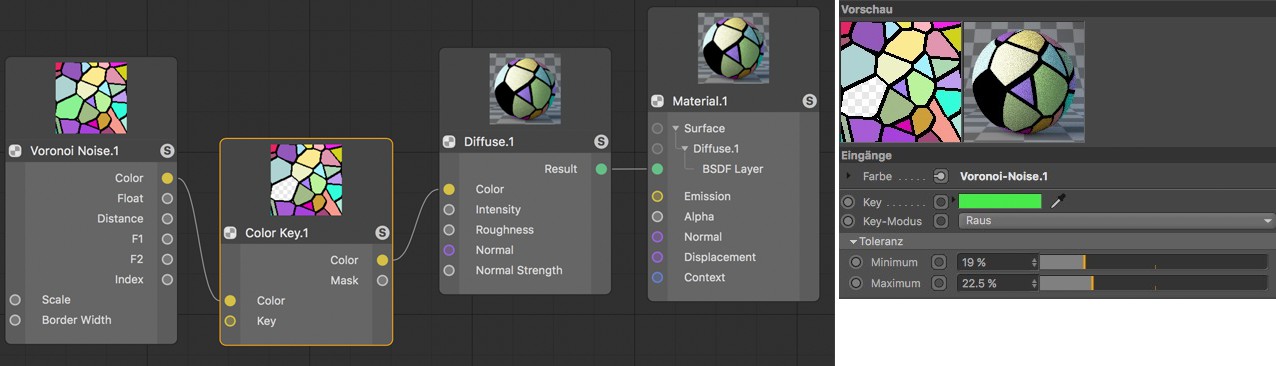 In this example, the Color Key Node filters a specific shade of green from a generated Voronoi pattern and interprets it as a mask. The corresponding color areas will then be missing in the Node's derived color.
Note:
This Node is only available when editing a classic Cinema 4D Node Material.
In order to be able to detach image elements from the background more easily, homogeneous colors will often be used in the background while photographing or filming. If no alpha information is available, the Color Key Node can use a selected color for masking.