

Ambient Occlusion
This page describes the Ambient Occlusion node of the classic node materials in Cinema 4D. It darkens occluded areas based on surrounding geometry — dirt and contact-shadow masks for classic node materials.
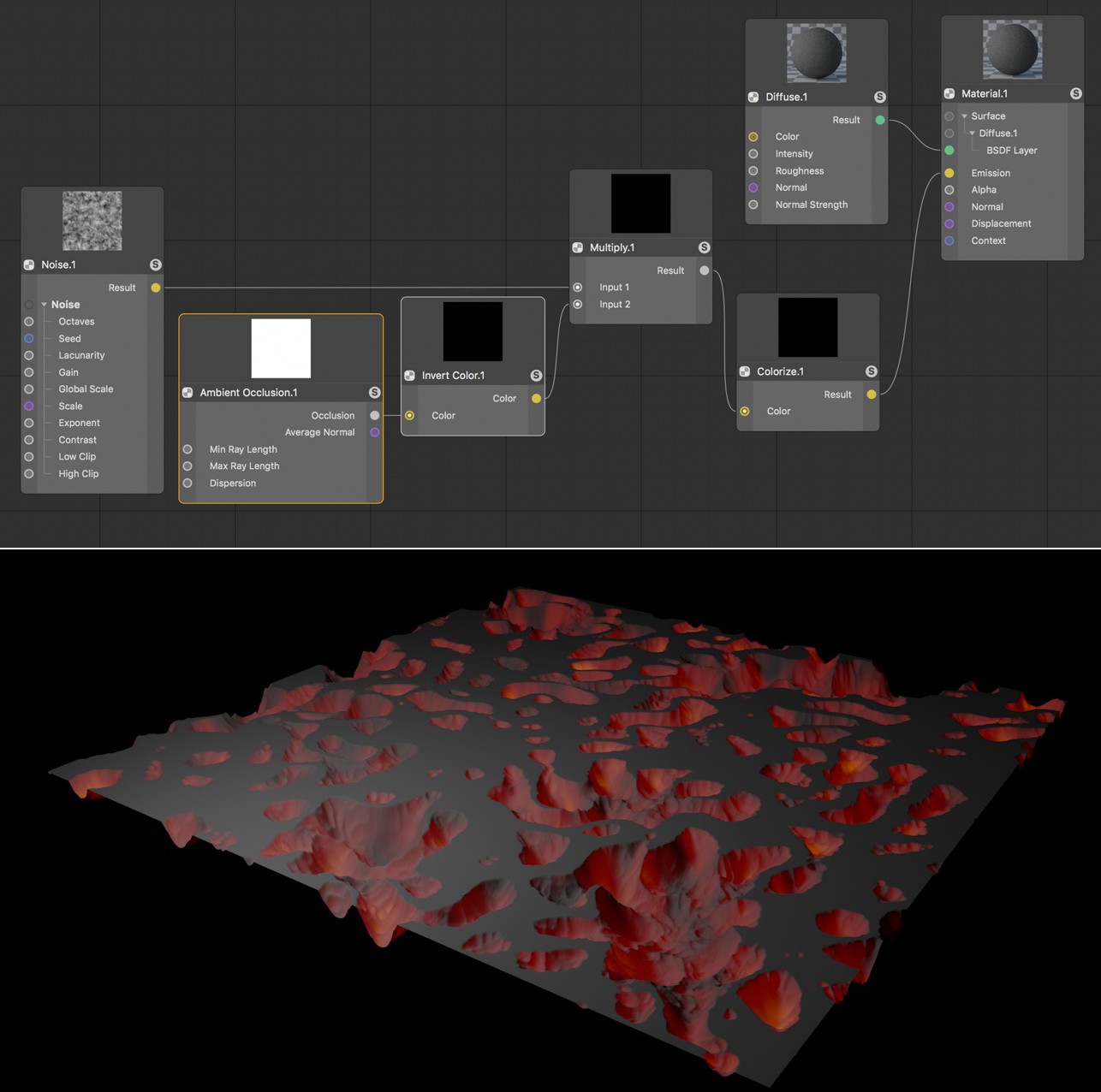 Ambient Occlusion calculates the exposure (how much this point sees of a virtual ambient light source that encompasses the entire scene) at a given sample point. This effect is commonly used to approximate diffuse light emitted from an overcast sky, for example. Another use would be for shadows in interior renderings. In this example, Ambient Occlusion automatically detects the indentations in the plane and makes them glow in the material.
This Node is only available when editing a classic Cinema 4D Node Material.
Ambient Occlusion calculates a value whose brightness depends on the occlusion by surfaces and objects in the vicinity. The more open and visible a location is, the brighter the Ambient Occlusion calculation for a pixel will be at that location. Sections that lie in gaps or between objects, on the other hand, will generate a dark Ambient Occlusion calculation. The effect is similar to a shadow, except that it is independent of the illumination of the surface. The distance between the currently calculated point and surfaces in its vicinity is decisive.
The sampling direction can also be reversed by tracing beams in the opposite direction to the Normals. This results in a darkening effect at edges and corners, while flat or only slightly curved surfaces will remain brighter. If you invert this brightness distribution, e.g., using an Invert Color Node, you can simulate simple Subsurface Scattering effects.