
Spline Smooth
This page describes the Spline Smooth tool in Cinema 4D. It works as a shaping brush for splines — smoothing, flattening, spiraling or inflating the curve interactively — useful for refining sketched or imported paths.

In addition to its smoothing function, the Spline Smooth tool offers numerous other features that can be combined seamlessly.
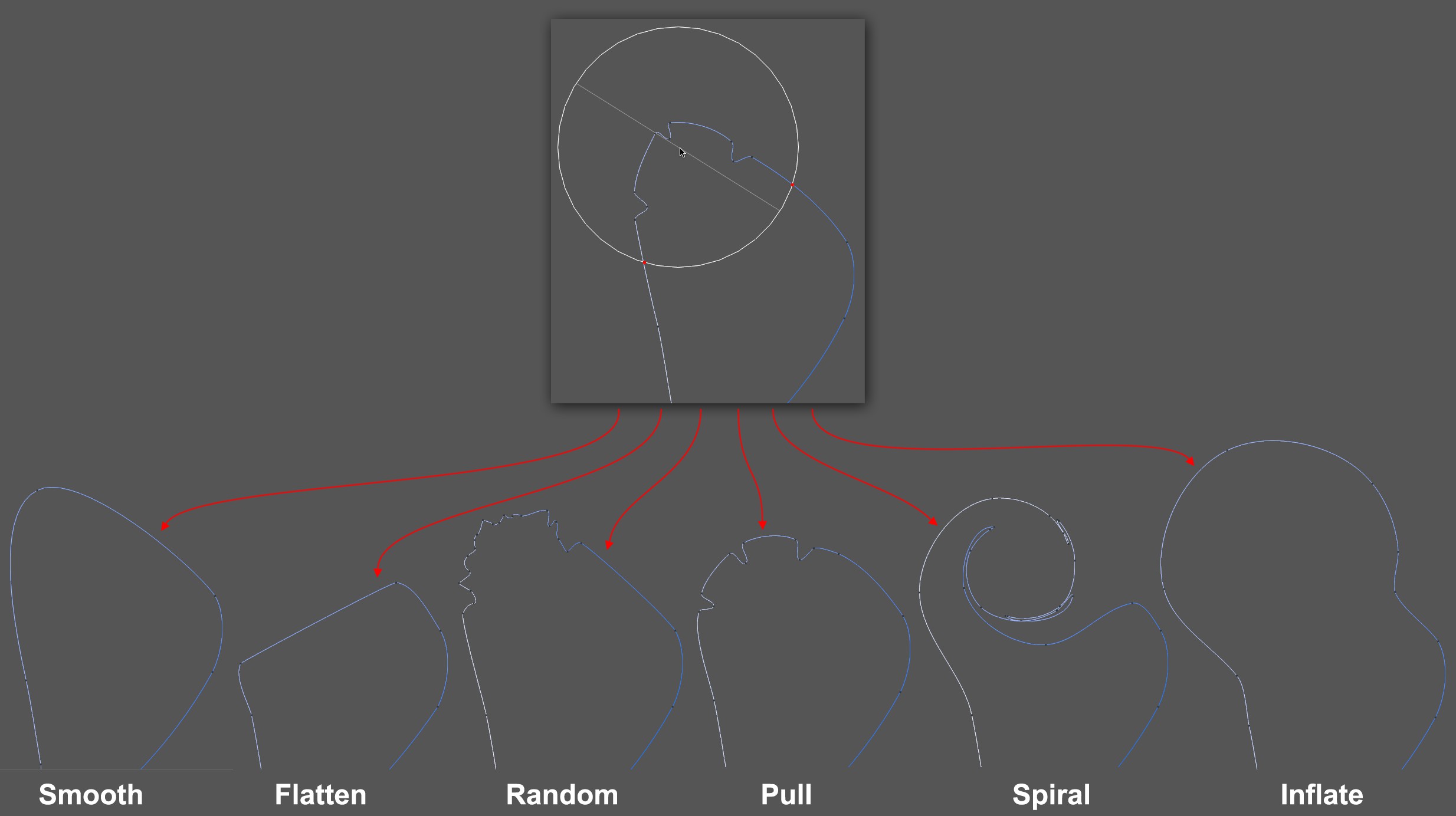 The original spline at top and below the various modes applied to the spline.
In fact, this tool can be used as a type of shaping brush that lets you modify the spline in various ways.
The Spline Smooth tool, which you can access without having to switch to Use Point mode (it also works in the normal Use Model mode) affects the selected spline interactively between the red dots within its defined radius. As is the case for most brush-like tools, the following applies:
- The tool radius and strength can be adjusted interactively in the Viewport by clicking with the MMB and horizontally or vertically.
- The Ctrl/Cmd key reverses the tool's effect, which, however, is not necessarily useful for all tools.
Note that the tool adds or removes points dynamically when it's applied. This can lead to a large number of points being created (e.g., in Random mode) that can bunch up while using the tool. Switch to Smooth mode to remedy this.
The Spline Smooth tool works with all spline types. The interactive preview (what is displayed when the mouse button is pressed) delivers the best results in conjunction with Bézier splines. When used in conjunction with other spline types, deviations can occur.