

Options
Here you can enter a value between 0% and 100%, depending on how you want to have the points come to rest on a perfectly smooth plane.
With this option you can define how the common plane of the selected polygons should be oriented. You can select from the following options:
-
Best fit: a common surface is formed with the points of the selection. Here, the point positions will be evaluated (contrary to the Normal mode)
-
View: The plane will lie perpendicular to the current view. A useful mode if you want to quickly orient polygons perpendicular to the orthographic views (top, left, etc.).
-
Normal: the Normals of the selected elements will be averaged and the plane will be oriented accordingly.
-
Modeling Axis: the plane will be oriented to the modeling axis (see here, for example), the position will align with the modeling axis position. All command settings except Strength will be ignored.
-
World Axis: the plane will lie on the world origin and will be oriented perpendicularly to the axis.
If you define modeling or world axis in the Mode setting, you can choose a corresponding axis to which the common plane is perpendicular.
This option is shown in Modeling or World Axis mode and defines whether the common plane is on the respective axis (enabled) or on the average selection axis (disabled).
If the intent was the alignment of the common plane, its position will be defined here:
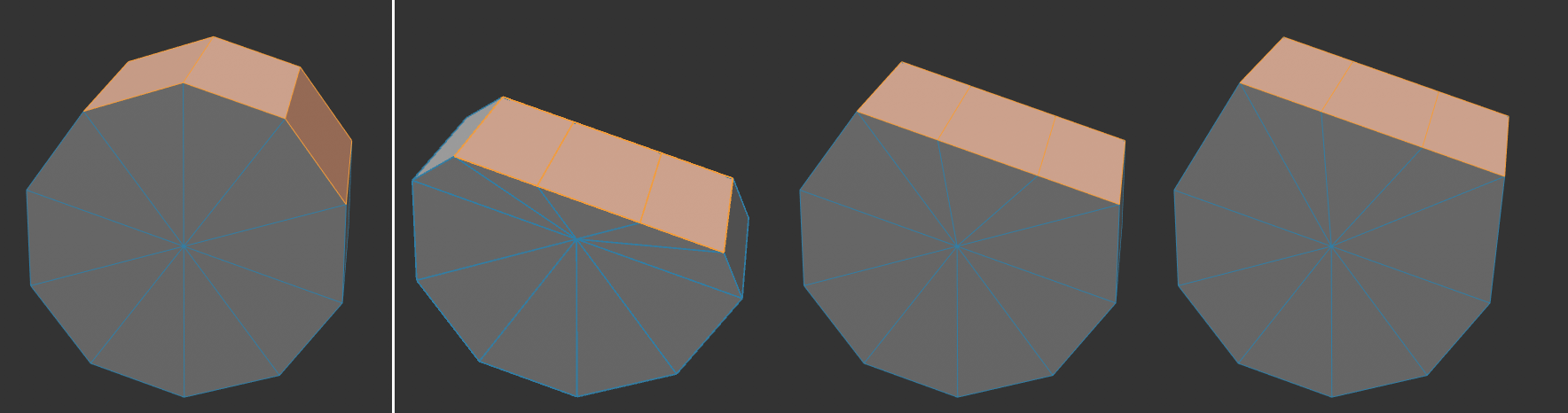 Left selected initial position, then -100%, 0% and 100%.
With this value, the plane can be moved in the direction of its Normals.
Activate this option if you want to level several polygon islands separately. Otherwise a single common plane will be used for all polygon islands.
For the calculation of the plane, only the outline of the selected points/edges/polygons is evaluated if this option is activated. If this option is disabled, all elements that lie within the selection border will be taken into consideration.
However, the complete selection will always be "processed".