

Caps
Enable this option to add caps to the top and base of the cylinder. Otherwise, the cylinder is hollow.
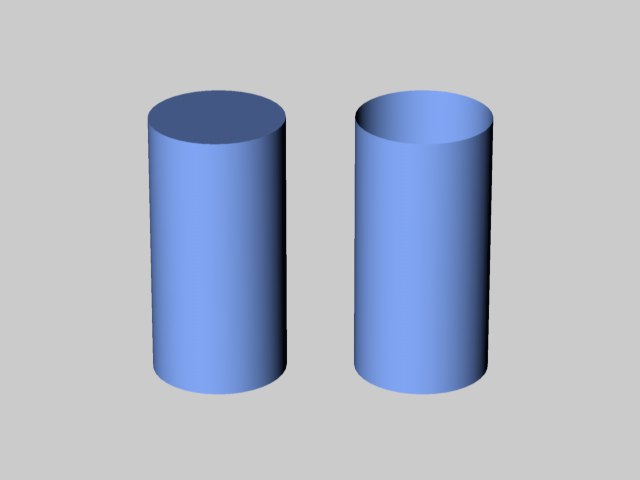 Caps enabled (left) and disabled (right).
Defines the number of subdivisions of the caps in a radial direction. The subdivision along a cap's circumference is defined by Rotation Segments.
Assuming that the cylinder has caps you can use this option to apply a fillet or chamfer to the join between the cylinder body and the caps.
Enter the radius of the fillet.
With Fillet selected you can choose the degree of the roundness with this option. The higher the value the smoother the join will appear; enter a value of 1 to achieve a chamfer. In the picture is a rounded cylinder. To the left is a chamfer, then a rough fillet and, on the right, a high-value, smooth fillet.
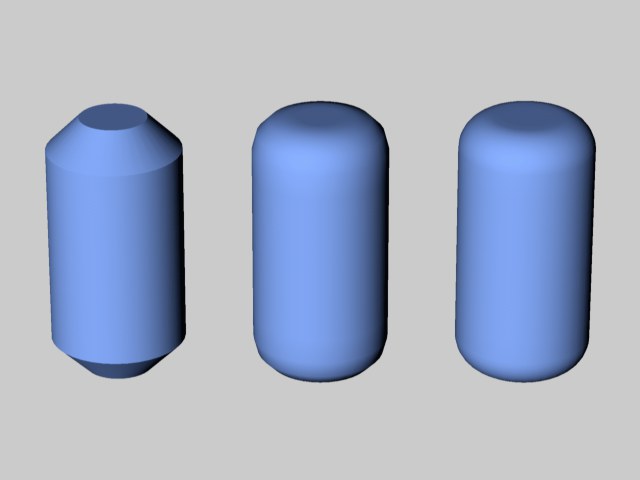 From left to right: Fillet Segments set to 1 (a chamfer), 3 and 10.
The roundness can be set as high as the cylinder's radius — the caps will then be hemispherical.