
Distorter
This page documents the Distorter node of the Redshift renderer in Cinema 4D. It warps one texture by offsetting its UVs with another — heat haze, water ripples or wobbly stylization directly in the shader graph.
The Distorter shader is a utility node that can be used to warp and distort one texture based on another texture. This is accomplished by offsetting the original UV coordinates with values derived from a distortion texture.
Limitations:
-
The distorter does not work with bump mapping. However, it does work with displacement but auto-bump must be disabled.
-
A distorter cannot distort another distorter node, they cannot be nested.
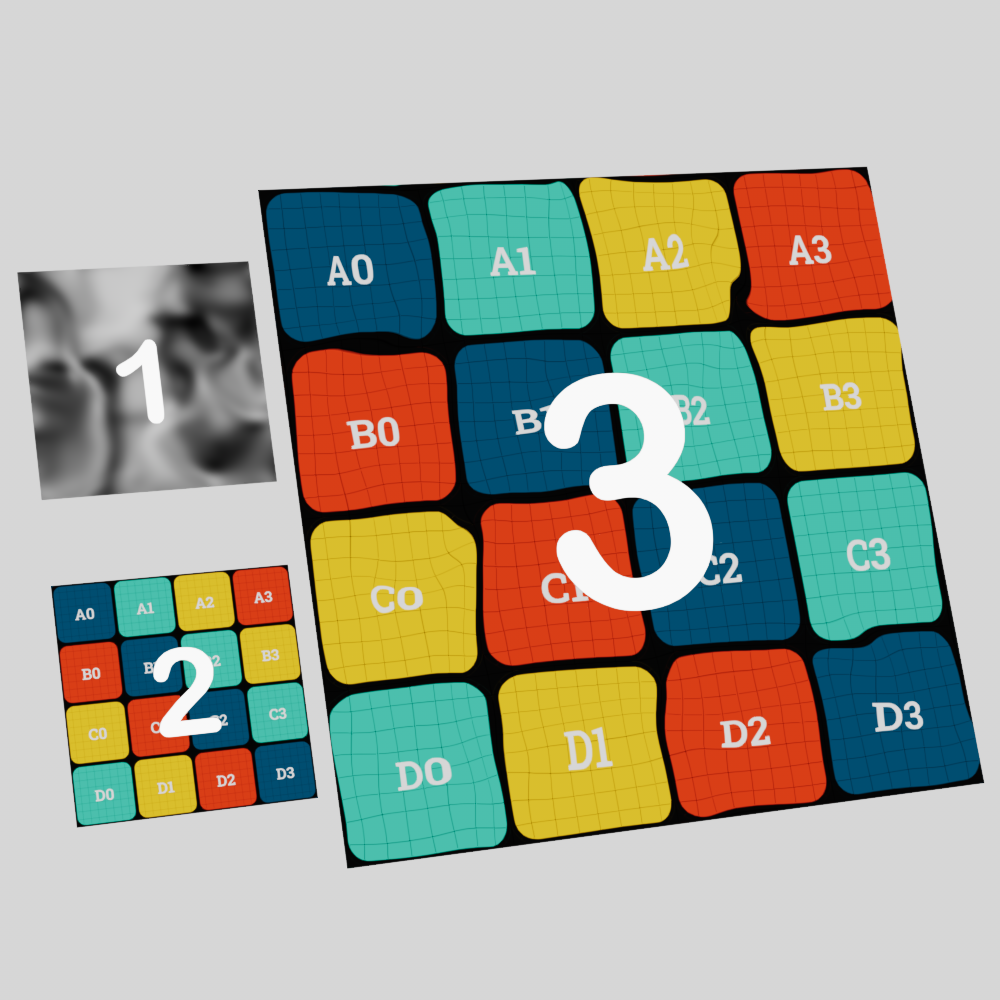
On this page you will see a 3 plane setup for many of the example images, each plane is used to illustrate the following elements:
-
Distorter Texture: This is the texture used to distort the source texture.
-
Source Texture: This is the texture that will be distorted, presented here in its undistorted original form.
-
Result: This is the final result of the source texture distorted by the distorter texture.
|
Examples
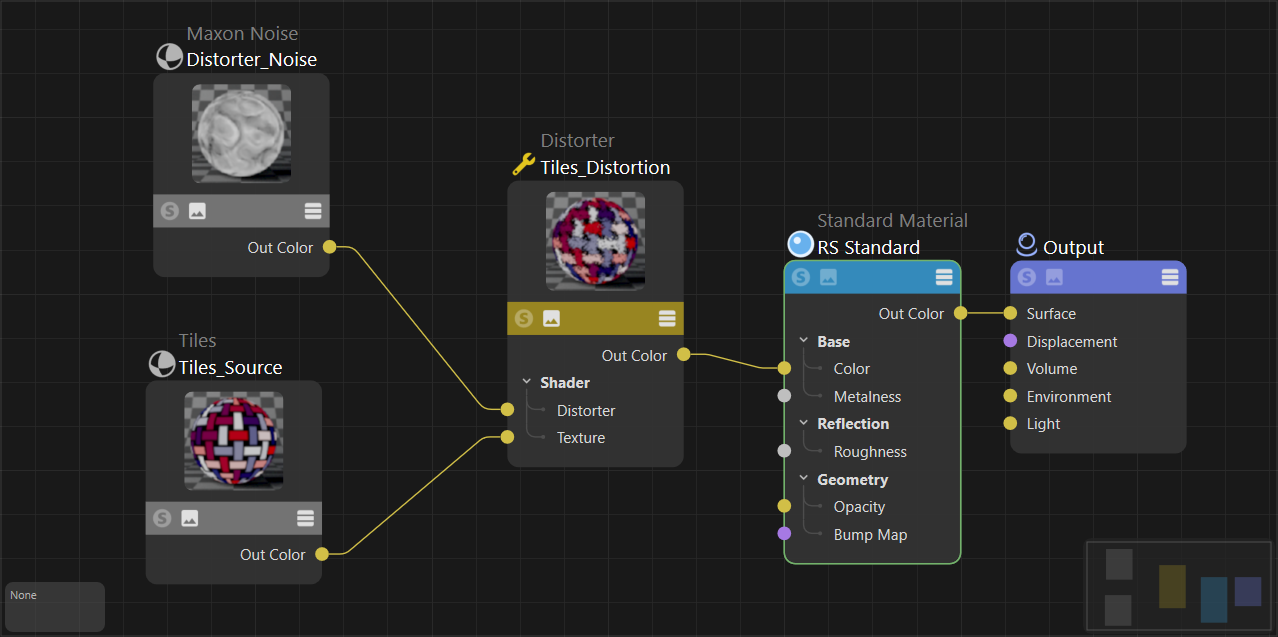
To use a Distorter node start by connecting a source image to the "texture" input as pictured below, this is used as the beauty texture you want to distort. Next connect a texture to the “distorter” input, this is used to drive the intensity of the distortion applied to the source texture. The distorter node itself can then be connected to a color input on a shader. For many of the example images on this page a UV test image was created using the utility at uvchecker.vinzi.xyz.
|
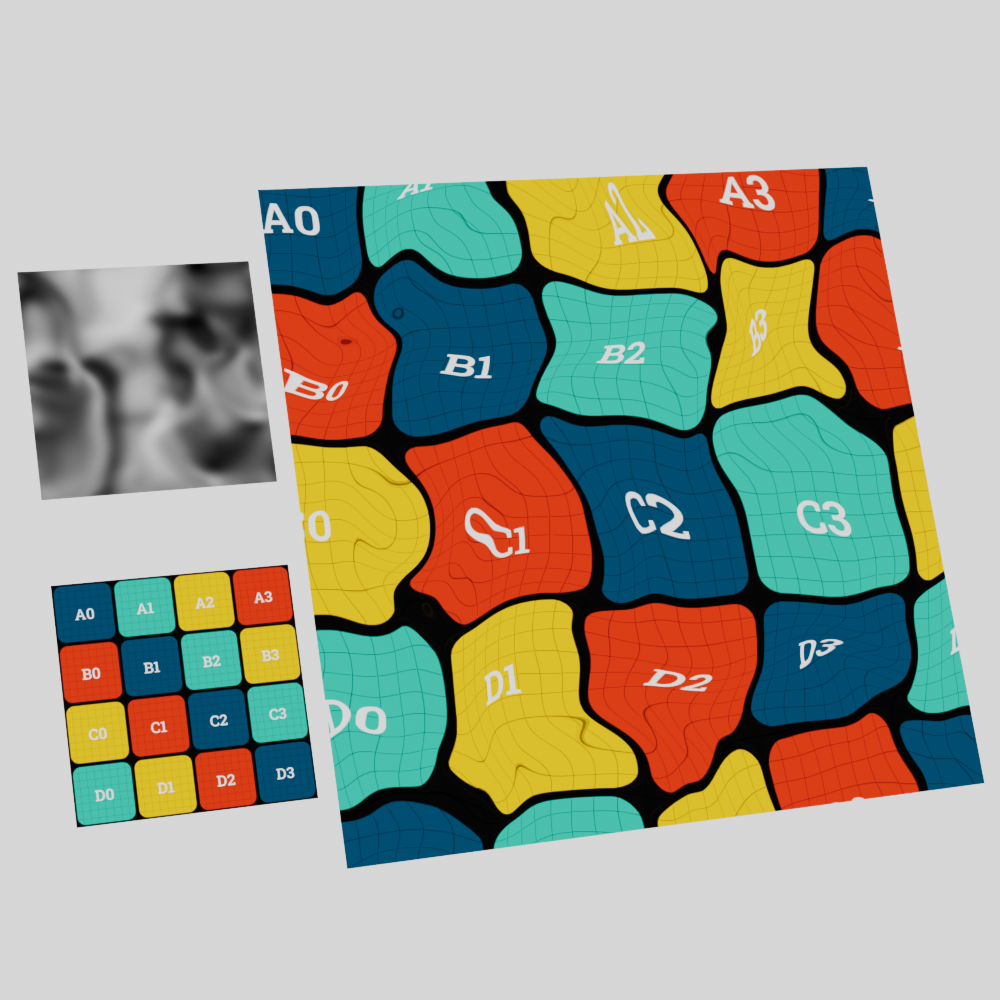
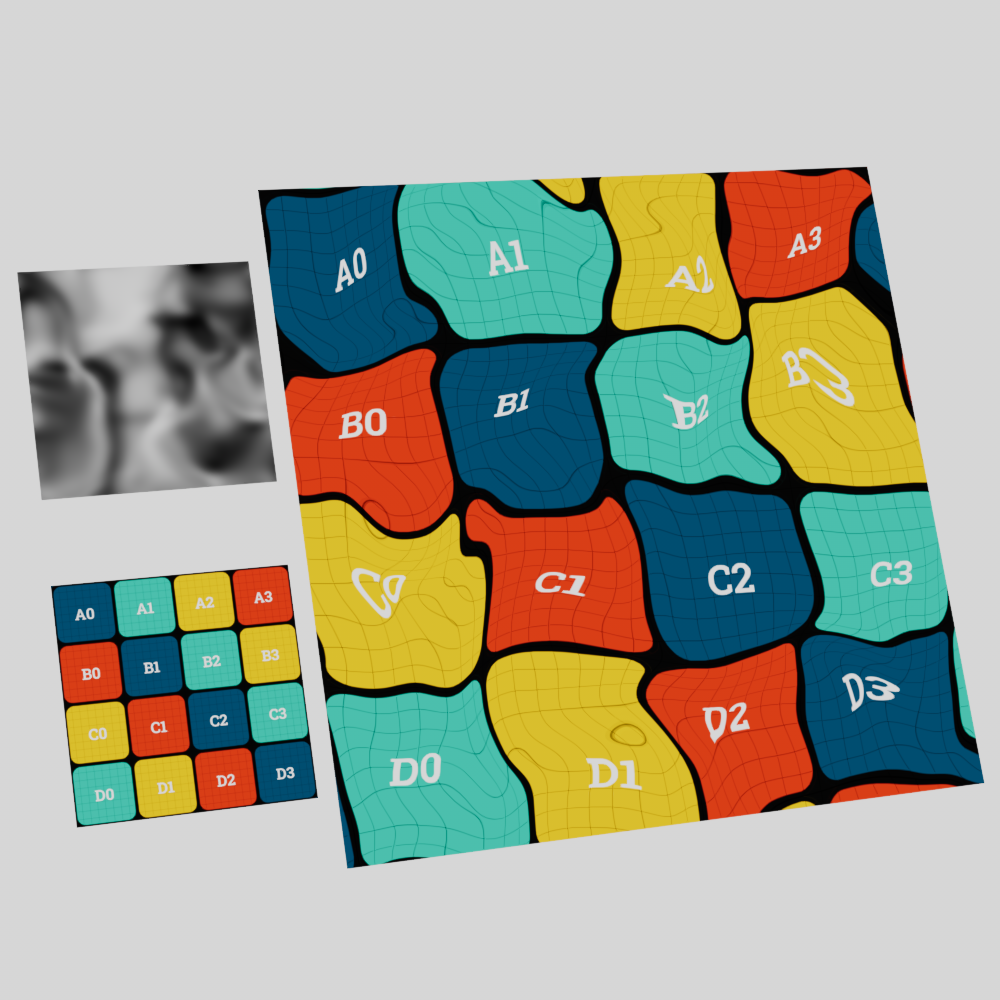
The distortion behavior is dependent on the type of distortion used. The "directional" type works by adding the values found in the distorter texture to the original UV coordinates resulting in an offset texture. Similarly, the “bidirectional” type adds the distorter texture values to the original UV coordinates but then subtracts this sum by 0.5. With both types, higher values result in more distortion while lower values result in less distortion.
|
|
| Type: Directional | Bidirectional |
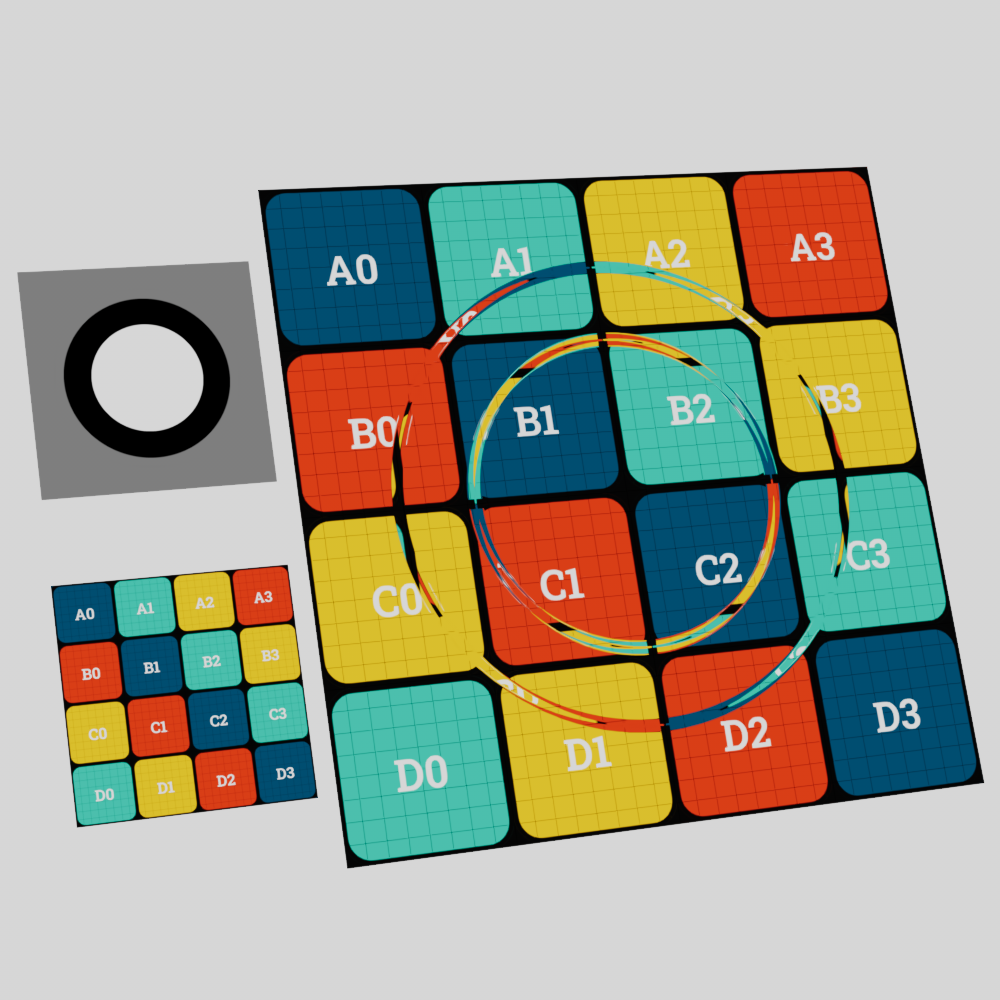
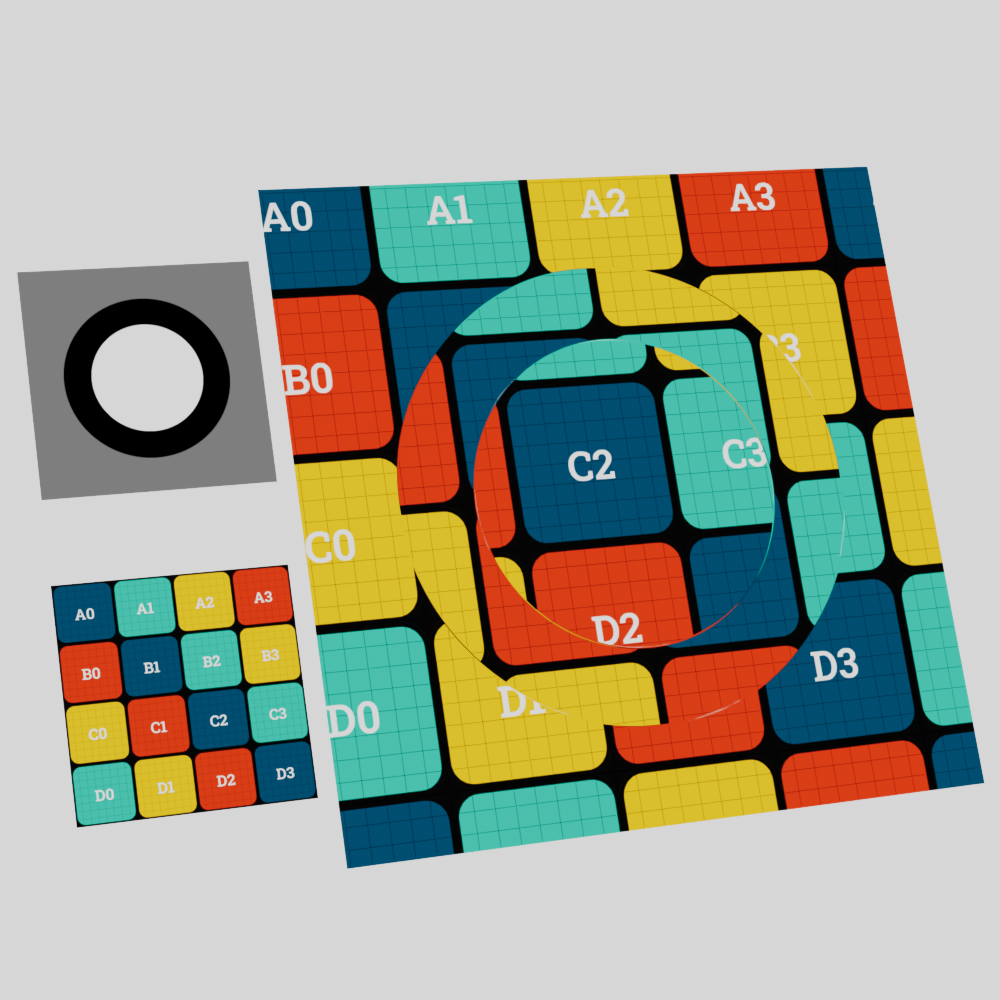
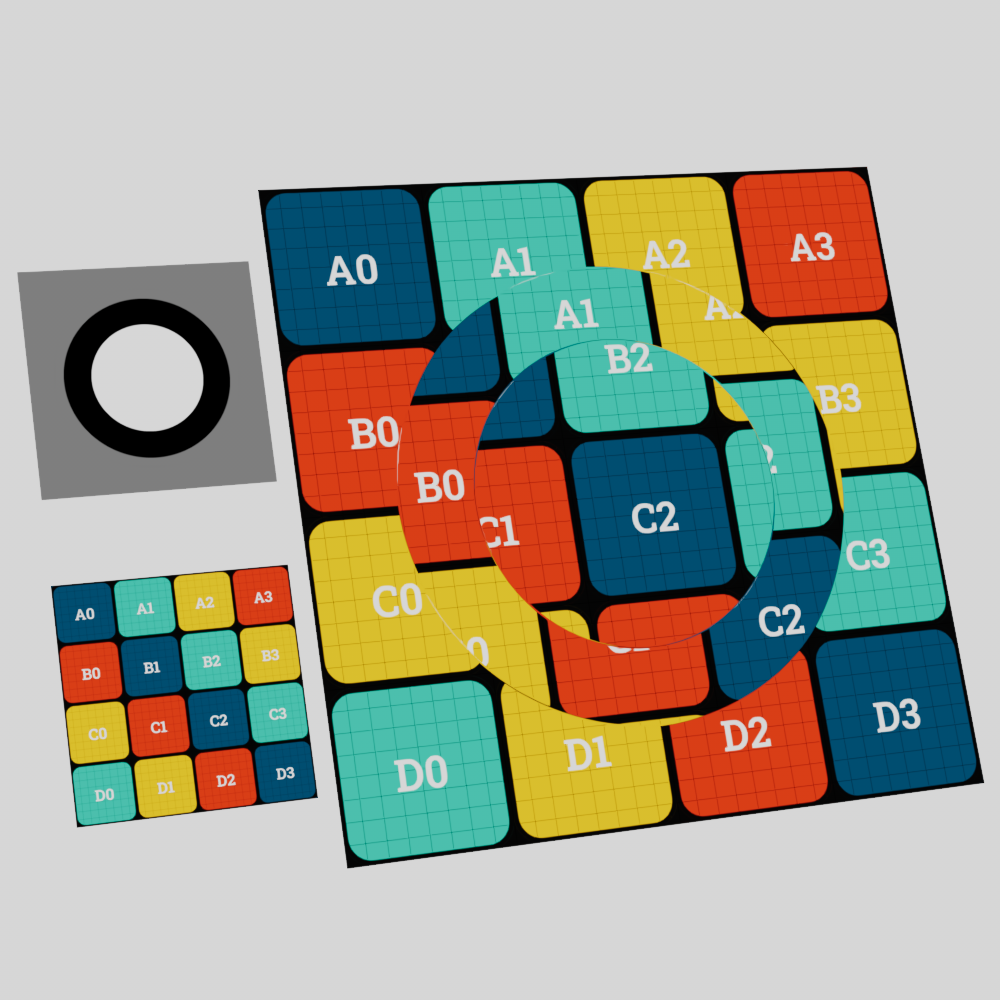
The “flow field” type behaves very differently, instead of higher values simply resulting in more distortion the only time a flow field recognizes distortion is when the values change from one area of the distorter texture to the next. This works by sampling multiple points of the distortion texture in UV space to find the distortion intensity based on the average difference between points. In the example image below note how the distortion of the flow field is entirely concentrated around the transition between each color change, where as the directional and bidirectional types are distorted across the entire area of each colored section. No distortion occurs in the black portion of the directional example (since black = 0) or the grey portion of the bidirectional example (since the 0.5 grey value is perfectly canceled out by the subtraction of 0.5).
|
|
|
| Type: Flow Field | Directional | Bidirectional |
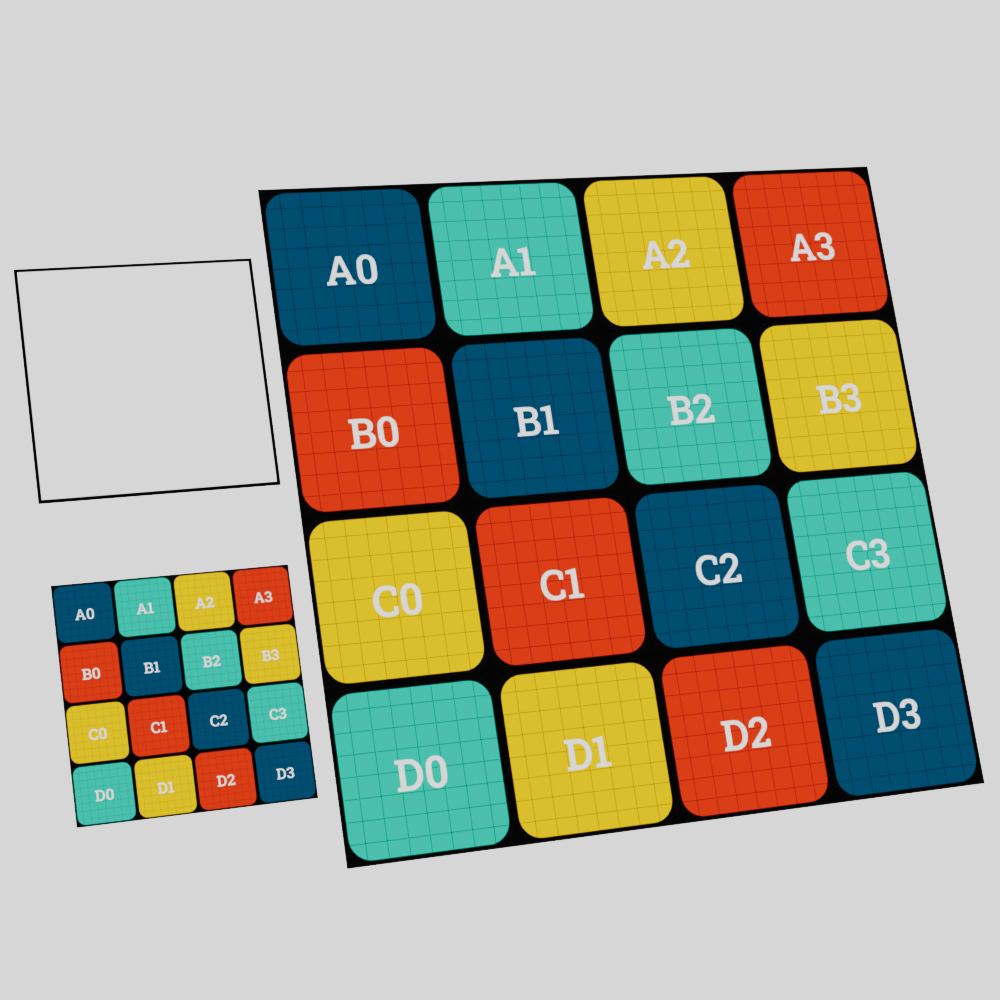
To take this to an extreme, a completely white texture used with the directional and bidirectional types will result in even distortion across the entire texture space but does not result in any distortion when used with a flow field since there is no difference to be found.
|
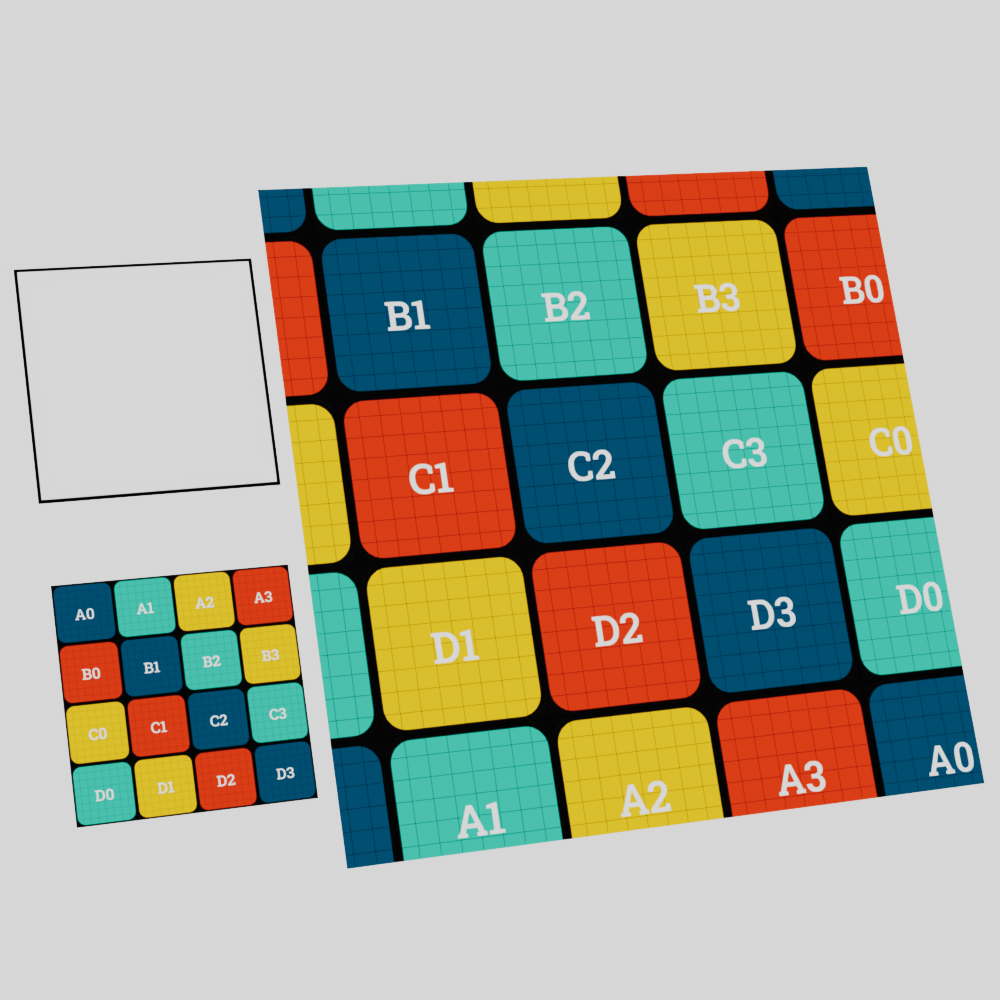
|
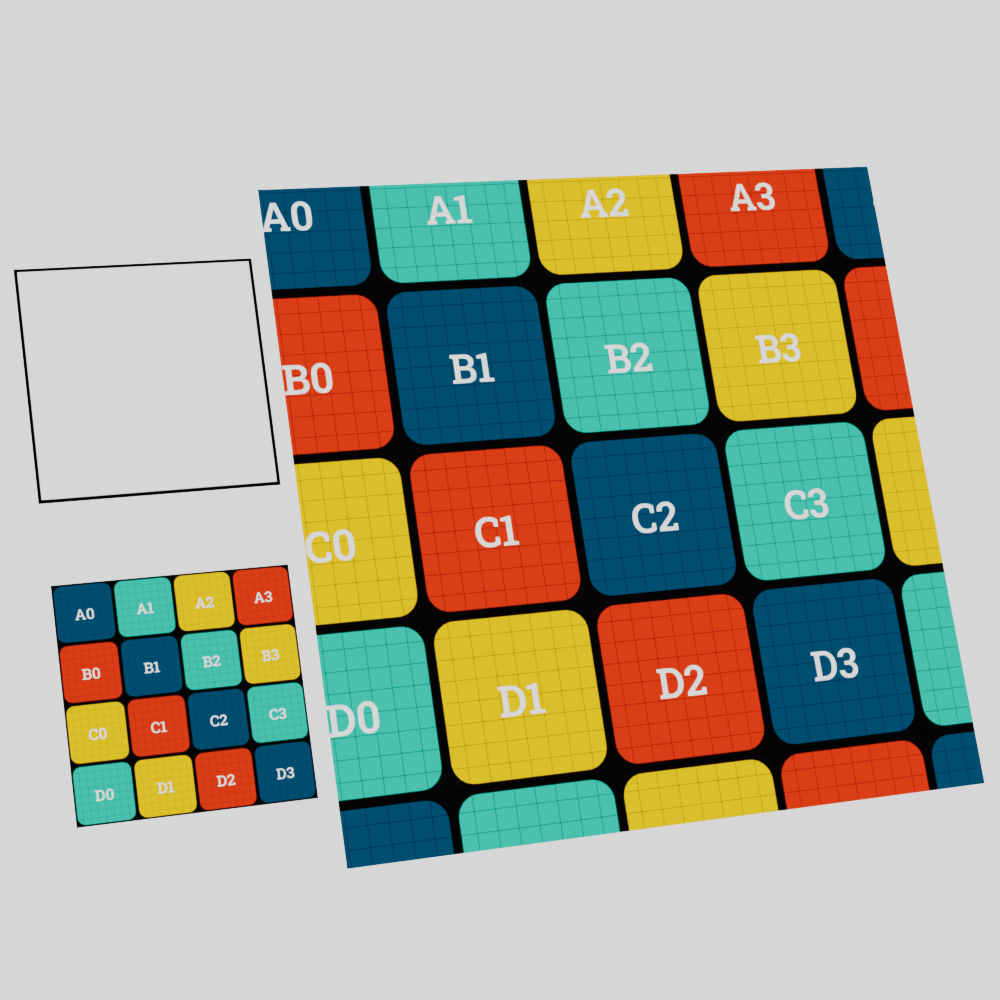
|
| Type: Flow Field | Directional | Bidirectional |
A texture that transitions from black to white results in distortion wherever that transition occurs. The more abrupt the transition the greater the distortion, while a more gradual transition results in less the distortion. In the example images below the same distortion intensity was used for all three examples, the only thing that was changed was how quickly the transition from black to white occurs.
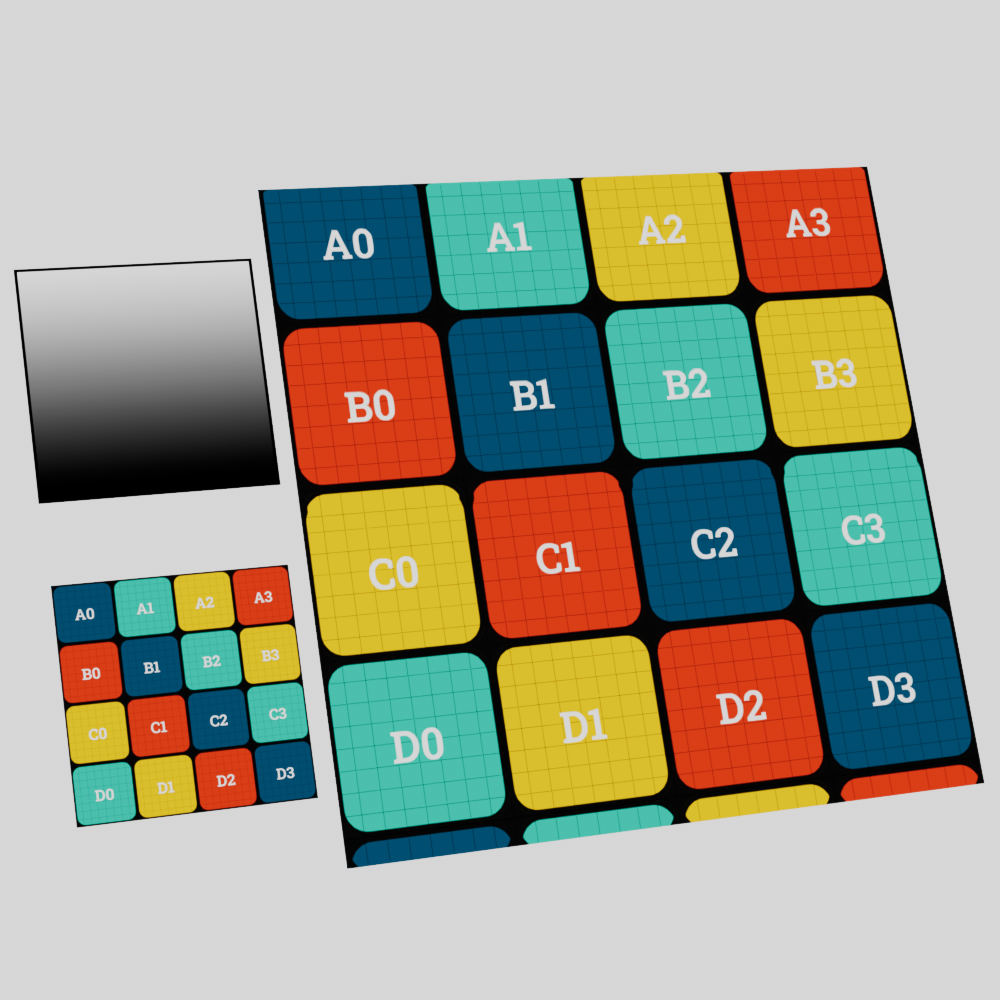
|
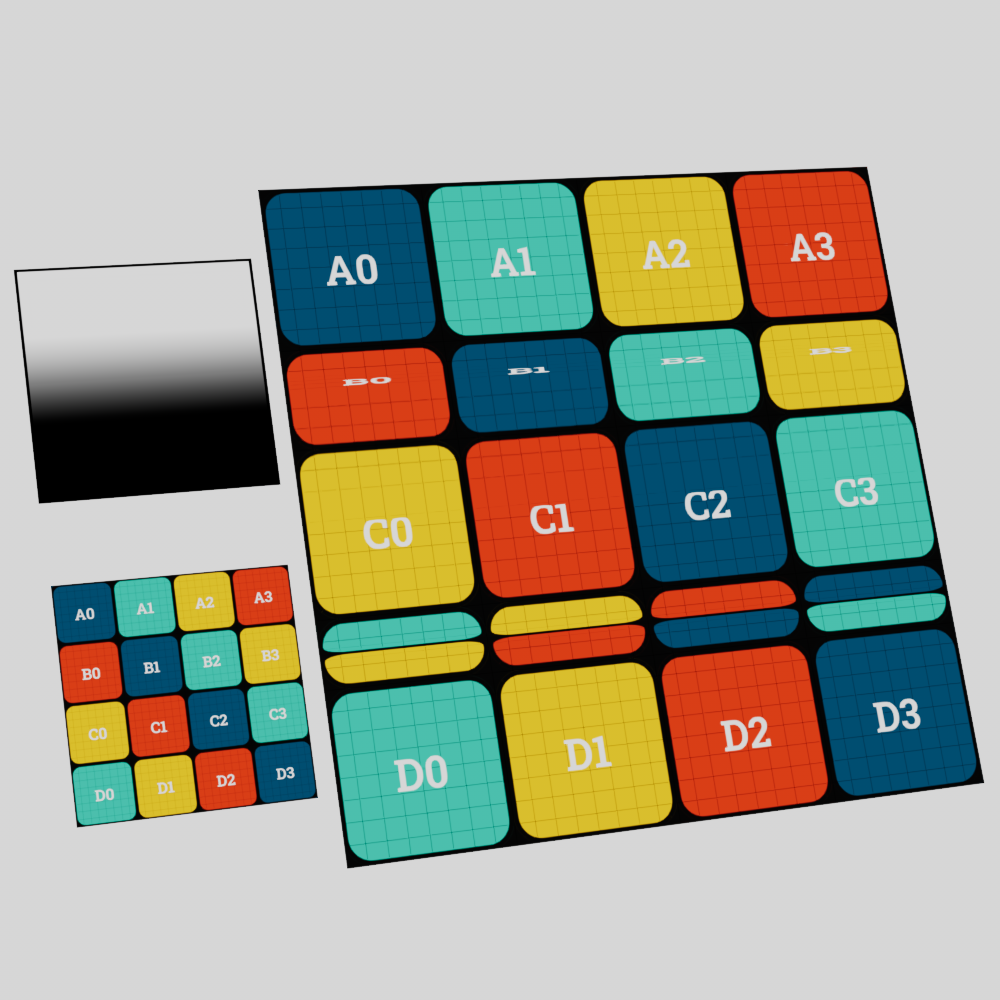
|
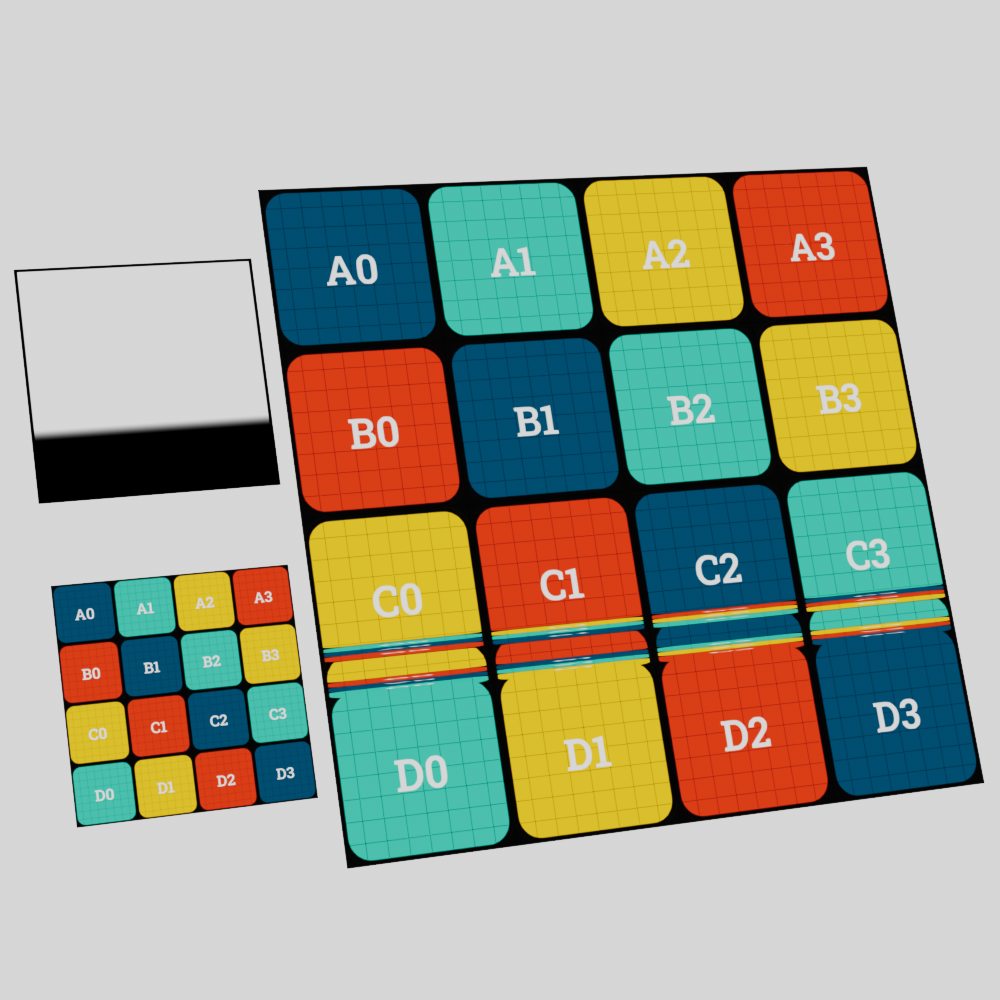
|
| Distorter Transition: Gradual Type: Flow Field Distortion Amount: 2 |
Medium | Abrupt |