

Effector
Use this setting to adjust the overall strength of the effect. Values of less than 0% and greater than 100% can be entered.
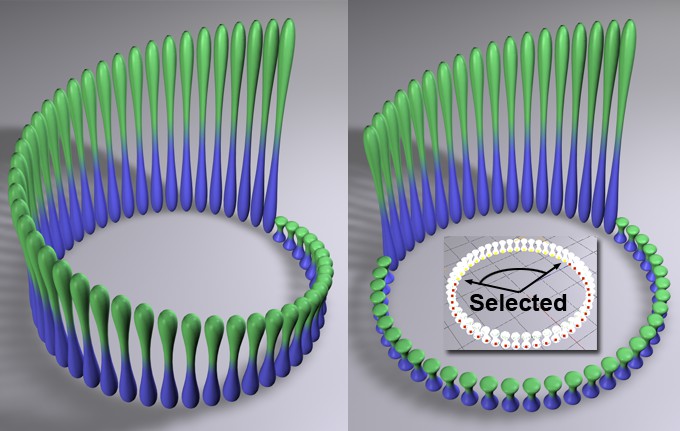 On the left, a Step effector is shown without selection; on the right, it is shown with a selection applied. A Step effector was chosen here as an example of selection; otherwise, selections work differently depending on the type of effector.
A MoGraph Selection or MoGraph Weightmap tag can be dragged into this field or placed automatically by selecting a Cloner object and an existing MoGraph selection/weighting, and creating an Effector.
The Effector will then work as follows, depending on the tag’s settings:
- MoGraph Selection tag: Will only affect the clones belonging to the selection.
- MoGraph Weightmap tag: The clone weighting (values between 0% and 100%) saved in the tag will be multiplied with the effector strength.

Use these settings to increase or decrease internal range values.
Note also the Remapping settings for the Layers in the Field list. Use this Field functionality as your preferred method since it’s more powerful and easier to understand in combination with other Layers.
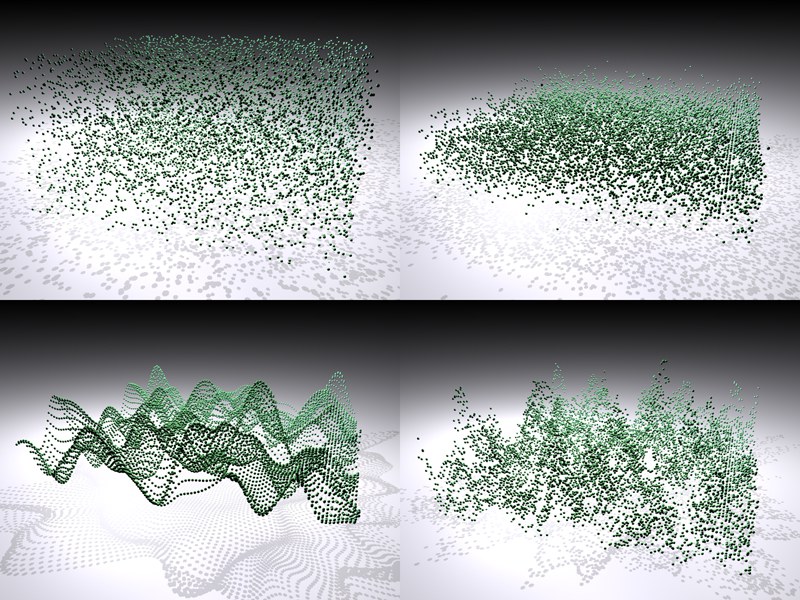 Clockwise from the top left: Random Mode Random, Gaussian, Noise, Turbulence (very large Scale values used for demonstration purposes). Transformation was done with P.Y.
Five random modes are available:
These two modes provide truly random results. Gaussian generally provides somewhat lower values as does Random. Modifying the Seed,value will result in completely different random values.
Internally, a 3D noise is used to supply the clones with random values. Turbulence ensures that the noise is less uniform. Noise in particular is good for animating random values because it modifies the random values in a constant, harmonious manner. Basically, it has the same effect as noise loaded into a Shader Effector. Noise / Turbulence offer the following settings:
- Space: When set to Global, the noise is fixed in space, i.e., when the Cloner Object moves, the clones receive modifiable random values, in addition to the temporal modification (if the animation speed is > 0). When set to UV, the values (i.e., the spatial values, not those with regard to animation) remain constant when the Cloner Object moves.
- Scale: This value represents the noise's global scale. In the image above, very large Scale values were used for demonstration purposes, which actually has less to do with randomness. If the noise in the image above were made much smaller, the wave-like structure would become much more inconspicuous. Eventually each clone will really only randomly receive values from its neighbor.
This mode ensures that each Clone appears the same number of times (preferred number of times: exactly once) during the random dispersion.
This can be realized in two ways:
Arrangement of Clones
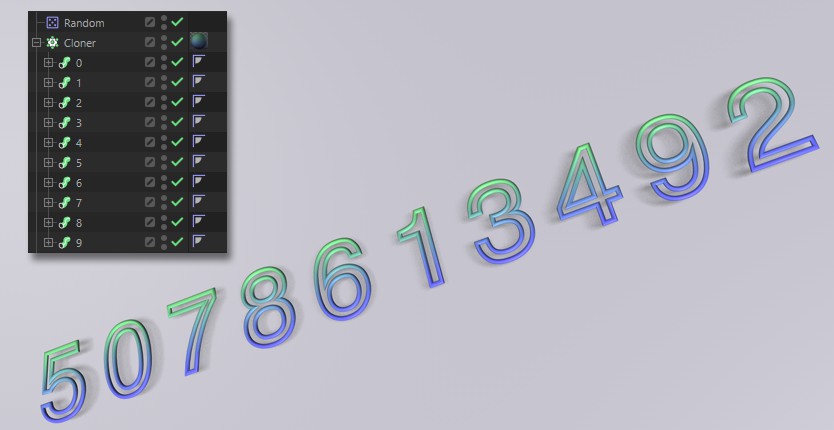

- Make the randomly dispersed objects a Child object of a Cloner object and set Clones to Sort (make sure that all objects to be cloned are positioned at the same location and only the Cloner object controls the positioning).
- In the Random Effector the Maximum and Minimum values should both be set to 0% and 100%, respectively. The Modify Clone ('Parameter' Tab) value must be set to 100% and Random Mode toSorted.
Multi Shader (only usable with legacy Standard or Physical Renderer)
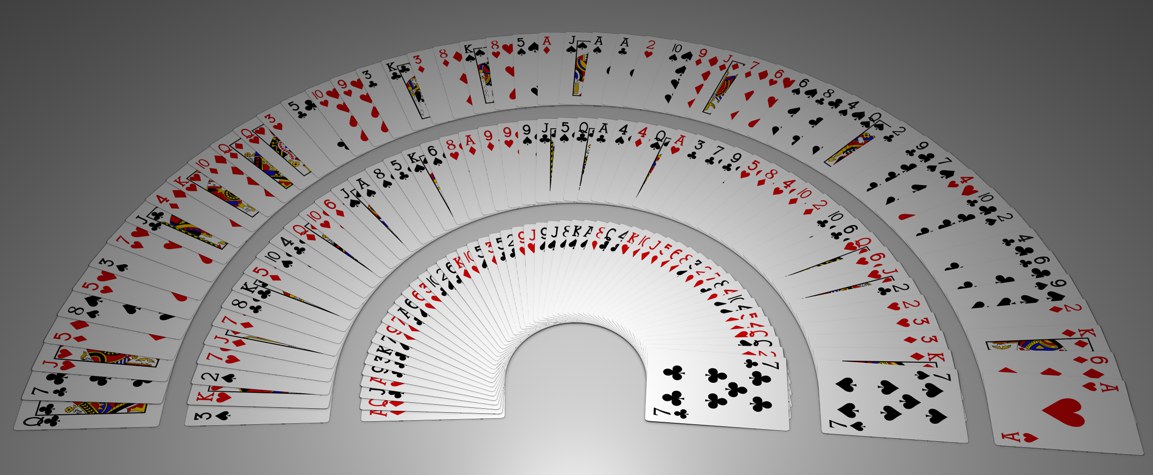 Each texture will be randomly applied once per Clone.
Together with the Multi-Shader you can ensure that each Clone is randomly assigned its own unique texture. This texture will only be used once. One practical application would be a card game in which there is only one of each card (texture).
The following preconditions must however be met:
- Maximum and Minimum must be set to 0% and 100%, respectively. Random Mode must be set to Sorted .
- Color Mode must be set to On and the remaining two color parameters set to their default values.
- The Multi-Shader's mode must be set to Color Brightness.
- The number of Clones should not be greater than the number of textures loaded in the Multi-Shader.
Varying the Seed value will result in a correspondingly varied mixing of "cards" (see also Seed values).
Activate this option if the same values for position, scale and angle, etc. should apply. Otherwise an individual random value will be interpolated for each transformation.
Important for Noise and Turbulence modes: If this option is not active, equal random values for X, Y, and Z will be ascertained when Noise is sampled internally, which can lead to diagonal movement when an animation is played.
Activate this option to interpolate different random values, which will result in more random and natural movements.
Changing the Seed value will result in entirely different random values.
When set to Global, the noise will be fixed spatially, i.e., when the Cloner moves, clones will be assigned editable random values in addition to being temporally offset (Animation Speed must be set to 0). When set to UV, the spatial (non-animation dependent) values of a moving Cloner will remain constant (only available in conjunction with Noise and Turbulence random modes).
If the falloff you defined using the spline curve should take place over time, enter a value greater than 0 here. Fantastic results can be achieved by using the Animation Speed setting (only available in the Noise and Turbulence Random modes).
This value represents the noise's global scale. In the image above, very large Scale values were used for demonstration purposes, which actually has less to do with randomness. If the noise in the image above were made much smaller, the wave-like structure would become much more inconspicuous. Eventually each clone will really only randomly receive values from its neighbor.