
Options
There are two methods available for automatic UV unwrapping. Which method yields better results depends on the shape and structure of your object. Generally, ABF is slower to compute, but it can produce results with less distortion than LSCM when dealing with organic shapes. It is advantageous to use as few Pins as possible.
By using the Reset & Unwrap button, you can try both Relax UV modes one after the other without having to close the dialog each time. Only when you are satisfied can you apply the result permanently using the Apply button and close the dialog.
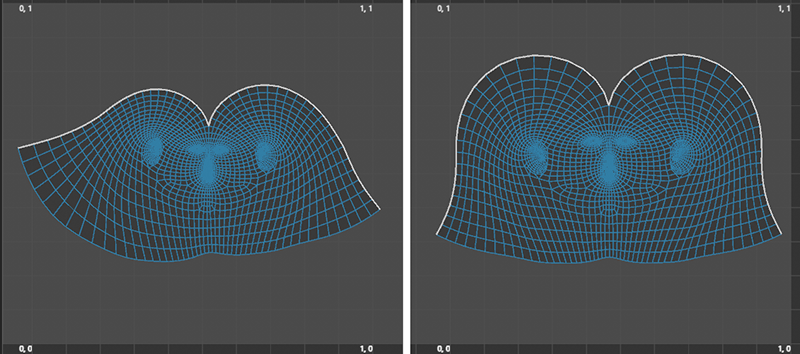 A unwrapped head object with a Seam running from the forehead to the nape of the neck. The left side shows the result in LSCM mode, and the right side shows the even more precise ABF result. In this illustration, the UV island has been manually rotated in each case.
If you enable this option, all UV points at the edge of the selection or on the open edges of the object will remain fixed in their current positions.
Keep in mind that Boundaries here does not refer to the outer edges of UV polygon islands. These must be edges that define an opening in the object or the outer edge of the geometry.
When this function is used with selected polygons, the adjacent, unselected areas remain unchanged.
Select this option to have the system automatically arrange the resulting UV islands in the UV tile. The following settings define how the spacing and sizes of the UV islands should be taken into account.
- Bounding Box: This mode is very fast, but cannot nest UV islands inside each other like the Geometric can. It therefore 'wastes' more of the UV space within the tile. The mode forms a bounding box around each UV island, i.e. a rectangle with the maximum dimensions of the UV island, and rearranges these rectangles including the UV islands to fill the available space.
- Geometric: This mode offers the best results. The UV surface is optimally utilized here. However, the computing time is considerably longer here compared to Bounding Box, especially with many UV islands. Note that this mode can have problems with UV meshes if they still have self-overlaps - as can occur with projections. Packing can then be aborted with an error message.
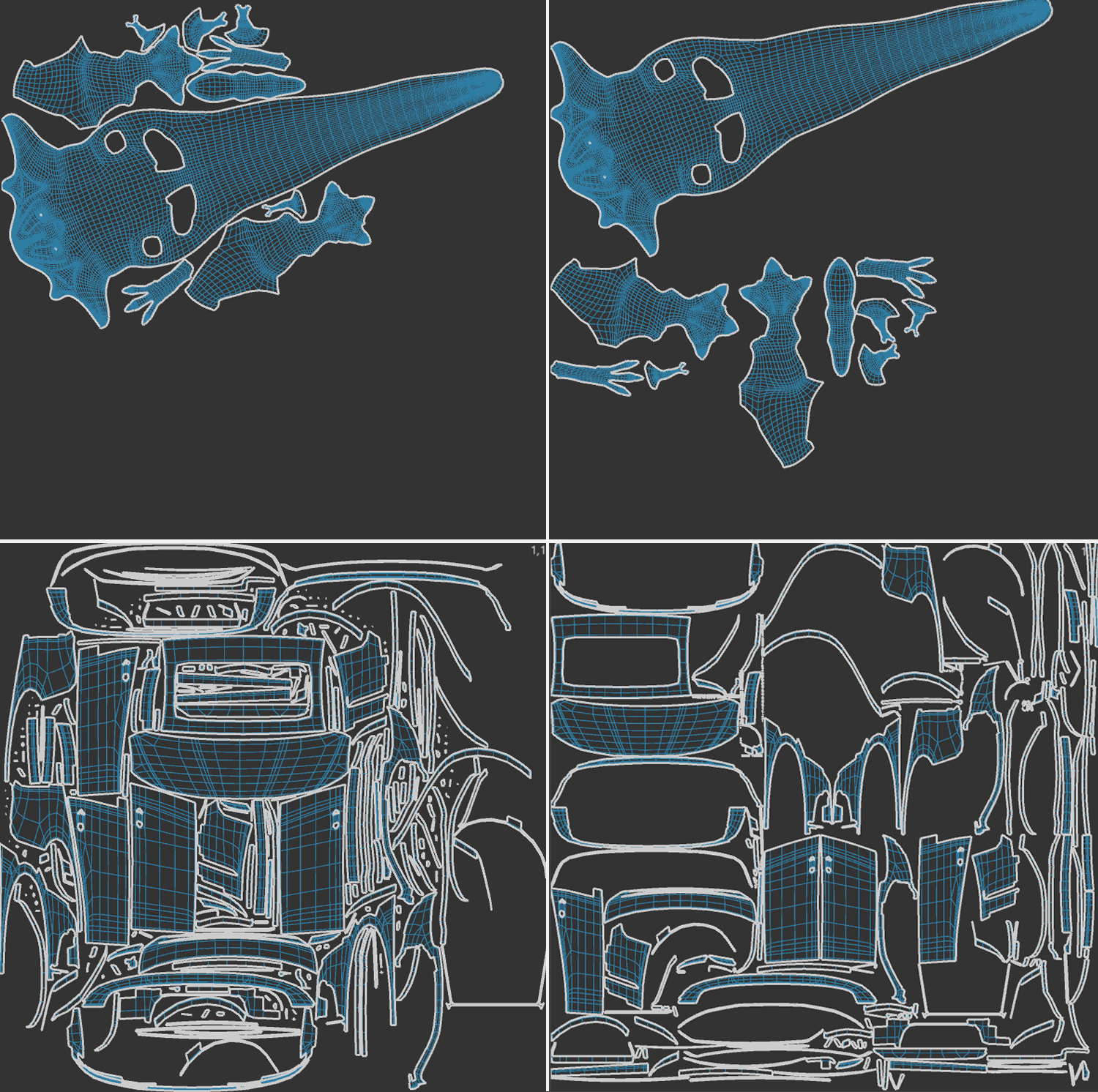 Some examples of the different Packing Modes. The images on the left give examples for using the Geometric mode and the images on the right used the Bounding Box mode.
This allows you to specify the desired distance between the UV islands. Please note that increasing the spacing between the UV islands may also require them to be scaled down so that they still fit within the UV tile.
Use this button to apply modified settings to a new iteration and experiment with them. The tool always starts with the object's original mesh. Only when you are ready to apply the result should you click the Apply button.
Apply
This will apply the calculated UV coordinates to the object.