
Brush

Options
Only the options described below are relevant.
Radius
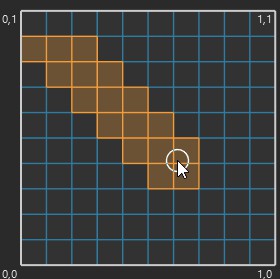
In the Active Tool manager, the Radius setting determines the diameter of the Brush Selection brush. You can set values from 0% to 1000%.
Tolerant Edge/Polygon Selection
To use this selection tool, hold down the mouse button and drag over the UV selection you want to select.
Only Visible
If Only Select Visible Elements is enabled, you can only select elements which are visible, i.e., not behind other elements. For example, you can select the polygons at the front a sphere but not the polygons at the back.