

Controls
The Controls tab displays all of the User Data for the selected component. If the component contains multiple objects with User Data, the attributes for each object will be shown in a separate group with the object's name.
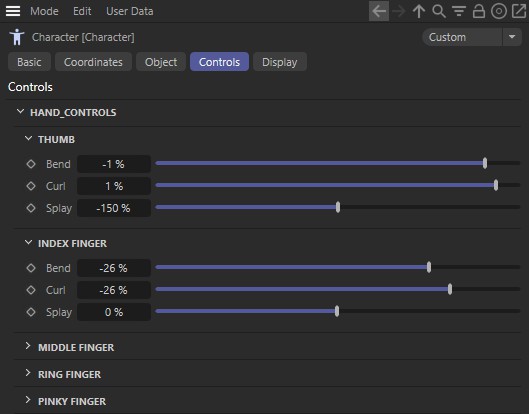 The Controls tab lists all objects containing user data for the selected component. In the image above, the Hand component is selectedand you can see that the Thumb, Index Finger, Middle Finger, Ring Finger and Pinky Finger each have User Data.
Tip:Since these parameters are User Data, the individual settings are not described in detail in the help files. In most cases you will be referred to a general information page about Splines since most of the parameters are User Data that relate to Spline help object.