

Options
Options
This is the threshold angle. Neighboring edges in the selection will only be ironed if the angle between them is the same as the Angle value or higher.
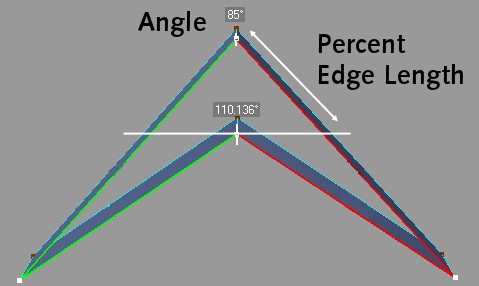 Before ironing with Angle < 85° (top) and after ironing with Angle >= 85° (bottom).
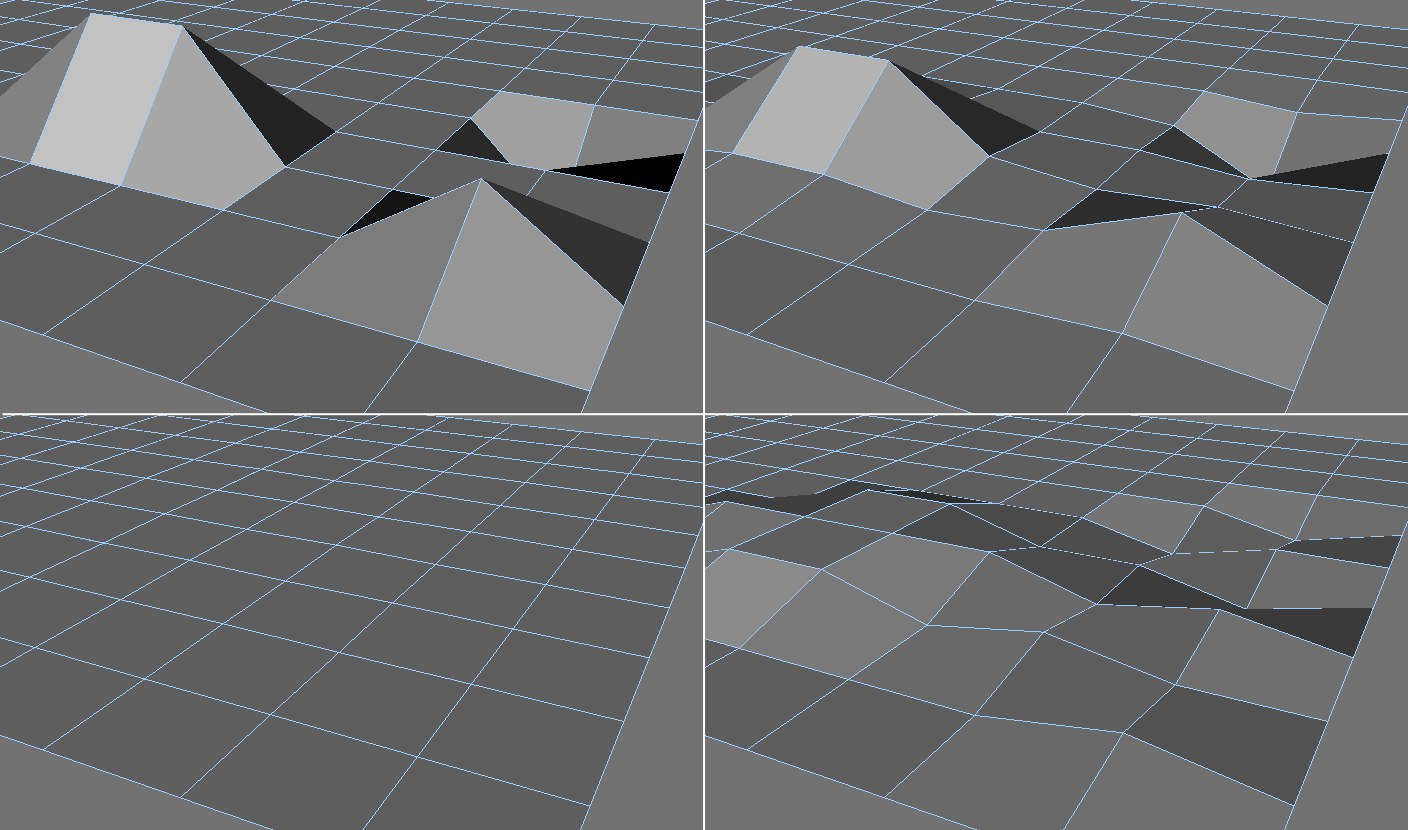 Clockwise from top left: Original; 40%, 100%; after multiple applications.
The Percent value defines the strength of smoothing. A value of 0% results in no smoothing at all, while a value of 100% produces maximum smoothing.
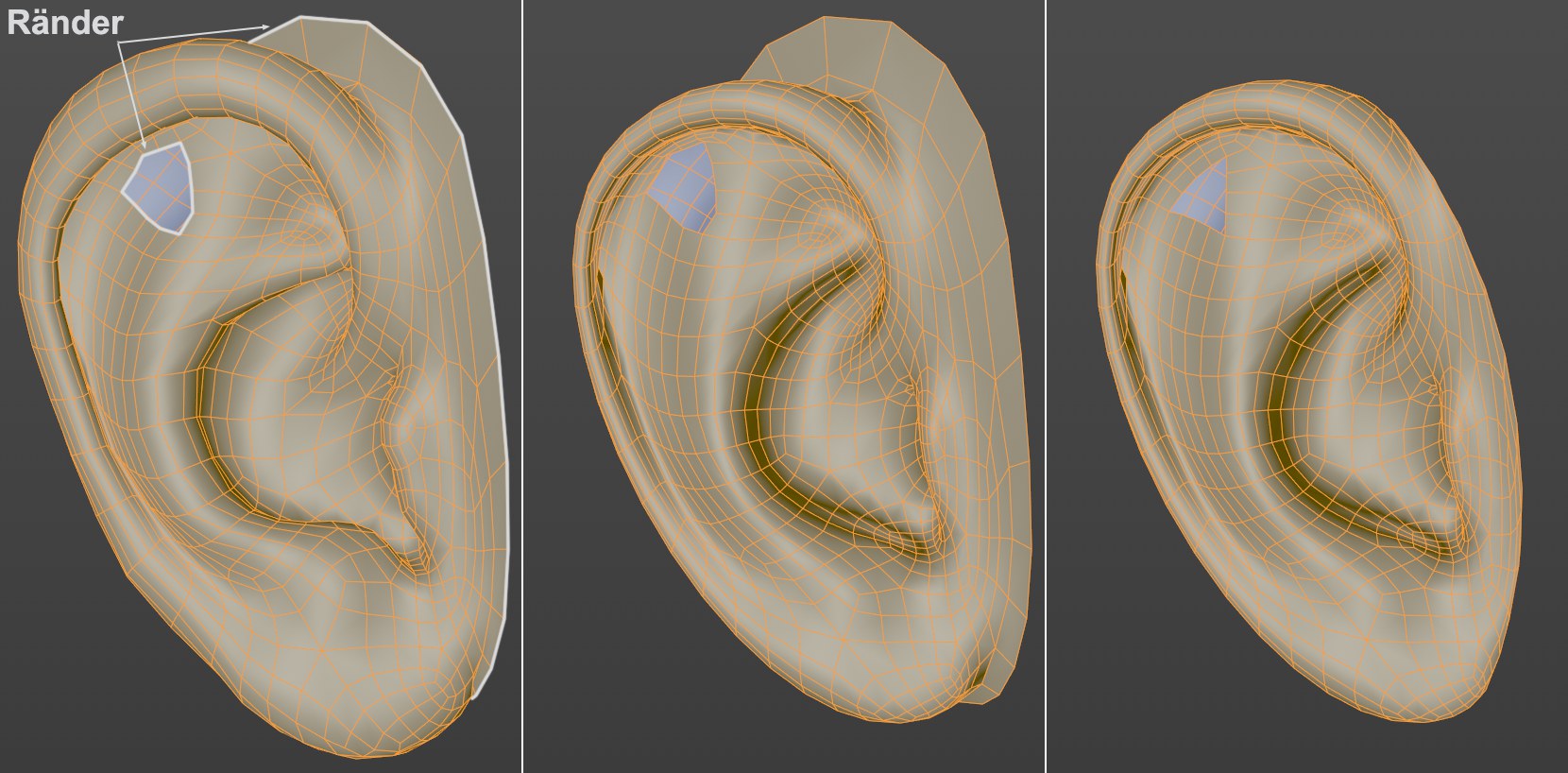 Left, the initial state; center, after application with enabled Preserve Boundaries option; right, option disabled.
If this option is enabled, object edges - including holes in the mesh and selected edges - will be preserved when the tool is applied. Otherwise these edges will be included in the smoothing process.