
Align UV Island

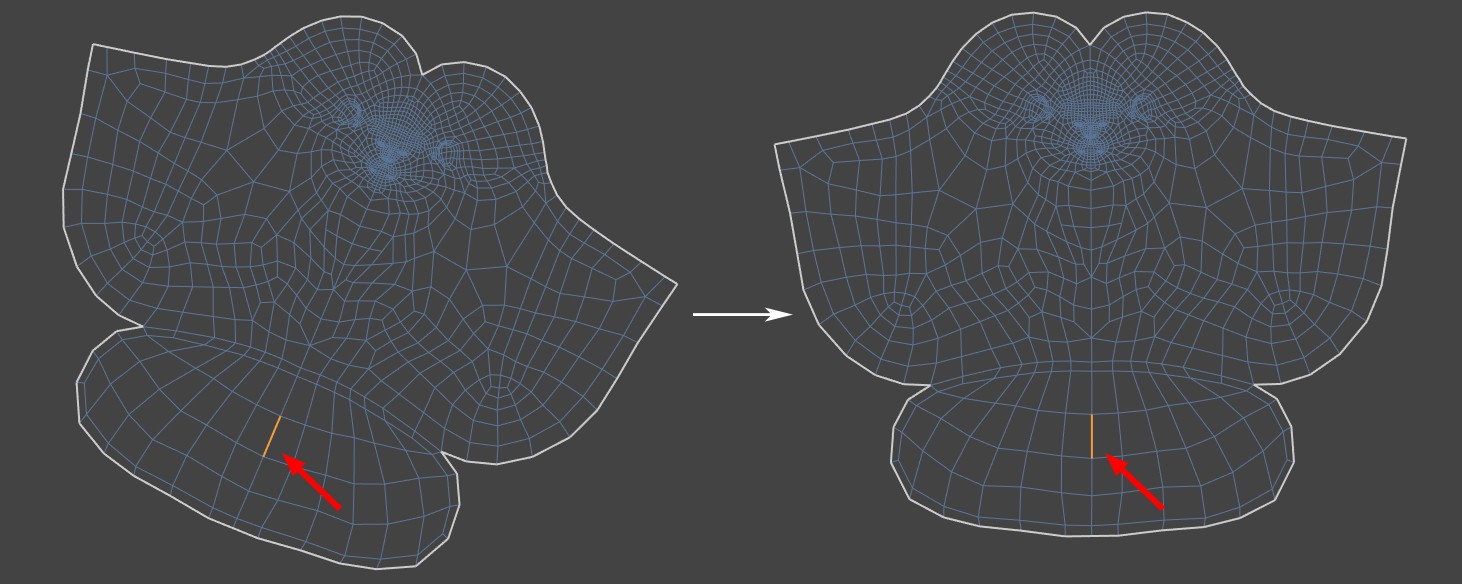
This feature can be used in Points, Edges, or Polygons mode and does not require any prior selection. After activating it, move the mouse pointer over an edge on the UV island that you want to rotate. After clicking on that edge, the direction of the selected edge is then corrected so that it runs either perfectly horizontally or vertically. The tool determines this automatically, depending on whether the original edge direction in the UV Editor is more horizontal or vertical. The entire UV island then follows this rotation.
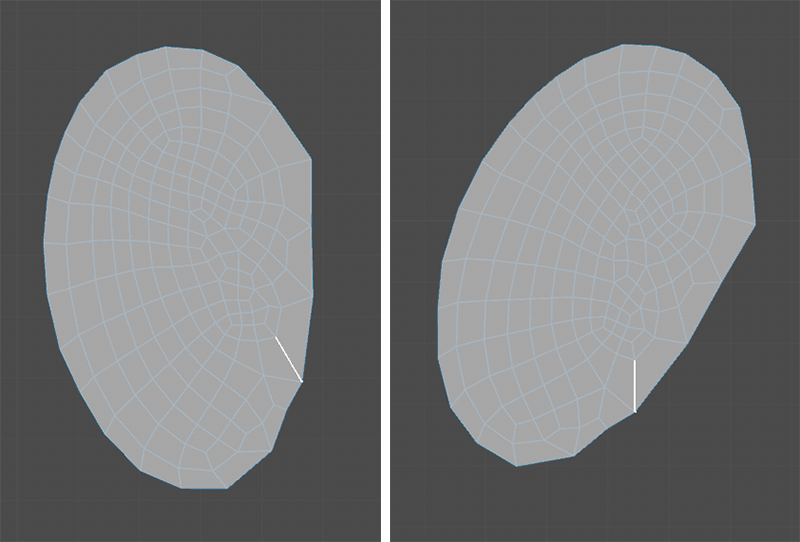 On the left, you can see the initial view with the highlighted edge, which is clicked to align the UV island. On the right, you can see the result. The UV island has been rotated so that the highlighted edge is exactly vertical.
If the UV island has been rotated in the wrong direction for your purposes, you can easily correct this by using the rotation options located in the Transform UVs Manager. These options allow you to rotate selected areas in 90° increments, among other settings (see following figure).
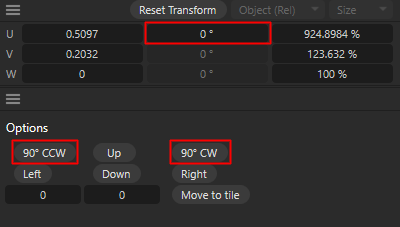 Various input fields and buttons in the Transformation settings also allow you to rotate selected UV elements manually by any angle or in 90° increments.