

Layer Controls
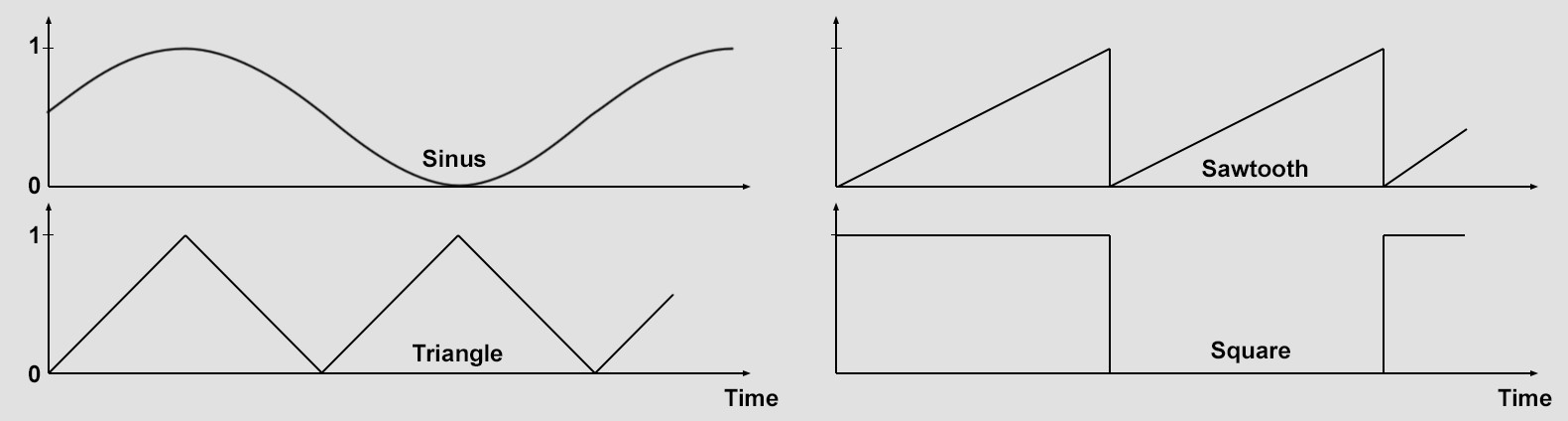
You can choose from various Shapes that will repeat at a defined point. Note that these shapes can be adjusted further using the Remapping tab's settings. For example, if the Triangle curve should also have a negative segment, the Min value can be set to -100% in the Remapping tab.
This value defines the time span in frames within which the Time layer will reach a value of 1 or 100%. In other words, smaller values will produce a correspondingly faster value increase (faster effect) and vice-versa.
This setting can be used to define a temporal offset to the current time. A value of -30, for example, a Time layer effect will initiate at a time of +30.
A Subfield can also be created for this parameter.