

Settings
Here you can define the size of the brush. This can also be done interactively in the Viewport by pressing Shift+Ctrl+left click+drag left / right (Hotkeys).
At the right is a second fx button that offers the 3D functionality of the Effector as you know it from BodyPaint 3D.
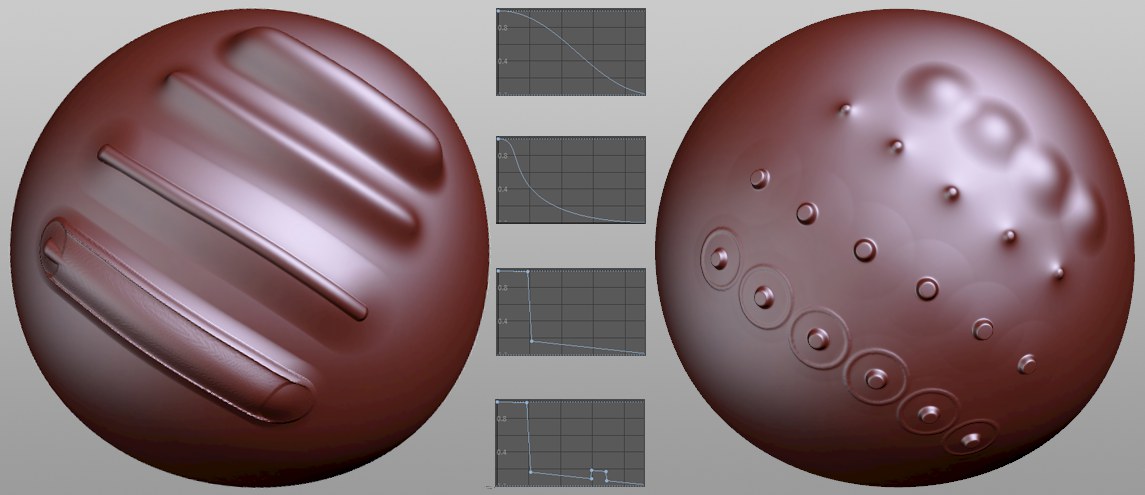 Various Falloff values, at left the default value, at right with a large distance (Draw brush).
Normally, a brush’s effect fades evenly from its center to its edge. This effect is additive when sculpting/painting because each brush stroke is offset slightly from the previous stroke(s) and as a whole creates an entirely new brush stroke.
This setting lets you define how the falloff should occur from the brush center to its edge. The value should generally be reduced to 0 at the far right, which avoids hard edges from being created.
Sets the falloff back to the default value.
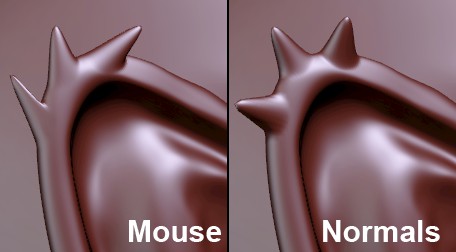
Here you can define if the region beneath the Grab brush should be moved in the direction of the mouse (Mouse) in the direction of the average Normals (Normals; most often perpendicular to the surface or to a specific axis of the coordinate system (X, Y, Z)).
Press Cmd/Ctrl to temporarily disable Normals.
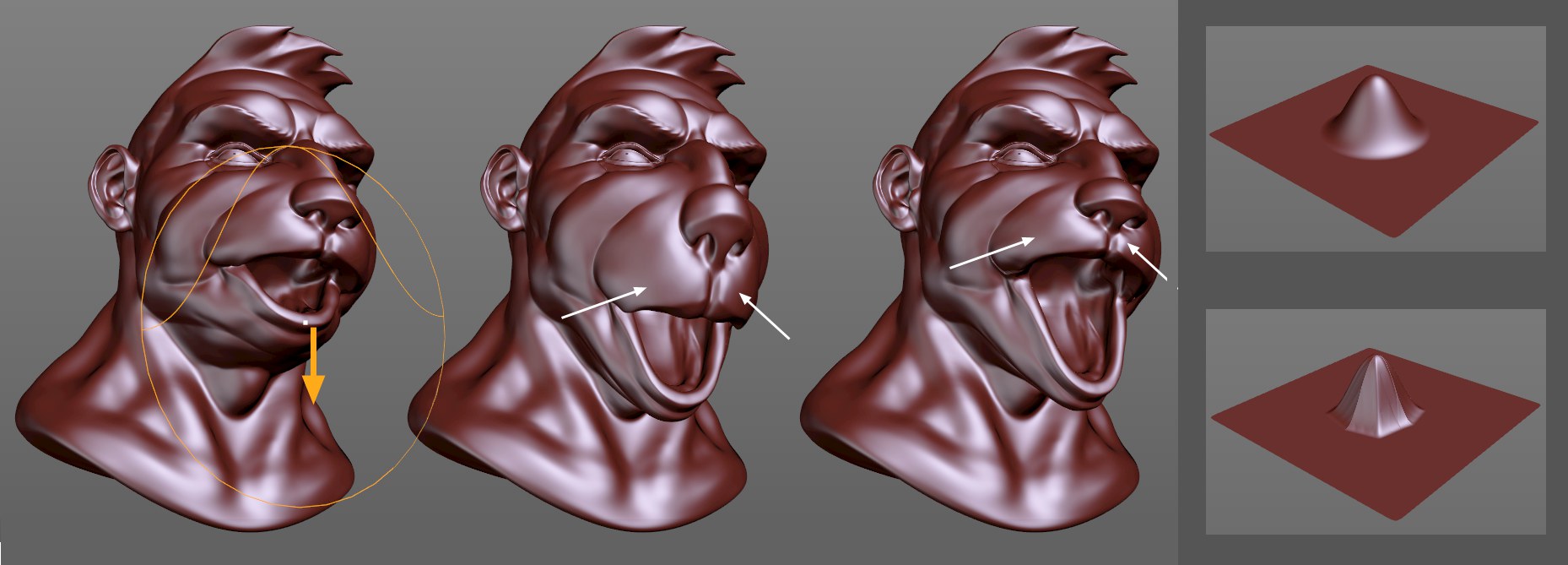 At left the brush starting point; option disabled at center; option enabled at right. At the far right are the different falloff effects (top option disabled; bottom option enabled).
Sometimes the Grab brush should not affect surfaces across its entire defined radius but should determine where its effect should end based on the underlying topology. This is what occurs when the Surface Distance option is enabled. As you can see at the center of the image above, the Grab brush normally affects surfaces across its entire radius, falling off towards the edge. Even the upper lip and the nose were pulled down slightly. On the head at the right on the other hand these regions remained unchanged because the brush's effect was greatly reduced at distinctive edges or where the surface topology changed dramatically.
However, there is a disadvantage: the brush's falloff effect is not uniformly round but square (see far right of image). This is more apparent for larger deformations.