

Base
This setting can be used to adjust the car paint's base color. This is the material's bottom-most diffuse color layer (with which the flakes are combined since they don't have their own color).
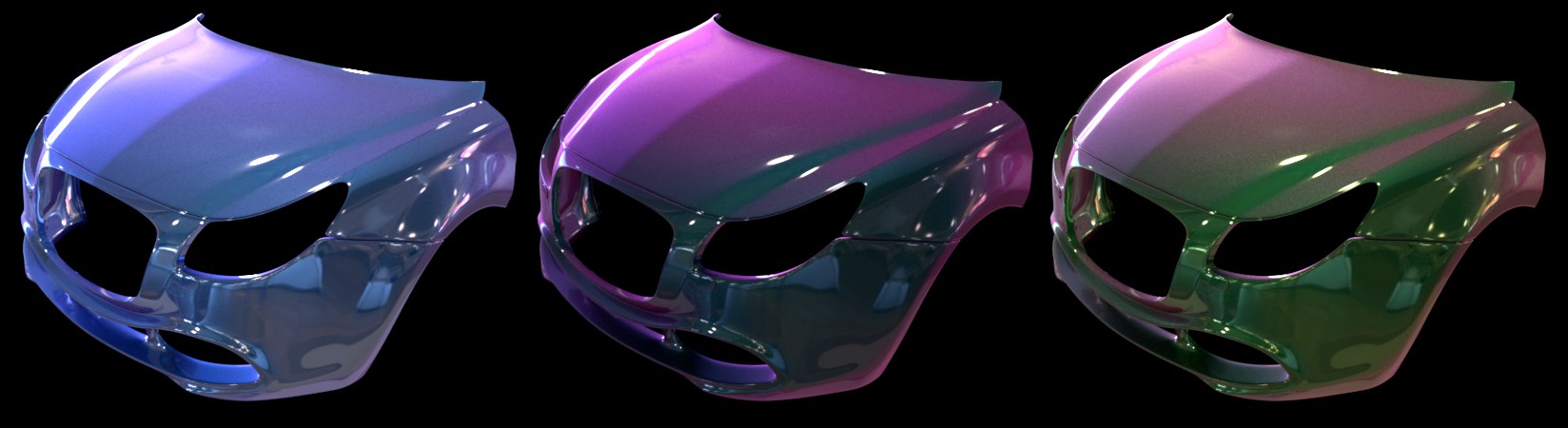 A Color Shift with different Base Colors.
This setting can be used to simulate an interference or flip-flop paint. This type of paint has a different color – within a certain range – depending on the angle from which it is viewed. In reality, this effect is generated by light interference and is therefore created using a Thinfilm Node.
Increasing the Color Shift values will strengthen the effect correspondingly. A value of 0% will disable the effect.
This setting can be used to define the roughness of the color beneath the clear coat. The smaller the value, the closer the material will be to a polished, reflective metal. The larger the value, the more diffuse or "silky” the surface will be.