
Home page Captures
Once you have logged in with your Maxon account, the Moves app will start with this home page:
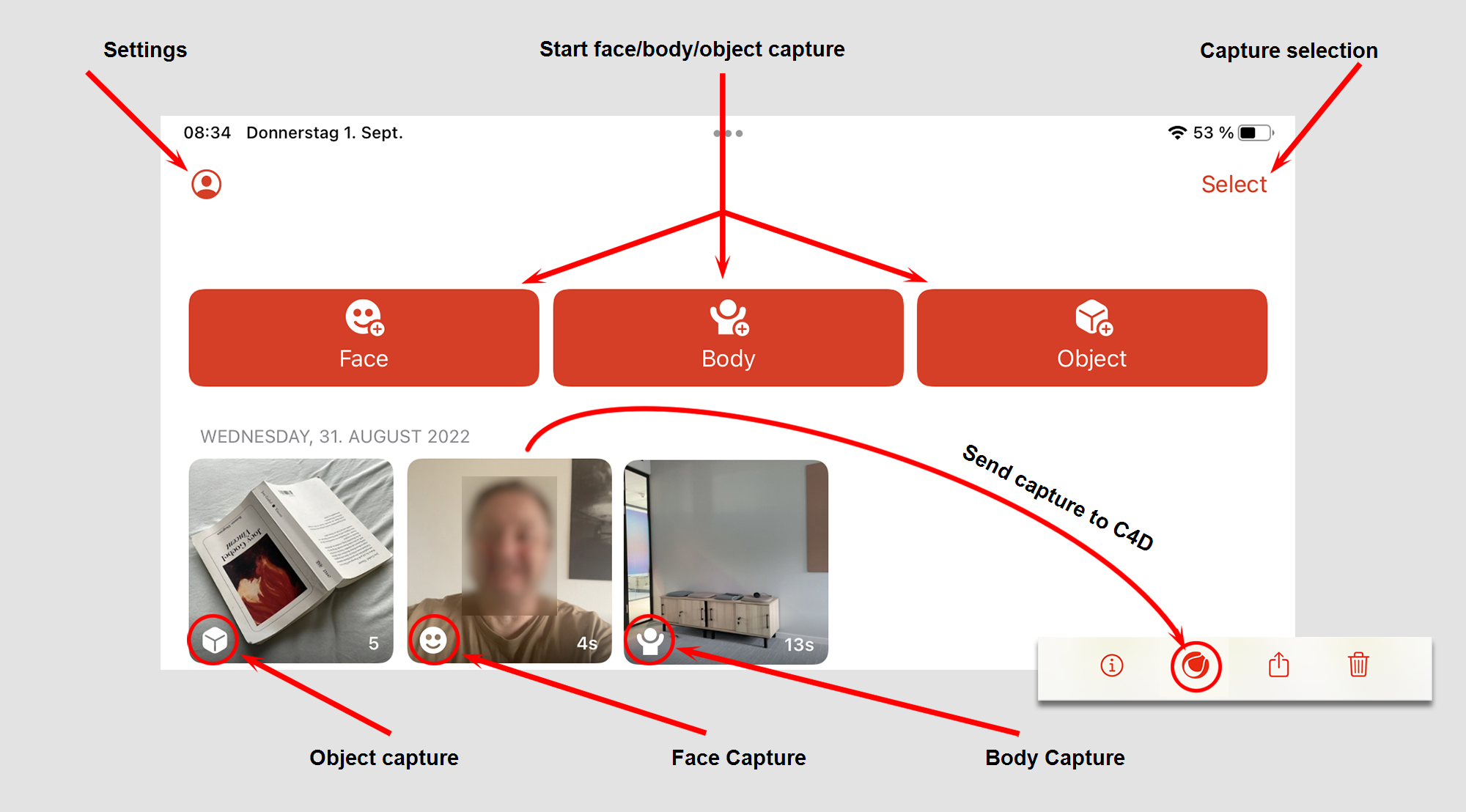
The page is dominated by the 3 buttons for starting the recording process for face, body or object.
On the top left you will find an icon that allows you to make some app settings. In the upper right corner, there is a selection button that allows you to select multiple, existing captures, which you can then delete, if necessary all. In Selection mode you can swipe your finger horizontally over multiple captures to select or deselect them. If you then swipe vertically without lifting your finger off, complete rows are taken into account.
Under the capture buttons you will find all captures made so far - sorted by capture date. Depending on the capture type, these have a corresponding icon in the bottom left corner (see Image).
As soon as you select a capture, it can be viewed in detail in a new window - usually also animated (see also Capture viewer). In the lower right corner of the capture, you will find the capture length or, in the case of object captures, the number of frames. Press and hold a capture to display a context menu with commands described elsewhere.
To send captures to Cinema 4D see here.
Settings
When you select the Settings icon, a window will open with the following settings:
Frames per Second
Define here how high the frame rate should be at which you record.
Face Texture
This setting applies only to face captures. Here you have the choice between
- First Frame: Only the start frame is recorded. Here, we recommend that you hold the iPhone as close to your face as possible in good lighting before you start recording. This image is then used when you export the capture to Cinema 4D.
- All Frames: Here actually all frames (up to 60 per second) are recorded. However, this can take up a lot of memory on your device. However, additional facial details such as wrinkles around the eye area or the forehead are also recorded.
Address
Here you can connect to your Maxon account.
Eula/Privacy
Here you can find necessary texts about license agreements and privacy policy.