

Surface Normal Attenuation
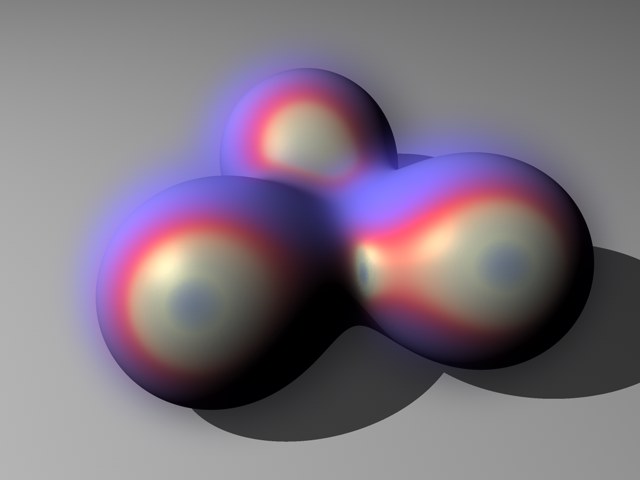 Glow color that changes depending on the direction of each surface normal.
The direction of surface Normals can be taken into account by the glow, causing the glow's color or intensity to change depending on a surface's direction.
This parameter controls the glow's highlights, similar to the Reflection material channel's Specular settings.
You can use gradients to refine the following glow properties from the Glow page: Size, Intensity, Luminosity and Color (see Glow entry).
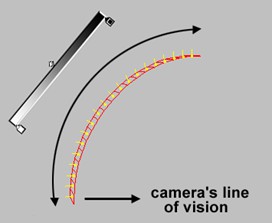
Think of these gradients as being in the area between the Normals that point at the camera and the Normals that are perpendicular to the camera.
In the gradient, black represents a value of 0, white represents the value defined on the Glow page.