
Fields
Here you will find Nodes that can be used to control the strength of effectors’ area of influence. These Nodes primarily deliver simple float comma values that can be used to vary the Field Strength.
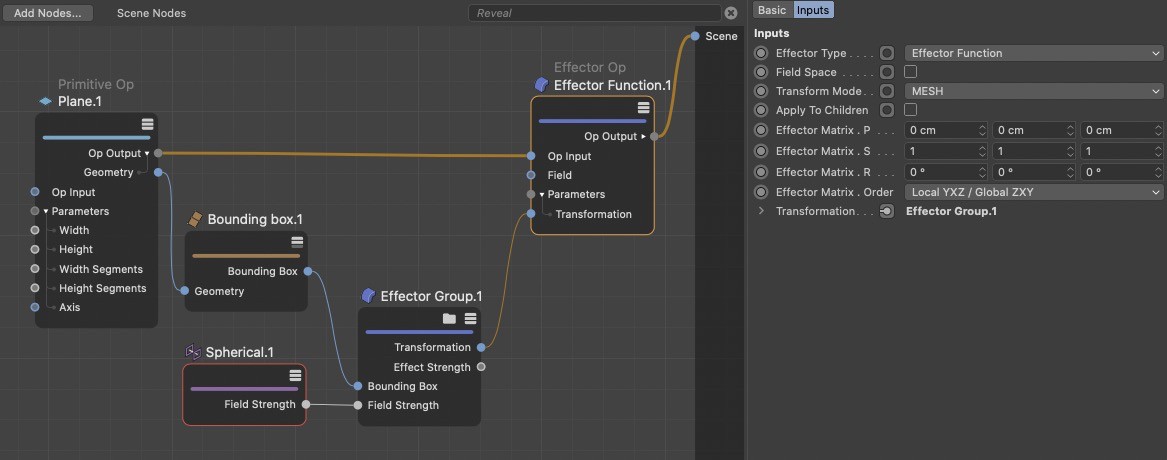 Here you can see how Fields are basically used - here to deform a plane. Within the effector group, a sinus wave was calculated on the X portion of the position, which was supplied by the Effector Op. To prevent this transformation from including the entire plane, a Sphere Field and its Field Strength were mulitplied within the effector group to restrict the sinus wave to the region covered by the sphere. The result can be seen in the next image.

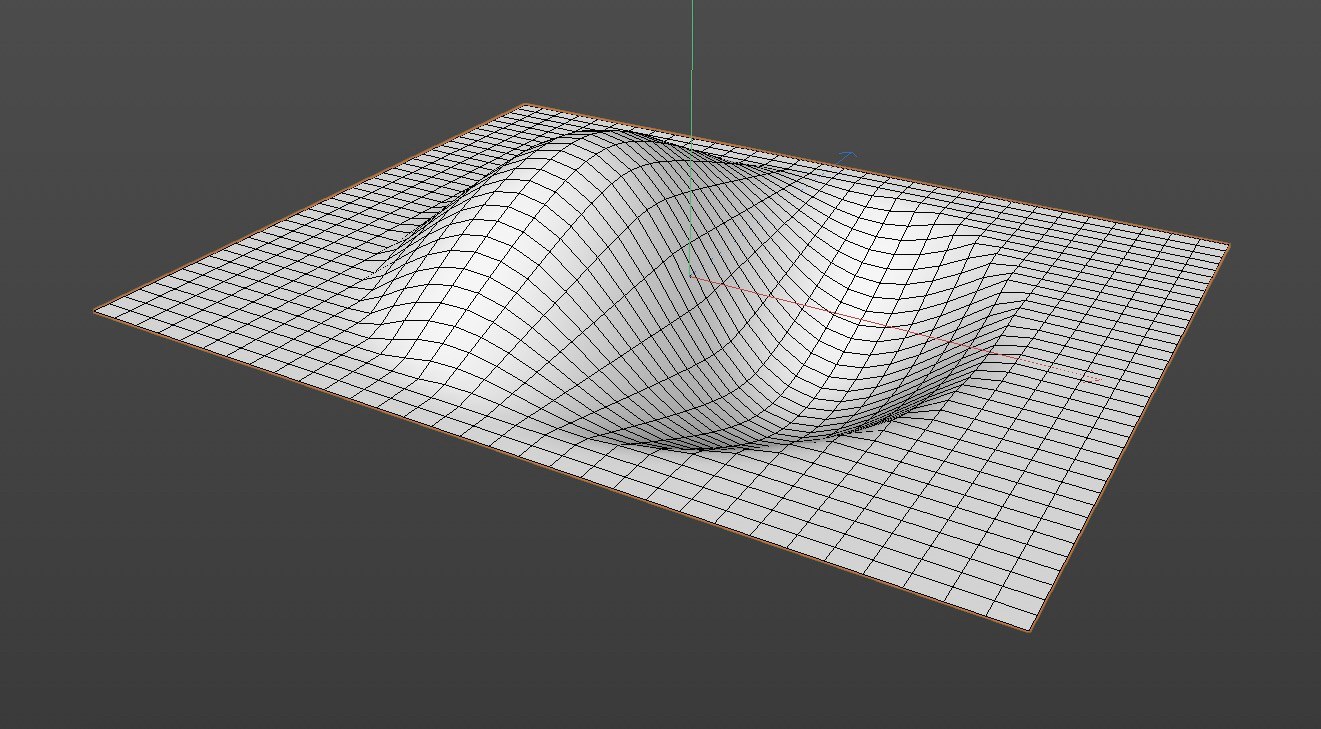 This is the result of the above setup. The Field itself only supplies values between 0 and 1 that in turn are based on a position that is automatically make available by the Effector Op Node.
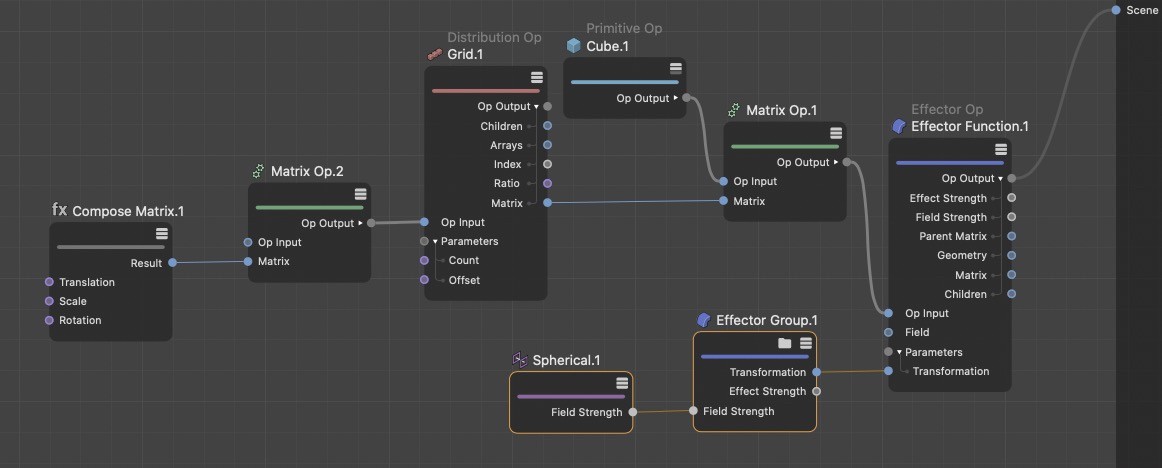 The same principle can also be applied to affecting distributions. The Effector Op Node's transformation mode must be switched.
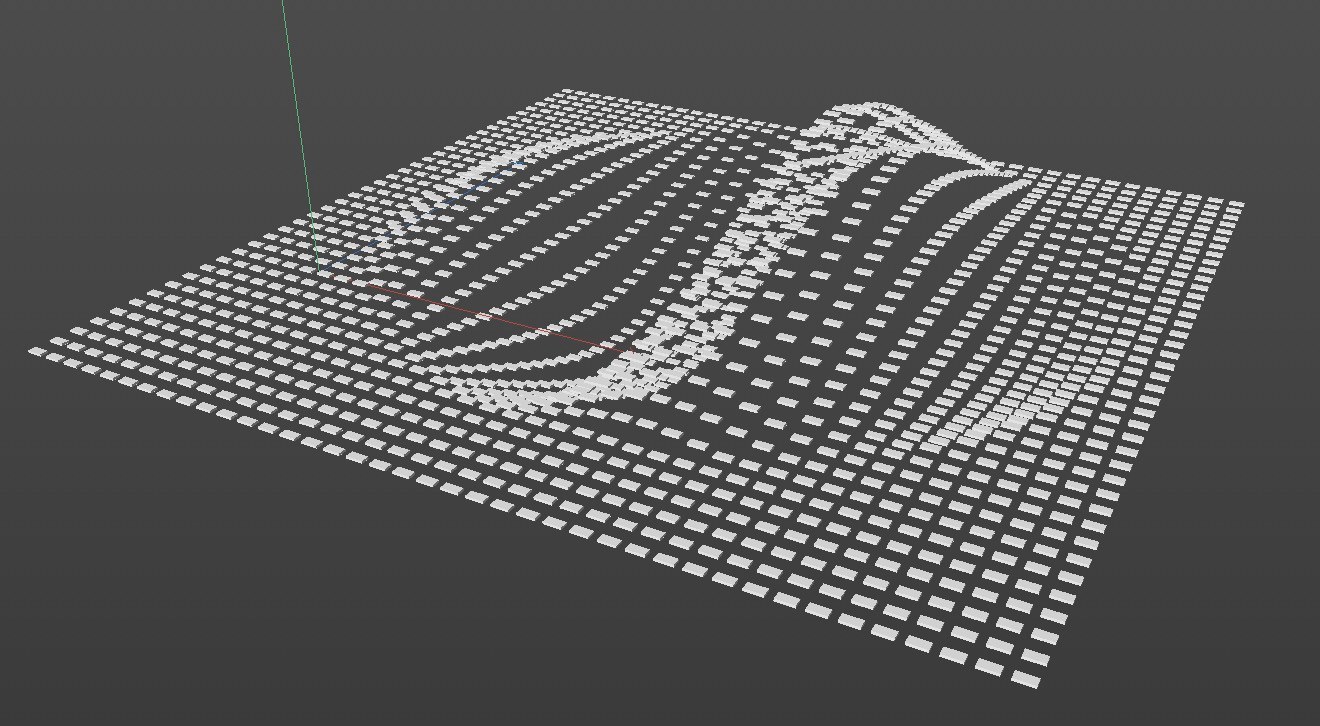 Here you can see the result of the above setup in which a distribution of cubes is affected in addition to the restriction to the spherical region.
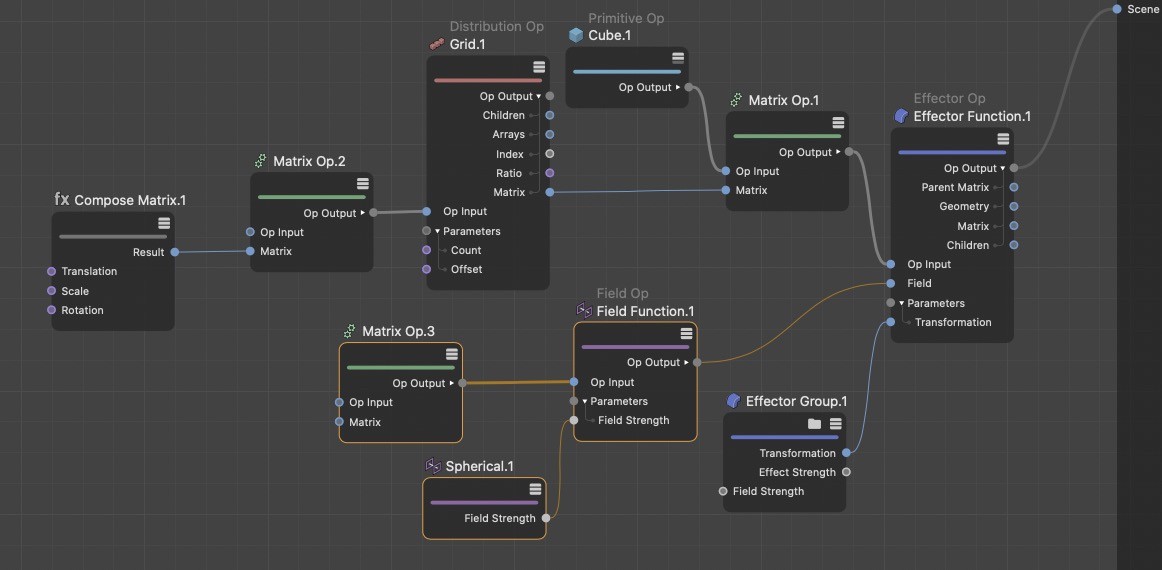 Adding a Field Op Node in the Field Node's field function mode adds even more flexibility. The position of the Field in space can also be defined by a matrix. Alternatively, you can also access the Fields already integrated into the Field Op Node - which would make a separate Field Node superfluous.
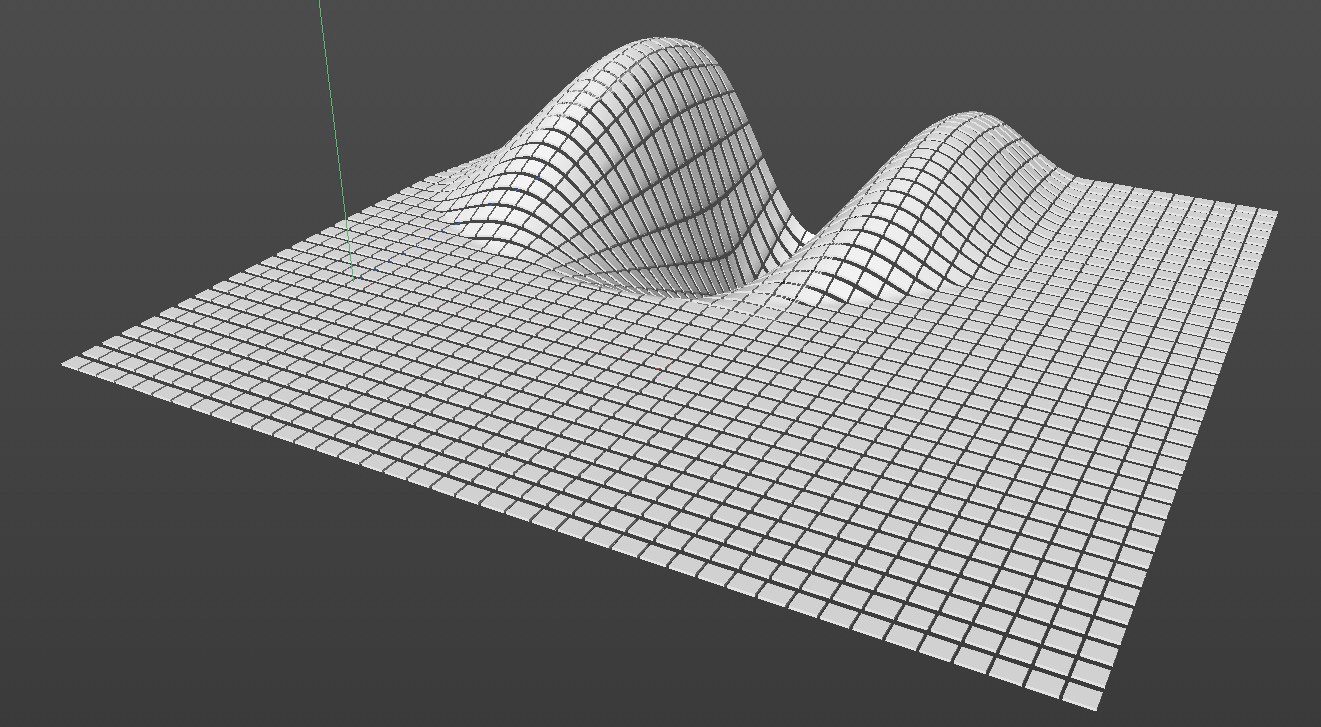 By switching transformation modes for the Effector Op Node to cloned meshes, the duplicated geometry on the distribution can also be deformed.